


Finding Focus: Stability Over Strength
A magnifier stand for tremor low vision should make reading feel steadier, not turn a bill, label, or book page into a tiny balancing act.
The catch is that many people shop by magnification number first, then wonder why the image jitters, the light glares, and the device ends up parked in a drawer by the end of the week. For readers with low vision and shaky hands, the real problem is rarely just small print. It is motion, focus drift, narrow viewing windows, and awkward setup all colliding on the same kitchen table.
Keep guessing, and you can waste money on a tool that technically magnifies more while making actual reading slower, harder, and more tiring. What helps is a stand that reduces hand strain, steadies the page, and gives you enough field of view to track lines without constant resets.
That means choosing for stability, lighting control, and real-life reading tasks, not just optical bragging rights. This guide is built around the mechanics that matter in daily use: base stability, focal tolerance, glare control, and task fit.
Because here is the quiet truth: The easiest magnifier is not always the strongest one. It is the one that feels calm after two minutes.
Before you compare models, compare how reading actually breaks down.
Table of Contents
Fast Answer: The best magnifier stand for tremor low vision is usually not the one with the highest magnification. It is the one that stays steady, keeps the focal distance predictable, reduces hand strain, and works with real-life reading tasks. For many users, a stand magnifier with a stable base, built-in light, and enough clearance for tracking lines calmly will beat a handheld option that shakes, drifts, or tires the wrist.
Start Here First: Why Stability Matters More Than Raw Magnification
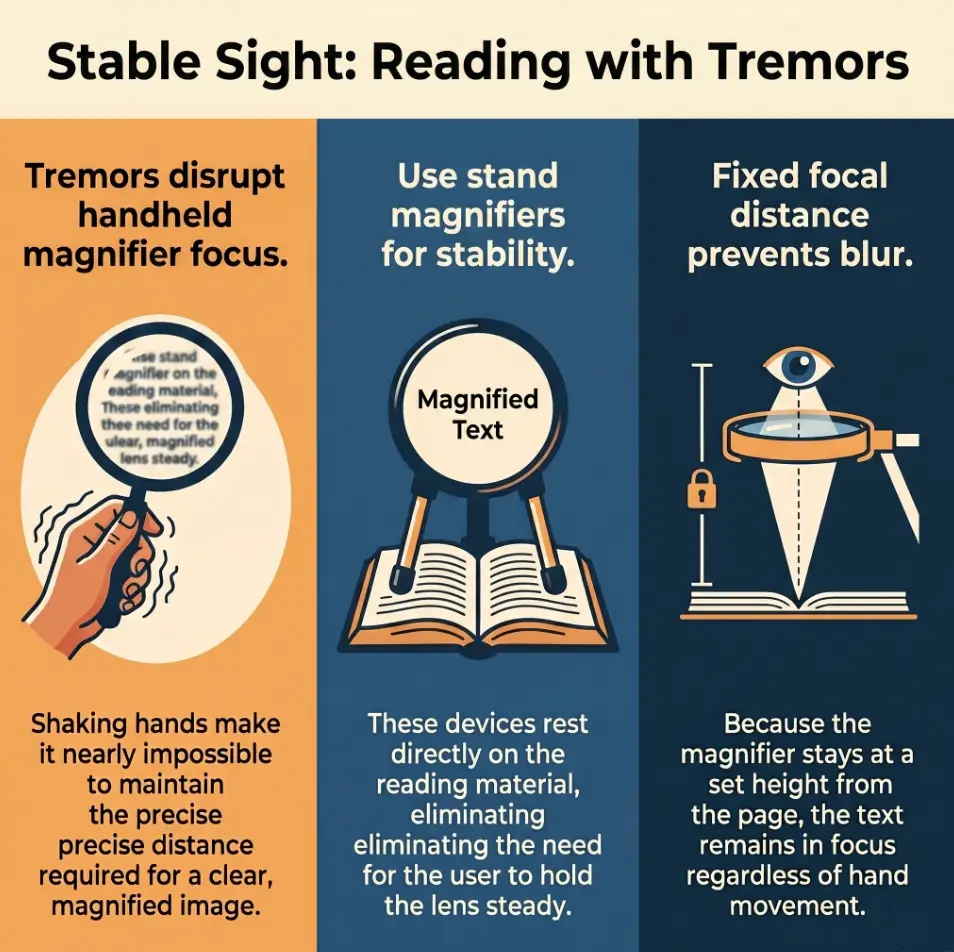
The real problem is often movement, not just small print
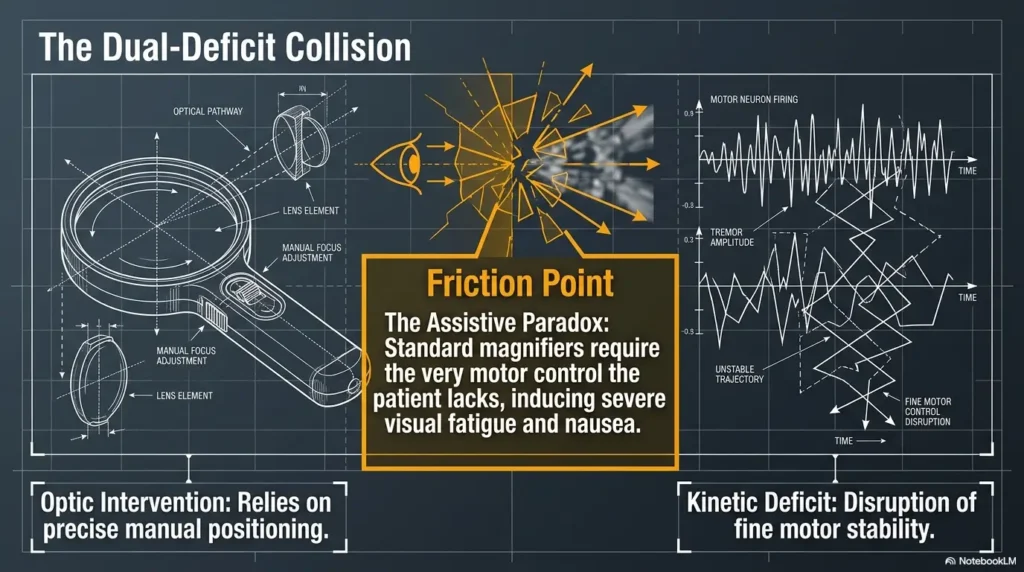
People often shop for magnifiers as if the only villain is tiny text. But when hand tremor is part of the picture, the villain is usually motion plus tiny text. That pairing changes everything. A perfectly decent lens can become exhausting if the image jitters every few seconds, the page drifts out of focus, or the device has to be held in exactly one fussy position like a diva refusing to sing unless the room temperature is ideal.
I have seen this problem in miniature at kitchen tables, where the tool itself becomes the obstacle. Someone is trying to read a medicine label, the hand starts to wobble, the lens tilts, the lighting bounces off the plastic, and suddenly a ten-second task becomes a small emotional weather system. The issue is not discipline. It is mechanics.
Why stronger zoom can make tremor feel worse instead of better
More magnification sounds merciful. Sometimes it is. But higher power usually means a smaller field of view and a tighter focal sweet spot. When the viewing window gets smaller, each tiny movement feels louder. The image does not merely move. It hops. The words seem to slip sideways like minnows in shallow water.
What “easy to use” actually means when the image keeps dancing
For tremor low vision, easy to use usually means four things: the stand stays put, the focal distance is forgiving, the lens is wide enough to track a line, and the lighting helps without turning glossy paper into a mirror. If one of those fails, the whole reading experience starts to wobble even before your hand does.
- A wide, stable base reduces visual jitter
- A forgiving focus range lowers frustration fast
- Better line tracking often matters more than stronger zoom
Apply in 60 seconds: Before comparing magnification numbers, write down the one task that annoys you most: mail, labels, books, or hobby detail work.
Who This Helps: Who This Is For and Not For
Best for adults with low vision who struggle to hold a magnifier steady
This guide is for adults who can still benefit from near magnification but find handheld reading tools tiring, shaky, or too inconsistent. It is especially relevant if your hands fatigue quickly, your wrist protests after a few minutes, or you are tired of chasing focus around the page.
Best for people with hand tremor reading mail, books, labels, bills, or crafts
Stand magnifiers tend to shine when the task is repetitive and close-range. Mail. Bills. Prescription bottles. Ingredient labels. Cross-stitch charts. Prayer books. Hobby instructions printed in a font apparently designed by ants. If the task happens at a table and the material does not need distance viewing, a stand can make daily life calmer.
Not ideal for users who need distance viewing instead of close reading
If your main problem is reading a whiteboard, seeing a TV menu, or spotting street signs, a reading stand magnifier is the wrong species of animal. Useful, yes, but not for that job. Near-view and distance-view problems often require different tools.
Not enough on its own for fast scanning across large pages or screens
Stand magnifiers can be excellent for steady close work, but they are not always graceful with large spreadsheets, wide catalogs, or long-form reading that demands broad page scanning. Some users eventually do better with a larger desktop video magnifier or another rehab-oriented setup when page navigation becomes the bigger bottleneck.
Eligibility checklist:
- Yes: You mostly read at a table and want less hand effort
- Yes: Your current handheld magnifier shakes or drifts
- Yes: You need help with labels, mail, books, or craft detail
- No: Your main task is seeing far away objects
- No: You need to scan very large pages quickly all day
Next step: If you marked at least three yes answers, a stable stand magnifier is worth serious consideration.
Base First, Lens Second: The Features That Usually Matter Most
A heavy or wide base that resists wobble
The base is not glamorous, which is exactly why many people ignore it. Then they bring home a magnifier that skates across the table like a toddler in socks. A better base feels quiet. It does not tip when the page shifts. It does not slide every time you nudge an envelope underneath it. It gives your eyes the gift of predictability.
A viewing height that keeps focus from collapsing every few seconds
Some stands sit at a helpful working height. Others hover too low, making the lens feel claustrophobic. A little clearance goes a long way. If the text falls out of focus the moment the page curls, the setup becomes a chore. Slightly more forgiving working distance often improves real reading more than one extra step of magnification ever will.
Enough lens width to follow a line without constant repositioning
A narrow lens can turn reading into a stutter. You read three words, move the device, find your place again, repeat. That is not reading. That is administrative labor. For tremor users, more lens width usually means less repositioning and fewer tiny corrections.
Built-in lighting that brightens the page without turning it into glare theater
Lighting is helpful until it is not. The National Institute on Aging advises minimizing glare and using adequate lighting, and that principle applies beautifully here. A bright LED is not automatically good if it bounces off glossy mailers, packaging, or coated labels. What you want is controlled light, not a miniature interrogation lamp. If glare is already part of the struggle, it can help to think beyond the magnifier itself and borrow ideas from better reading lamp placement for low vision and even warmer bulb choices for glare-sensitive eyes.
Show me the nerdy details
For close reading, the user experience is shaped by three interacting variables: optical power, focal tolerance, and field of view. Stand designs usually help because they reduce one whole variable, hand motion, from the equation. That does not magically solve low vision, but it removes a common source of image instability.
A short real-life note here: I once watched someone test two magnifiers with the same stated power. One was technically sharper. The other was easier. Guess which one got used after day three. The easier one won by a mile, because the sharper lens demanded the patience of a watchmaker and the wrists of a statue.
Don’t Start With Power: Why “More Magnification” Becomes a Trap Fast
Higher magnification often shrinks the visible field too much
This is one of the oldest purchasing traps in the accessibility aisle. Bigger number, better result. Except, no. Higher magnification often reduces how much text you can see at once. That can slow reading, increase place-loss, and make each micro-movement feel more dramatic.
Narrow viewing windows can make tremor feel more chaotic
When the window is tiny, even a small tremor can make the image feel like it is ricocheting. The reading experience becomes less about seeing and more about re-centering. That is why moderate magnification with better field control often beats extreme magnification with a peephole view.
The hidden tradeoff between enlargement and reading rhythm
Reading rhythm matters. It is one of those invisible quality-of-life variables that product listings almost never mention. A setup that lets you move through a full line with fewer interruptions often feels more independent, even if the text is not enlarged to the moon.
Decision card:
When to choose lower-to-moderate magnification: You want smoother reading, bigger viewing area, and less constant repositioning.
When to choose higher magnification: You read very small labels briefly and accept a narrower field for short, targeted tasks.
Time trade-off: Lower-to-moderate power often saves time in longer reading sessions.
Neutral next action: Compare which setup lets you read one full sentence with fewer resets.
Shape Changes Everything: Stand Magnifier vs Gooseneck vs Desktop Arm
Stand magnifiers work best when you want predictable page distance
A classic stand magnifier usually wins on simplicity. Put it down. Slide the page. Read. Repeat. That fixed geometry is comforting when tremor is part of daily life because it removes a layer of juggling.
Gooseneck models can help, but only if the arm does not drift under its own weight
Goosenecks look wonderfully adaptable in product photos. In real life, some are stable and some behave like overcooked noodles. If the arm slowly droops, bounces, or twists when touched, it can become maddening. The promise of adjustability turns into constant babysitting.
Desktop arm systems suit longer sessions when table space is not a fight
Arm-mounted systems can be useful for longer reading sessions or hobby work because they free up some workspace underneath. They are especially appealing when you want light and magnification hovering above the task rather than sitting directly on it. But they do ask more of your table and your setup habits.
Which design fits short tasks, long reading, and hobby detail work
For quick daily tasks, a stable stand with built-in light often wins. For longer reading sessions, an arm system may feel more open and less cramped. For hobby work, clearance and angle control start to matter almost as much as the lens itself.
One tiny anecdote: people often think portability will matter most. Then real life arrives. The magnifier lives on one table for six months because that is where the mail gets opened and the bills get paid. Portable is nice. Predictable is usually nicer.
Let’s Be Honest: Some “Accessible” Designs Are Weirdly Hard to Use
Tiny bases that slide when you nudge the page
If the base moves every time the paper moves, the device is not helping enough. Full stop. Accessibility gear should reduce correction, not multiply it.
Flexible arms that look adjustable but never truly stay put
Adjustment is wonderful right up until it becomes a part-time job. Many shoppers do not realize that a slightly unstable flexible arm can feel worse than a basic fixed stand because it adds another moving variable to an already delicate visual task.
Bright built-in LEDs that create reflections on glossy paper
Glossy paper is a trickster. A bright light can wash out what you are trying to see and make the lens feel harsher than it is. This happens often with medication bottles, laminated labels, and promotional mail printed like it expects to be admired under a chandelier. If glossy mail is part of your daily battle, the habits that help with reading glossy mail without glare can translate surprisingly well to magnifier setup choices too.
- Sliding bases waste effort
- Drooping arms sabotage focus
- Harsh LEDs can make glossy text harder, not easier
Apply in 60 seconds: Add “Does it drift, slide, or glare?” to your shopping checklist before you look at price.
Task Decides the Tool: The Best Stand Depends on What You Read Most
For mail and bills, prioritize quick placement and easy line tracking
Mail is rarely poetic. It is urgent, cluttered, and sometimes printed by people who seem hostile to legibility. For envelopes, bills, and forms, a stand that lands quickly and tracks lines without constant lifting is usually more useful than a powerful lens with a cramped field. If your table routine already includes sorting paperwork, the logic overlaps with building a low-vision-friendly filing system that reduces visual friction before the reading even begins.
For books and devotional reading, prioritize comfort over aggressive zoom
Longer reading sessions reward comfort. Neck angle, lens width, and how often you need to reposition all become more important over 10 to 20 minutes. A calmer setup almost always beats a more intense one here.
For labels and medicine bottles, prioritize close focus and lighting control
Short, targeted reading tasks need precision and good contrast. This is where a modestly stronger setup can help, but only if the lighting does not bloom across curved plastic. Sometimes changing the angle of the bottle helps more than changing the lens. Readers who already use a phone for backup may also find it useful to compare with iPhone Magnifier filters for pill bottles or a broader low-vision medication management routine.
For hobbies and needlework, prioritize clearance, angle control, and working space
Craft tasks are a different ecosystem. You may need room for both hands, thread, tools, or small parts. Clearance under the lens matters. So does whether the stand blocks the work area like a stubborn houseplant.
Mini calculator: Count how many times you reposition your current magnifier to read one paragraph.
- 0 to 3 moves: your field of view may already be workable
- 4 to 8 moves: a wider lens or more stable base may help
- 9+ moves: your setup is probably taxing you more than it should
Neutral next action: Run this test once with mail and once with a book page. The difference is revealing.
Common Mistakes: What Buyers Regret After the First Week
Buying by magnification number alone
This is the most common regret because the number is easy to compare and the lived experience is not. A stand that technically enlarges more but forces constant micro-adjustment can lose its charm by Tuesday.
Ignoring base stability because the product photo looks tidy
Product photos are the stage makeup of retail. Everything is upright, well lit, and pretending daily life is organized. Real life includes curled mail, shaky tables, and hands that do not stay perfectly still. Base stability should be judged as if the world were messy, because it is.
Choosing a lens too small for actual reading behavior
Many people do not read in neat, robotic increments. They scan ahead, backtrack, and re-find their place. A tiny lens punishes that natural behavior.
Assuming built-in light automatically means better visibility
Built-in light can be great, especially when ambient room lighting is weak. But if the angle is harsh or the paper is glossy, that same light can become the villain wearing a helper badge. In some cases, simply learning how to make a light source less harsh teaches the same lesson: brightness alone is not the same thing as readability.
One lived-experience truth worth saying plainly: a device can be technically useful and still fail the kitchen-table test. If it feels annoying enough, it gets left in a drawer. Convenience is not superficial. It decides adherence.
Don’t Do This at the Table: Setup Choices That Quietly Make Reading Harder
Reading on a shiny surface that throws light back into the lens
A glossy table can bounce light into the lens and muddy contrast. A placemat, matte desk pad, or even a plain sheet of non-glossy paper underneath the reading material can calm the whole scene down.
Sitting too high or too low and forcing the neck to compensate
Bad posture does not announce itself dramatically. It sneaks in as shoulder tension, craning, and five minutes later a desire to stop reading. The right table height and chair position can make a surprisingly large difference.
Using a stand on a soft, shaky, or crowded surface
If the surface wobbles, the image wobbles. If the space is cluttered, the stand cannot sit flat. That means your eyes are working harder just to keep the text still enough to matter.
Switching tools too often before learning one setup well
Sometimes the best decision is not buying three more gadgets. It is giving one decent setup a week of honest use in one consistent spot. Frequent switching can hide whether the device is truly helping.
Quote-prep list: If you are comparing magnifier stands online or through a low-vision vendor, gather these details first.
- Your main task: mail, books, labels, or hobby work
- How long you usually read: 2 minutes or 20 minutes
- Whether glare from glossy surfaces bothers you
- Whether you need working room under the lens
- Whether your table is steady and spacious
Neutral next action: Use this list to rule out the wrong design category before comparing models.
Here’s What No One Tells You: Comfort Often Decides Whether the Device Gets Used
A workable stand is one you will actually leave out and reach for
There is a particular dignity in tools that do not require a pep talk. The best stand magnifier is often the one that can stay on your table without being a nuisance, because visibility plus convenience equals actual use. If setup friction is high, abandonment follows with grim efficiency.
Reading posture can matter as much as optical strength
A slightly weaker but more comfortable arrangement often beats a stronger system that forces your neck, shoulders, and wrist into a small rebellion. The goal is not just readable text. It is sustainable reading.
Less fiddling often means more independence
Independence is sometimes sold as a grand heroic thing. Often it is much simpler. It is paying a bill without asking for help. Reading a label before dinner cools. Checking a craft instruction without losing your place six times. A low-fuss stand supports that kind of quiet independence beautifully.
Short Story: A friend once described her old handheld magnifier as “technically helpful and spiritually exhausting.” She kept it in a drawer beside rubber bands and expired coupons, which tells you nearly everything. Then she switched to a simple stand with a wider lens and a base that did not skid around the table. Nothing about the new device was glamorous. It was not futuristic.
It would never star in a sleek product ad. But by the second week, it had become part of her evening routine. She used it to read medicine labels, church bulletins, and the tiny care instructions on seed packets. The difference was not that her vision had changed. The difference was that the task had become less fragile. The page stayed where it was supposed to stay. The image stopped dancing. The tool stopped asking her to perform. That is a bigger victory than many shopping guides know how to describe.
Compare Before You Buy: A Simple Decision Filter That Cuts Through the Noise
First ask what task you do most often
Most people do not need the best magnifier for every possible activity. They need the best one for the task they repeat most. Daily mail? That is one design brief. Needlework? Another. Labels and medicine bottles? Different again.
Then ask how long you need to read at one time
Two-minute tasks can tolerate more intensity. Twenty-minute tasks usually cannot. Longer sessions reward comfort, stability, and field of view.
Then check whether you need portability, table stability, or both
If the device mostly lives in one place, prioritize stability first. If it must travel from kitchen to bedroom to hobby table, portability matters more, but not enough to excuse wobble.
Finally ask whether lighting is helping or sabotaging the page
Good lighting improves contrast. Bad lighting makes you doubt the lens, the page, and perhaps the moral structure of the universe. Judge the light in the same room where you will actually use it.
Quick Infographic: The 3-Part Filter
1. Stability
Heavy base, low drift, predictable placement
Best for: tremor, mail, labels, bills
2. Field of View
Enough lens width to track full phrases calmly
Best for: books, forms, longer reading
3. Lighting Control
Bright enough to help, soft enough to avoid glare
Best for: glossy packaging, bottles, mixed paper types
Rule of thumb: If a setup fails any two of these three, it will probably feel harder to use than the listing suggests.
When a Stand Magnifier Is Not Enough: Signs You May Need a Different Setup
When tremor makes page tracking too inconsistent even with a stable base
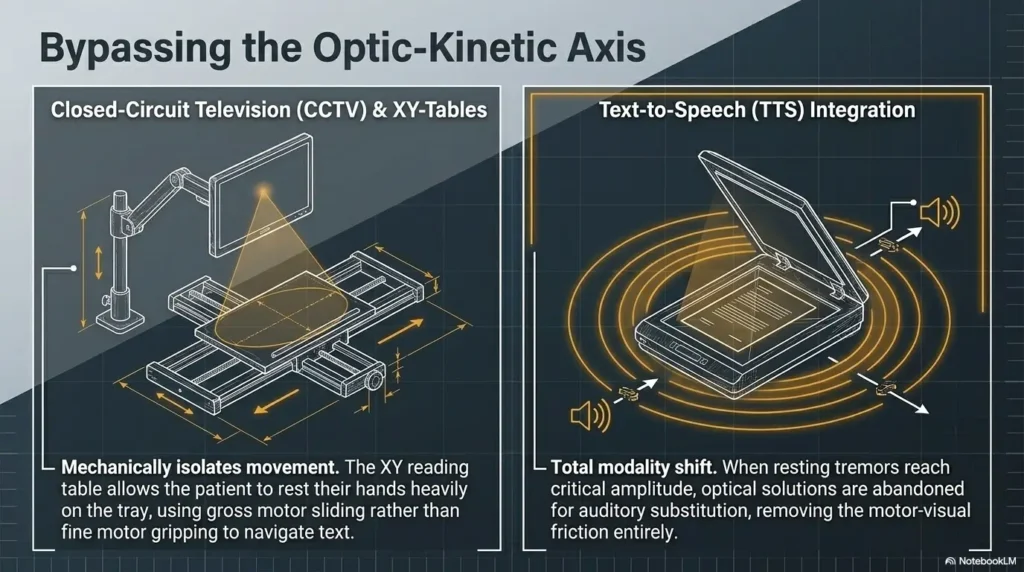
If the stand is stable and the task still feels chaotic, the issue may be larger than the stand itself. Some users need a bigger visual field, a screen-based magnification setup, or a different rehab strategy altogether.
When field of view is too small for comfortable reading
If you lose your place constantly, even with a reasonable stand, you may need something that shows more text at once. This is where overhead or video-based options can make more sense.
When overhead video magnifiers or larger desktop systems may make more sense
The American Academy of Ophthalmology notes that low-vision aids now include more than traditional optical tools, including video magnifiers and other assistive technology. The National Eye Institute also describes assistive products and technology as part of vision rehabilitation. If you keep fighting the stand, it may be time to stop treating the problem as a willpower issue and consider a larger setup that better matches your visual needs.
Also, tremor itself is not one-size-fits-all. The National Institute of Neurological Disorders and Stroke describes tremor as rhythmic shaking that commonly affects the hands. That matters because the intensity, timing, and task-specific effect can vary a lot. A stand helps many people, but it is not magic. It is a tool, not a referendum on your effort.
Next Step: Test Your Real Reading Task Before You Commit
Pick one daily task, one table, and one lighting condition to judge the setup honestly
This is where the curiosity loop closes. The best magnifier stand is not revealed by a polished product photo. It is revealed by your most ordinary task in your most ordinary spot. One bill. One label. One paragraph from a book. One hobby instruction sheet. Same chair. Same table. Same lamp. That is your laboratory.
Use a two-minute reading test instead of trusting the product photo
Give each setup two honest minutes. Count how often you reposition. Notice whether your shoulders tense up. Notice whether glare appears on glossy material. Notice whether your place on the page wanders off like a distracted goat. Those tiny annoyances are not tiny. They predict long-term use.
Keep the winner simple: stable, readable, repeatable
The right choice will often feel slightly less dramatic than you expected. Good assistive gear is like a solid handrail. You stop noticing it because it quietly does its job. In the next 15 minutes, make a one-page comparison list with these headings: base stability, field of view, light quality, working clearance, and fatigue after two minutes. The best option will usually make itself known. And if your real-world test includes medicine labels, expiry dates, or forms you have to sign, it may help to pair the setup with adjacent routines like reading expiration dates with low vision, choosing large-print prescription labels, or using a signature guide frame for more accurate signing.
- Test on your real table
- Judge the light on your real paper
- Choose the setup that feels calmest after two minutes
Apply in 60 seconds: Create a tiny scorecard with five rows: stability, focus, glare, line tracking, comfort.
FAQ
Is a stand magnifier better than a handheld magnifier for tremor?
Often, yes. A stand magnifier removes much of the hand-held motion from the task, which can make focus and line tracking easier. It is not automatically better for every person, but for tremor plus close reading, it is frequently the calmer option.
What magnification is easiest to use for low vision and shaky hands?
The easiest level is usually the one that gives enough enlargement without shrinking the viewing window too much. Many users do better with moderate magnification and a wider field of view than with very high power and a tiny reading area.
Are lighted magnifier stands worth it for reading mail and bills?
They can be, especially in dim rooms. But the light needs to help contrast without causing glare. On glossy paper, a harsh LED can backfire.
Can a gooseneck magnifier work for tremor, or does it wobble too much?
It can work, but only if the arm stays where you put it. If it droops, vibrates, or twists easily, it may feel less stable than a simpler stand design.
What lens size is better for reading full lines of text?
A wider lens generally makes line tracking easier because you can see more text at once. That usually means fewer resets and less frustration.
Do stand magnifiers work on glossy paper and packaging?
They can, but lighting angle matters a lot. Glossy packaging often creates reflections. Sometimes tilting the item or changing the light angle helps more than increasing magnification.
Are desktop magnifiers too bulky for everyday use at home?
Not always. They do take up more space, but for some users the larger field of view and steadier reading experience make them far more practical for everyday reading.
What should I avoid if I have both low vision and hand tremor?
Avoid shopping by magnification number alone, tiny bases that slide, flexible arms that drift, and lighting that creates glare. Also avoid judging a device only by how it looks in a listing.
Last reviewed: 2026-04.