
Precision Reading: Navigating Medication Labels with Low Vision
Reading a medicine leaflet with low vision can turn a 30-second task into a tiny obstacle course of glare, folds, micro-print, and one dangerously slippery line about dosage. That is exactly why a better workflow matters more than better willpower.
The real problem is rarely just “small text.” It is the ugly combination of thin paper, cramped medication instructions, unreliable OCR, and the mental overload that arrives when you are already tired, unwell, or helping someone else. One missed unit, one fuzzy timing phrase, one overconfident guess, and the cost of confusion rises fast.
This guide helps you read medicine leaflets more safely using scan tools and Spoken Content, so you can catch the parts that actually affect what you do next:
- Dose & Timing
- Warnings
- Side Effects
- Storage & Missed Doses
The approach is practical, verification-first, and grounded in the real behavior of patient labeling, smartphone text capture, and accessibility reading tools.
The safest reading goal is not speed. It is confidence with the lines that matter.
Start with the page setup. • Tighten the scan. • Let your ears help your eyes.
Table of Contents
Quick Visual: The Safer 4-Step Workflow
1. Flatten + light
Smooth folds. Shift the lamp angle. Use a plain background.
2. Scan key parts first
Dose, timing, warnings, side effects, storage, missed dose.
3. Listen slowly
Use Speak Selection for precise lines, Speak Screen for overview.
4. Verify what matters
Replay numbers. Re-scan unclear lines. Confirm critical details with a pharmacist.
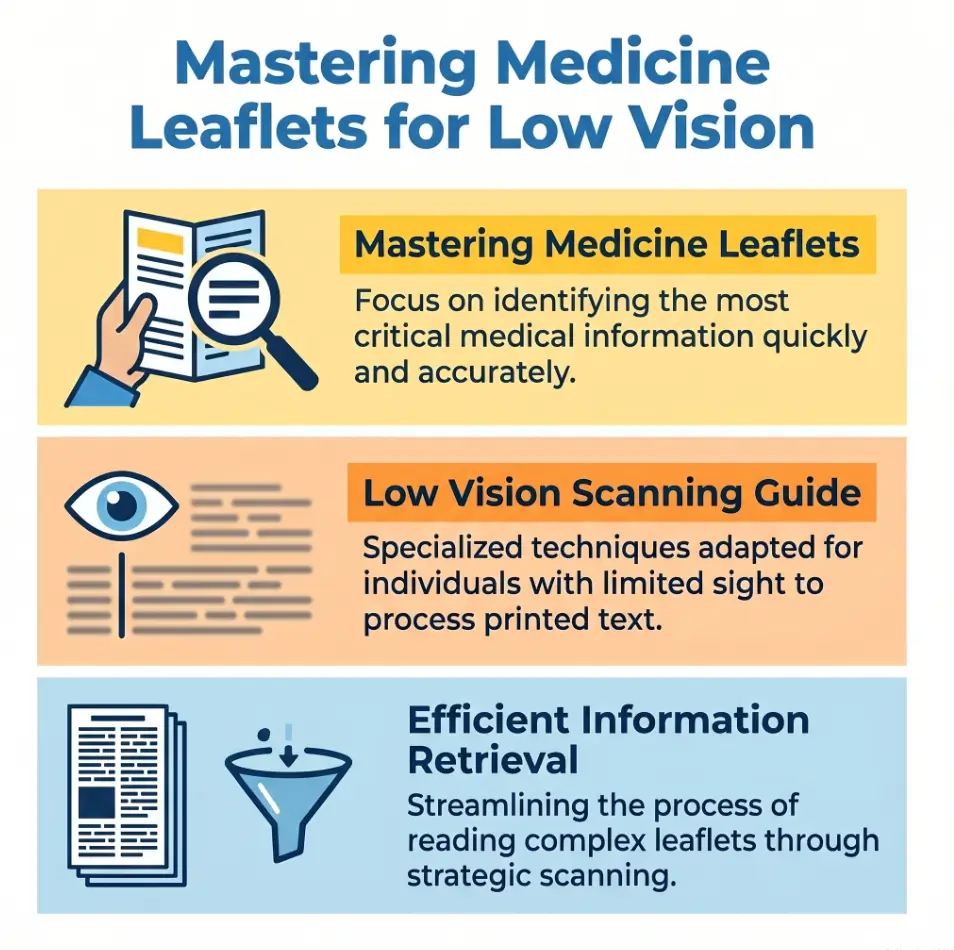
Start Here: Reading Medicine Leaflets Is Hard for Reasons That Have Nothing to Do With Effort
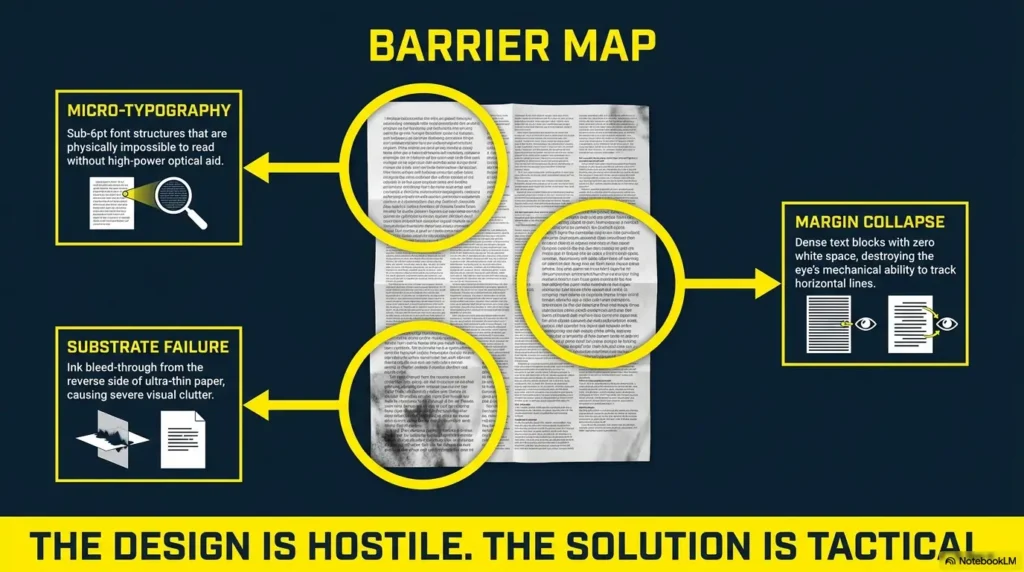
Why inserts fight back with thin paper, tiny print, folds, and glare
Medicine inserts are not merely small. They are physically inconvenient in almost theatrical ways. The paper is often thin enough to wrinkle from one impatient touch. The folds interrupt sentence flow. Multicolumn layouts make your eyes hop like they forgot the choreography. Add shiny packaging light, and the text can vanish under a silver wash. This is why people with perfectly decent reading habits can still struggle. The leaflet is not neutral paper. It is a tiny obstacle course in lab-coat clothing.
Why low vision turns “just read the leaflet” into a high-friction task
If you live with low vision, the problem compounds. What is small for someone else may be functionally slippery for you. Letters blur together, numbers become cousins instead of strangers, and a rushed moment can turn “once daily” into “as needed” in the brain’s foggy hallway. I have seen this dynamic with dense print in other settings too: the eye gets blamed for what the page design started. Often the real issue is not lack of effort. It is a collision of print size, lighting, fatigue, and cognitive load.
The real goal is accuracy, not speed
That is why this article is not about reading the leaflet heroically in one sitting. It is about reducing risk. The FDA explains that FDA-approved patient labeling can include Medication Guides, Patient Package Inserts, and Instructions for Use, all meant to help people use medicines safely and effectively. In other words, these documents are not decorative paperwork. They are safety tools.
- Low vision magnifies layout problems, not just print problems
- Glare and folds create errors before your eyes even begin the work
- Medication text deserves a slower, verification-first method
Apply in 60 seconds: Before you read a single line, smooth the leaflet and move the light off to one side.
Best Use Case First: When Scan + Spoken Content Helps Most
Good fit for cramped dosage text, side effects, warnings, and storage lines
Scan + spoken readout shines when the print is technically visible but not reliably readable. That includes cramped dosage lines, dense warning blocks, side-effect lists, storage instructions, and those sneaky “do not take with…” phrases tucked into a corner like a secret. Audio support gives your eyes a partner. It does not magically remove risk, but it can reduce the strain of decoding tiny print letter by letter.
Better for flat paper leaflets than crumpled, shadowed, or glossy inserts
This workflow works best when the paper can hold still and the camera can see it cleanly. Flat leaflet, plain surface, decent light, minimal shadow: that is the sweet spot. A glossy, accordion-folded insert that keeps springing back into sculpture mode is a harder customer. You may still get useful text, but your confidence should be lower until you verify the critical lines. A readable-looking image is not always a trustworthy image. Cameras can flatter a page the way bad hotel mirrors flatter ambition. If glare is one of your main enemies across printed material, the same principles in reading glossy mail without glare apply here too.
Who this is for and who it is not for
Best for readers who can use a smartphone and benefit from text readout
This is especially helpful for people who can frame text with a phone camera, crop or zoom a little, and listen to a selected block of text without losing context. Caregivers can use the same method when helping a parent or partner, especially when the goal is to confirm instructions rather than “power through” a whole leaflet. If your phone setup still feels fiddly, a more tailored iPhone scan settings workflow for low vision can make the capture step much calmer.
Less ideal when the leaflet is damaged, multilingual in tiny columns, or badly printed
OCR struggles more when the print is faint, crumpled, crowded into several languages, or bent across folds. If the leaflet looks like it survived a tiny weather event inside the box, assume the tech may misread something important.
Not a substitute for pharmacist or prescriber guidance when instructions are unclear
MedlinePlus drug pages routinely separate core sections such as how to take the medicine, what to do about a missed dose, serious side effects, interactions, and precautions. That structure is a clue: these details matter because getting them wrong matters. When the wording stays ambiguous, the right next move is not more stubbornness. It is confirmation from a pharmacist or prescriber.
Eligibility checklist
- Yes: You can hold a phone steady for 10 to 30 seconds
- Yes: You benefit from hearing text read aloud
- Yes: You mainly need dosage, warning, or storage sections clarified
- No: The leaflet is torn, smudged, or impossibly reflective
- No: The instructions conflict with the label or feel medically unclear
Next step: If you checked any “No,” plan to verify the critical line with a pharmacist instead of relying on one scan.
Before You Scan: Set Up the Leaflet So the Camera Stops Fighting You
Flatten first, then align: why paper position matters more than people expect
The calmest setup usually beats the fanciest app. Put the leaflet on a plain, matte surface. Smooth the folds as much as the paper allows. If it keeps springing back, scan one panel at a time rather than wrestling the whole thing. A badly positioned page forces the camera to guess. And when medication text is involved, “guess” is not the assistant you want in the room.
Move the light, not just the phone: how to reduce glare without adding strain
Many people respond to glare by pushing the phone closer, tilting the page more, or turning on a harsher overhead light. That often makes things worse. Better move: shift the lamp angle so the reflection falls away from the text. Side lighting is often kinder than top lighting. In real life this takes about 10 seconds, but it can save you three rescans and one muttered monologue about modern packaging. If your eyes are glare-sensitive in general, you may also benefit from a better reading lamp position for central vision loss or a deeper look at 2700K vs 3000K lighting for glare-sensitive eyes.
Use contrast on purpose with a plain background under the leaflet
A plain dark or plain light background can help the camera define the page edges more clearly. Busy countertops, patterned cloth, and glossy tables are visual hecklers. Give the camera a cleaner stage. The scan does not need to be pretty. It needs to separate paper from everything else.
Apple’s iPhone guidance notes that Live Text can detect text appearing within the camera frame, which is why page positioning and clean visibility matter before you even tap anything.
Show me the nerdy details
OCR systems perform better when text edges are sharp, shadows are low, and the page boundary is visually distinct. Thin folded medicine paper often produces warped baselines, which can lead to wrong line grouping or misread characters, especially around fractions, abbreviations, and dosage units.
Scan Smarter: How to Capture Tiny Medication Print Without Losing the Line You Need
One full scan versus section-by-section capture
A full scan is useful for orientation. It tells you what sections exist and where the key material lives. But for actual comprehension, section-by-section capture is often safer. One image for dosage and timing. Another for warnings and interactions. Another for side effects and storage. This prevents the “wall of text” effect where your ears are listening but your brain has quietly left the building.
When to zoom in on dosage, warnings, active ingredients, and expiry-related lines
Zooming is not vanity here. It is triage. Enlarge the lines that answer practical safety questions: how much, how often, with or without food, what to avoid, what to do if you miss a dose, and how to store the medicine. If you are helping someone else, include the active ingredient line too. Brand names can sound familiar in a dangerous, slippery way, while active ingredients tell the more grounded story. The same goes for tiny printed dates, so the habits in reading expiration dates with low vision can quietly save you trouble here too.
Curiosity gap heading: The clearest image is not always the safest one to rely on
This is the paradox. Sometimes the prettiest scan is not the most dependable one. Over-sharpened or heavily contrast-adjusted text can look crisp while still dropping punctuation, splitting lines oddly, or making “mg” and “mcg” feel a little too close for comfort. A tiny visual miracle can still carry a tiny factual mistake. That is why critical lines deserve a replay and, when necessary, a second capture from a slightly different angle.
Decision card
When to scan the whole leaflet: You need context, section labels, or the overall layout.
When to scan a single panel: You are confirming a dose, warning, timing line, or storage instruction.
Neutral action: Start wide for orientation, then switch to narrow captures for anything safety-critical.
Short Story: A friend once asked me to help with a medicine insert that looked as though a tiny accordion had taken up law school. We started with the whole leaflet and felt triumphant for about 20 seconds. Then the dosage paragraph arrived as a dense fog-bank of miniature print. We changed tactics. One panel at a time.
Warnings first. Dose second. Missed dose third. Suddenly the leaflet stopped behaving like an enemy document and started acting like information. The breakthrough was not better eyesight. It was permission to read in pieces. That is the quiet trick here. You are not failing the leaflet by breaking it up. You are making it answerable.
Spoken Content Workflow: Turn a Dense Leaflet Into Something Your Ears Can Actually Use
Start with the sections that matter most for safe use
Once the text is captured, do not begin at the top just because the page begins there. Start with the questions that affect what happens next. What is this medicine for? How do I take it? What must I not combine it with? What side effects require prompt help? How should I store it? That order is not glamorous, but it is practical. Spoken readout is most valuable when it answers the next safety question clearly.
Use Speak Selection for precise lines and Speak Screen for broader review
Apple’s iPhone support page explains that Spoken Content can read a specific selection or the entire screen aloud, even when VoiceOver is off. That distinction matters. Speak Selection is usually better for dosage lines, warning blocks, and anything involving numbers. Speak Screen is more helpful when you want to review a larger section after you already know where the important material is. Android users can build a similar workflow with Android Select to Speak menus if they prefer the same listen-first approach.
Pattern interrupt: Here’s what no one tells you about listening to dosage instructions
Fast audio can sound efficient while quietly increasing mistakes
Fast audio feels productive in the same way speed-reading a tax form feels productive. Your ears move quickly, your confidence rises, and then one little unit, decimal, or timing phrase slips past in loafers. Medication instructions are not podcast content. They deserve a pace that lets numbers land with their shoes tied.
Slightly slower speech often helps numbers, timing, and units land correctly
Try a slightly slower reading speed than you would use for ordinary web articles. It feels almost comically patient for the first minute. Then the brain stops skidding. “Twice daily,” “every 6 hours,” “do not exceed,” “with food,” “avoid alcohol,” these phrases need enough airtime to be distinguished. If the line sounds uncertain, highlight it again and replay only that line. Surgical listening beats broad heroic listening.
- Speak Selection is safer for precise medication lines
- Speak Screen is better for overview after you know the layout
- Slower audio often improves number and unit accuracy
Apply in 60 seconds: Replay the exact dose line once at a slightly slower speed before you trust your memory.
Read in the Right Order: The Sections Most People Should Not Skip
What the medicine is for
This sounds obvious until stress enters the room. Start by confirming the basic purpose of the medicine. Not the name you think you heard. Not the box color your brain has adopted as gospel. The actual use line. When the purpose is clear, the rest of the leaflet makes more sense.
How to take it and when
This is the operational core. Dose, timing, route, frequency, meal instructions, and maximum daily limits all belong in the front of your attention. If you cannot summarize this part in one plain sentence, do not move on yet.
Warnings, interactions, and when not to use it
This is where leaflets stop being mildly annoying and become safety-critical. Many people under-read this section because it feels long and legalistic. Unfortunately, this is also where contraindications, interaction warnings, and situation-specific “do not use if…” language often live. Read this part with your best patience, not your last patience. If you are juggling several prescriptions, the broader habits in low-vision medication management can help turn this from a one-off scramble into a steadier system.
Side effects and what needs prompt attention
Not every side effect is an emergency, and not every scary-sounding phrase means disaster. Still, it helps to sort common side effects from serious warnings. If the leaflet does not make that distinction clear to you, that uncertainty itself is worth clarifying.
Storage, missed dose guidance, and disposal notes
These lines are often treated as optional housekeeping. They are not. Storage affects effectiveness. Missed-dose instructions affect what you do next. Disposal matters in homes with children, pets, or several medications in rotation. Tiny paragraphs, large consequences.
Quote-prep list
- The medicine name and active ingredient
- The exact dose line you heard
- The timing or food instruction you are unsure about
- Any warning or interaction phrase that sounds relevant
Neutral action: Have these ready before you call or ask a pharmacist to confirm the instructions.
Common Mistakes: The Easy Shortcuts That Can Create Expensive Confusion
Mistake one: listening only to the first paragraph and assuming the rest is filler
The first block may explain the medicine broadly, but the operational details often appear later. That is the cruel joke of medicine leaflets. The part that reads most politely is not always the part that saves you from a mistake.
Mistake two: scanning under bright overhead light that turns the leaflet into a mirror
Bright is not the same as usable. Overhead glare can erase a line with almost comedic efficiency. Move the light source. Tilt the reflection away. The page should look boring. Boring is beautiful here. On some phones, reducing visual harshness with settings from making the iPhone flashlight less harsh or understanding Reduce White Point vs. Night Shift can also make short reading sessions less punishing.
Mistake three: trusting one OCR pass when numbers or abbreviations look suspicious
If the scan says “mcg” and your eyes think it might be “mg,” that is not a tie. That is a stop sign. Repeat the capture. Use a tighter crop. Ask for confirmation. One of the most mature reading habits in medication contexts is refusing to be prematurely confident.
Mistake four: reading tired, late, or in a hurry when the insert is dense
Tiny print and fatigue make a terrible duet. I have watched dense text become twice as slippery after 10 p.m. and one mildly stressful day. If the leaflet matters, and it does, your future self will thank you for reading it at a better hour.
Show me the nerdy details
OCR errors often cluster around line breaks, punctuation, and visually similar units. Human error then piles on when tired readers “normalize” ambiguous text into what they expected to see. The fix is not paranoia. It is targeted verification for the lines with the highest consequence.
Do Not Do This: Small Reading Habits That Raise the Risk of Misreading Medication Information
Do not rely on memory when a timing or dosage line sounded uncertain
If you had to say, “I think it said…,” pause. Medicine instructions are not a memory game. Replay the line. Re-scan the line. Confirm the line.
Do not guess at abbreviations, fractions, or frequency language
Abbreviations behave badly under stress. Fractions do too. “Half,” “once,” “twice,” “every,” “as needed,” “before bedtime,” these are small words with outsized consequences. If one sounds slippery, treat it like a loose stair.
Do not treat side effect language and emergency warning language as the same thing
Readers sometimes lump all unpleasant outcomes into one mental bucket. But “common side effect” and “seek medical help right away” are not cousins. They are different neighborhoods entirely. If the leaflet does not help you tell them apart, get that clarified.
- Uncertain timing language should always be replayed
- Abbreviations and units deserve a second look
- Serious warning language must not be blended into general side effects
Apply in 60 seconds: Circle or note the one line that feels least certain and verify that line first.
Let’s Be Honest: The Hardest Part Is Usually Not Vision, It Is Cognitive Overload
Why medication leaflets feel longer once anxiety enters the room
Anxiety stretches time and shrinks comprehension. The leaflet suddenly feels ten pages longer, though it is still the same folded sheet. This is especially true when the medicine is new, the symptoms are uncomfortable, or you are helping someone you love. The text becomes emotionally loud. That is why a clean process matters. Process is what steadies the mind when the page does not.
How to break one leaflet into smaller, safer reading tasks
Think in passes. First pass: identify the key sections. Second pass: listen to dose and timing. Third pass: warnings and interactions. Fourth pass: missed dose, storage, disposal. Each pass has one job. No medals for doing everything at once. In fact, doing everything at once is usually how the errors sneak in wearing respectable shoes.
Pattern interrupt: Let’s be honest, nobody absorbs a dense insert well in one pass
Not you. Not me. Not the annoyingly competent person in the pharmacy queue who somehow carries a reusable tote and calm blood pressure. Dense medical text is not meant to be inhaled in one breath. It is meant to be navigated in parts. That is not weakness. That is mature reading.
Mini calculator
If one dense section takes 30 seconds to scan and 20 seconds to replay, three key sections take about 2.5 minutes.
That is often faster than rereading the whole leaflet from the top after losing your place twice.
Neutral action: Budget 2 to 3 minutes for the key sections instead of forcing one exhausting full read.
Double-Check System: How to Confirm You Heard the Right Thing
Re-scan the most important lines instead of rereading the whole leaflet
Verification gets easier when it stays narrow. Re-scan the exact lines covering dose, schedule, food instructions, warning language, or missed-dose guidance. There is rarely a prize for rereading the entire insert if the confusion lives in one sentence.
Compare dosage, warnings, and timing across two captures
Take a second photo or scan from a slightly different crop. If both versions yield the same reading, your confidence should rise. If they differ, trust neither version completely until you confirm it with a professional. Two matching reads are not perfection. They are simply better odds.
Use pharmacist confirmation when wording still feels ambiguous
This is the graceful exit ramp. The FDA’s patient labeling resources emphasize that patient-facing information is meant to support safe use. Safe use includes asking for help when the wording does not land cleanly. That is not overreacting. That is using the system as intended. For people who want the practical follow-through in one place, a one-page medication list template can make those confirmation calls much more efficient.
Coverage tier map
Tier 1: One clear scan, one clear replay, no ambiguity
Tier 2: One rescan needed for confidence
Tier 3: Two scans still disagree on a critical line
Tier 4: The leaflet conflicts with the bottle or box
Tier 5: Dose, timing, route, or severe-warning language remains unclear
Neutral action: Anything at Tier 3 or above deserves pharmacist or prescriber confirmation.
When Scan + Spoken Content Is Not Enough
Curiosity gap heading: Why a “readable” leaflet can still be unsafe to trust
Because readability is not the same thing as reliability. A line can sound smooth in audio and still contain a hidden OCR error, a lost punctuation mark, or a missing word at a fold. The sentence arrives wearing confidence that it may not have earned. This is where people get trapped. The tech feels helpful, so the brain relaxes before the facts are fully secured.
Signs the scan quality is too weak for medication-critical details
Watch for letters that seem to merge, units that look unusually similar, lines that skip oddly, or headings that split across columns. If the audio stumbles, repeats a strange fragment, or makes the sentence grammatically bizarre, that is useful information. Treat it as a quality warning, not a quirky machine personality.
When to switch from self-reading to pharmacist, caregiver, or prescriber support
Switch when the instructions affect immediate use and still feel uncertain. Switch when the person taking the medicine is confused or tired. Switch when warnings sound relevant but unclear. Switch when the route of administration, timing, or “do not use if…” language cannot be confirmed. The mature move is not endless self-reliance. It is knowing where self-reliance should stop.
When to Seek Help: Red Flags That Should Not Be Solved by Better Zoom Alone
You cannot confirm dose, timing, or route of administration
If you are not sure how much to take, when to take it, or how to take it, stop there. Zoom is not a substitute for clarity.
The leaflet conflicts with the bottle label, box, or pharmacist instructions
Conflicting instructions are not a puzzle to solve by intuition. They are a reason to confirm which instruction applies to your exact medication and prescription. If the bottle itself is hard to decode, tools such as iPhone Magnifier filters for pill bottles, large-print prescription labels, or better pill bottle tactile label placement can reduce the everyday friction around the package itself.
You notice severe-warning language but cannot tell whether it applies to you
That is exactly the kind of ambiguity that deserves human clarification. Not because every warning means disaster, but because you need to know what is general and what is specific.
You are helping someone else and are not sure the instructions were understood
Caregiving adds another layer. It is one thing to read for yourself. It is another to translate dense instructions into a safe plan for someone else. In that moment, confirmation is not fussiness. It is care.
Apple’s accessibility documentation makes clear that Spoken Content is part of a broader set of vision, hearing, mobility, speech, and cognitive accessibility features. Useful does not mean universal. It means one tool in a larger support system.
FAQ
What is the easiest way to scan medicine leaflets for low vision?
Usually the easiest method is to flatten the leaflet on a plain surface, move the light off-axis to reduce glare, capture one key panel at a time, and listen to the most important sections first rather than the whole page all at once.
Is Spoken Content accurate enough for reading medication instructions?
It can be very useful, especially for selected lines, but it should be treated as reading support rather than perfect verification. For dose, timing, route, and warning language, replay the line and confirm anything still unclear.
Should I scan the whole leaflet or only the important sections?
Do both, in sequence. Start with one full view to orient yourself. Then scan the sections that affect safe use: dosage, timing, warnings, side effects, storage, and missed dose guidance.
How do I reduce glare on glossy or folded medicine inserts?
Move the lamp instead of simply adding brightness. Side lighting usually helps more than harsh overhead light. A plain matte background also helps the camera separate the paper from the surface beneath it.
What should I check first on a medicine leaflet?
Check what the medicine is for, how to take it, when to take it, what warnings or interactions apply, and what to do if you miss a dose. Those questions create the safest reading order.
Can I trust OCR if the print is very small?
Trust it provisionally, not blindly. Small print, folds, and glare can cause OCR mistakes, especially around numbers, abbreviations, and units. Use a second capture if the line matters.
What if the leaflet and the prescription label seem different?
Do not guess which one is right. Contact the pharmacist or prescribing clinician and confirm which instructions apply to the exact prescription you received.
Is it safer to use Speak Selection or Speak Screen for medication text?
For most people, Speak Selection is safer for critical lines because it limits the audio to the exact text you want reviewed. Speak Screen is useful for broader review after the key sections are already identified.
Next Step: Build a Two-Minute Medication Reading Routine You Can Repeat
Place the leaflet on a plain surface and fix the light angle
That first step sounds small because it is small. It is also where a surprising amount of friction disappears. Better light angle, flatter page, calmer start.
Scan the key sections first: dosage, warnings, side effects, and storage
Do not open with ambition. Open with the parts that change behavior. If you only have two minutes, spend them where the stakes live.
Replay uncertain lines once, then confirm anything critical with a pharmacist
This closes the loop from the beginning of the article. The goal was never to conquer the leaflet by force. It was to make the important parts understandable without unnecessary strain. A repeatable two-minute routine beats a heroic one-time struggle every day of the week. And if you want a simple follow-up system after the reading is done, a low-vision medication tracker printable can help keep doses and timing from drifting back into guesswork.
- Set up the page before you scan
- Listen to critical sections before background sections
- Verify the lines that could change what you do next
Apply in 60 seconds: Save a note on your phone with your reading order: dose, timing, warnings, side effects, storage, missed dose.
Safety / Disclaimer
This content is for accessibility and reading support, not for diagnosing conditions or replacing professional medical advice. Medicine leaflets can contain safety-critical instructions. If dosage, timing, contraindications, interactions, or warning language is unclear, confirm with a pharmacist, prescribing clinician, or other qualified medical professional before taking the medication.
Last reviewed: 2026-04.