
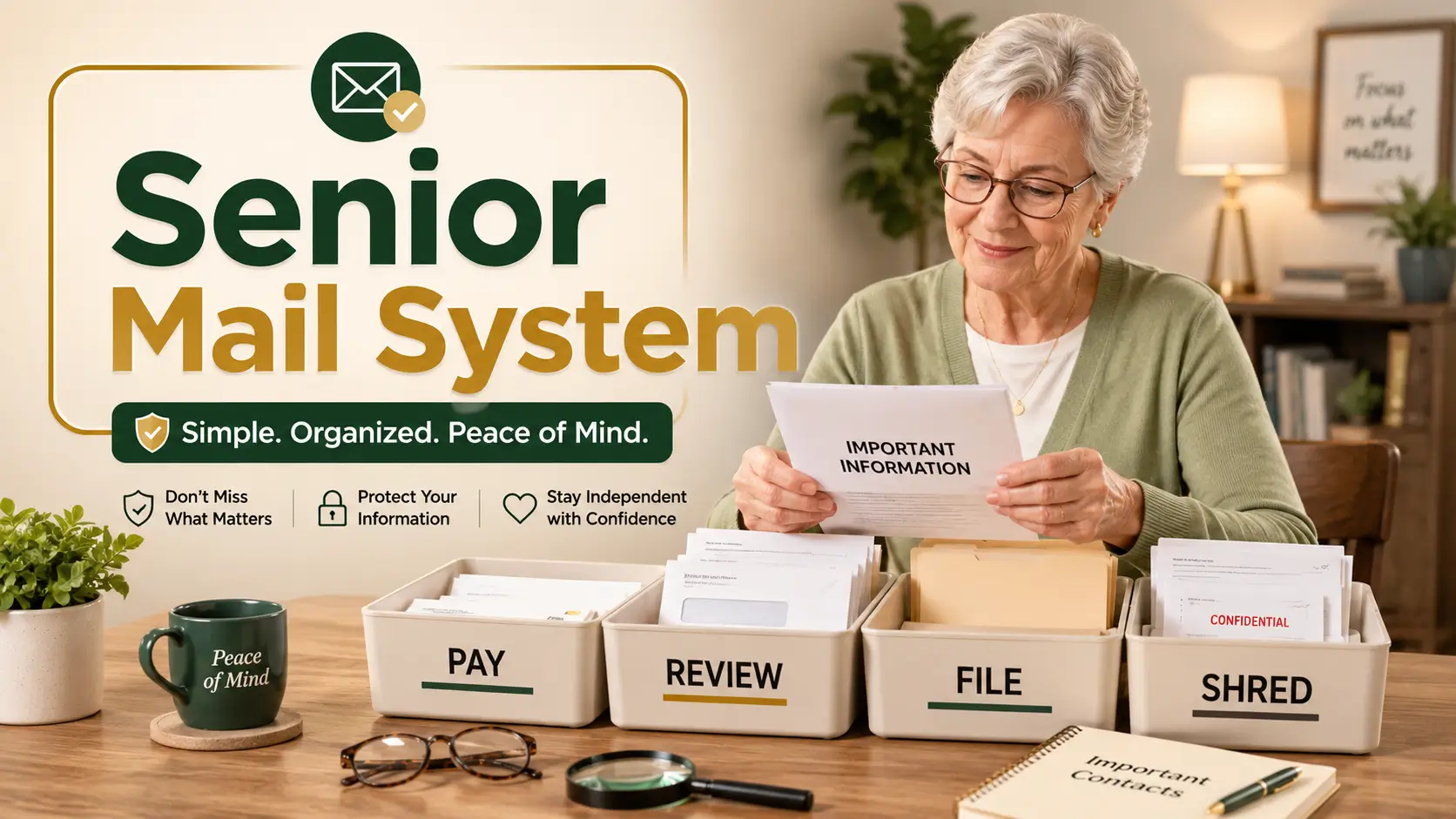
Senior care mail system
How to Organize Mail for Seniors Who Cannot Read Small Print
Without Missing Bills, Benefits, or Peace of Mind
Mail looks harmless until it becomes a quiet little storm. A Medicare notice hides under a grocery flyer. A utility bill slides behind a birthday card. A renewal letter printed in mouse-sized type sits unopened because reading it feels exhausting, embarrassing, or simply not worth the eye strain.
For seniors who cannot read small print comfortably, the best mail system is not a perfect filing cabinet. It is a simple safety routine: large labels, clear categories, bright light, a weekly review, and one trusted way to catch the papers that matter before they become problems.
This guide gives caregivers, spouses, and older adults a practical home setup for bills, medical mail, benefits notices, statements, personal letters, and junk mail. The goal is not to take over someone’s life. It is to make paper behave.
Prevent missed deadlines
Create a simple Pay, Review, File, and Shred system that catches urgent mail quickly.
Reduce reading fatigue
Use lighting, contrast, magnification, and large-print labels before buying more storage.
Protect independence
Help without hovering, using a repeatable routine seniors can understand and trust.
Best first move: stop sorting mail by “important-looking” and start sorting by what must happen next. 📨
Snapshot
This article is for seniors with low vision or reading fatigue, plus adult children, spouses, and caregivers who help with household mail. You will learn how to set up a large-print mail station, sort bills and official letters safely, reduce junk mail overwhelm, prevent fraud exposure, and complete a calm 15-minute mail reset today.
Table of Contents
Before You Act: Mail Can Be a Safety Issue
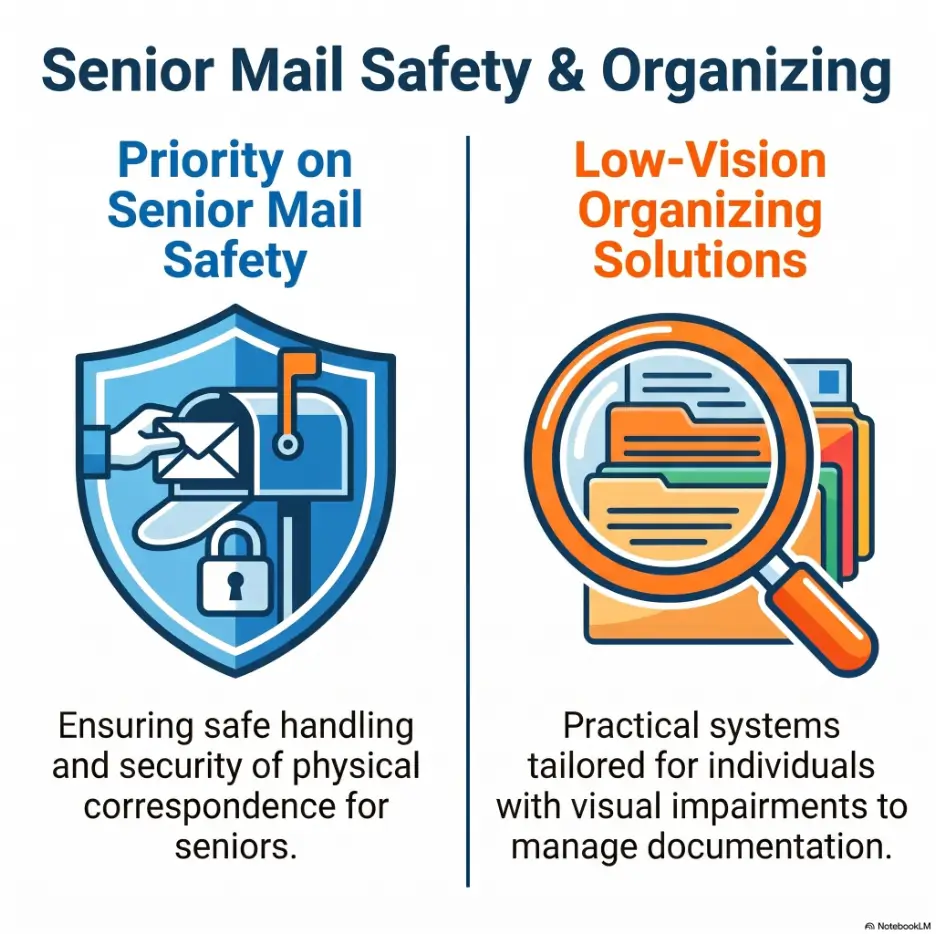
Organizing mail for seniors who cannot read small print is not just a tidying project. It touches bills, healthcare, benefits, taxes, insurance, legal notices, identity protection, and everyday dignity.
This article can help you create a safer household mail routine. It cannot tell you whether a bill is legally valid, whether a benefits notice is correct, whether an insurance denial should be appealed, or whether a suspected scam has already caused financial harm.
Key takeaway: sort mail quickly, decide slowly.
A mail system should identify what needs attention. It should not rush a senior or caregiver into paying, calling, shredding, signing, or ignoring something before it has been checked.
What This Guide Can Safely Help With
This guide focuses on practical home organization: where mail goes, how it gets labeled, how often it gets reviewed, and which papers deserve extra attention.
It is especially useful when the main problem is low vision, glare sensitivity, eye fatigue, arthritis, tremor, mild forgetfulness, or the simple human habit of putting envelopes “somewhere safe” and never seeing them again.
What Needs Professional or Official Help
Some mail is not a filing problem. It is an action problem.
If a letter mentions foreclosure, eviction, collections, tax penalties, Medicare or Medicaid deadlines, Social Security changes, insurance cancellation, legal claims, suspected identity theft, or shutoff notices, confirm the next step with the correct agency, provider, attorney, financial professional, insurer, or trusted advocate.
For related low-vision household systems, you may also find it useful to read this low-vision filing system guide and large-print check register alternatives.
The Four-Folder Mail System That Prevents Quiet Trouble
The easiest mail system for elderly parents is usually not alphabetized, color-coded by month, or arranged by account number. That may look impressive for seven minutes before becoming a paper thicket.
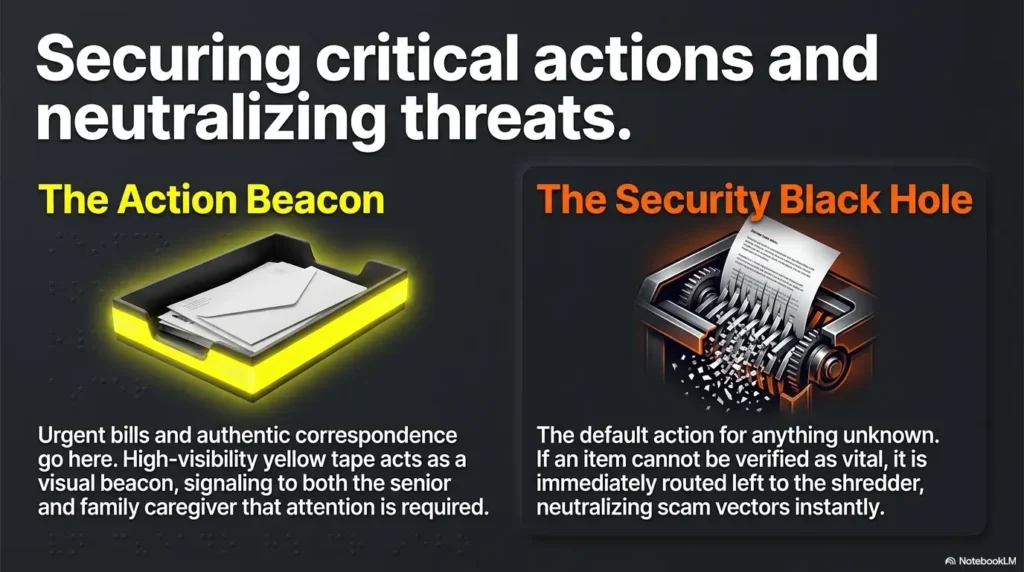
For seniors with low vision, the best mail organization system starts with four plain categories: Pay, Review, File, and Shred. Each one answers a practical question: what needs money, what needs attention, what needs keeping, and what needs safe disposal?
The Senior Mail Safety Flow
1. Pay
Bills, premiums, renewals, and due dates.
2. Review
Confusing, official, medical, legal, or suspicious mail.
3. File
Documents worth keeping after no action is needed.
4. Shred
Junk mail with personal or account information.
The secret is not the folders. The secret is that every envelope has only one next stop.
Pay: Bills, Premiums, and Time-Sensitive Notices
The Pay folder is for anything that appears to require payment or renewal. This includes utility bills, insurance premiums, medical balances, property-related payments, subscriptions, loan statements, and tax notices.
Do not treat every payment request as trustworthy. A fake invoice can look tidy, official, and oddly confident. Put questionable payment requests in Review, not Pay.
Review: Anything Confusing, Medical, Legal, or Official
Review is the most important folder in the system. It is the paper version of “do not guess.”
Use it for Medicare notices, insurance letters, Explanation of Benefits documents, bank letters, Social Security mail, pension mail, tax documents, legal mail, letters from government agencies, and any envelope that causes the senior to say, “I don’t know what this is.”
File: Documents Worth Keeping But Not Acting On
The File folder is for papers that have already been checked and do not need action today. This may include settled insurance documents, paid bill confirmations, tax-related forms, warranty letters, and certain medical documents.
File is not a waiting room. If no one has read the letter yet, it belongs in Review first.
Shred: Junk Mail With Personal Information
Shred is for mail that does not need to be kept but contains personal information: name, address, account numbers, barcodes, prescription information, insurance details, preapproved credit offers, or financial clues.
Plain advertising flyers can go in recycling or trash if they contain no personal details. Anything with sensitive information deserves a safer goodbye.
| Folder | What Goes There | Best Next Step |
|---|---|---|
| Pay | Clear bills, premiums, renewals, due notices | Confirm amount, due date, and payment method |
| Review | Medical, benefits, legal, bank, insurance, confusing, or suspicious mail | Read with help or call an official source |
| File | Checked documents worth keeping | Move to the correct long-term folder |
| Shred | Junk mail with personal details | Shred after confirming it is not needed |
Large-Print Labels: The Tiny Fix That Changes Everything
Small labels defeat the purpose of organizing mail for seniors who cannot read small print. A beautiful folder with a tiny label is just clutter wearing a nice coat.
Use large, bold, high-contrast labels. The senior should be able to identify the folder from a seated position without squinting, tilting the folder, or asking, “Which one is this?”
Use 36-Point Type or Bigger for Folder Tabs
A good starting point is 36-point type or larger. Some seniors may need even bigger labels, especially if they have macular degeneration, glaucoma-related field loss, cataract glare, diabetic eye disease, or reading fatigue.
Print the words in bold. Use plain block letters. Avoid decorative fonts, pale gray ink, glossy labels, and elegant little scripts that look lovely to everyone except the person who has to use them.
Choose Plain Words, Not “Administrative” Labels
Use labels the senior already understands. “Pay” is better than “Accounts Payable.” “Review” is better than “Pending.” “Shred” is better than “Disposal.” The point is not office language. The point is fast recognition.
If the senior uses different words, use their words. A spouse may prefer “Bills,” “Ask,” “Keep,” and “Tear Up.” That is perfectly fine if the meaning is clear.
Put Labels on the Front, Not Just the Top
Top tabs disappear when folders are stacked, placed in a bin, or pushed against a wall. Front-facing labels are easier to see from a chair and easier for caregivers to check during a quick visit.
For extra clarity, use both a front label and a top label. This helps when the folder is lying flat, standing upright, or slightly crooked in the way real homes insist on being.
Key takeaway: contrast matters more than style.
Black text on white, dark navy on cream, or very dark green on pale yellow is usually easier than soft pastel labels. If a label looks “tasteful” but takes effort to read, it is the wrong label.
For more low-vision labeling ideas around the home, see bump dots vs tactile tape and this reading glasses setup for seniors.
The Mail Station: Build One Place Where Paper Stops Wandering
Mail gets lost when it has too many homes: the kitchen counter, the recliner side table, the purse, the car, the hallway bench, the prayer book, the bread drawer. Every house has a few paper caves.
A mail station gives paper one place to land. It does not need to be fancy. It needs to be visible, comfortable, and boring enough to use every day.
Choose a Bright, Seated, Clutter-Free Spot
The best location is usually near where mail enters the home, but not in a traffic zone. A small desk, side table, shelf, or rolling cart can work.
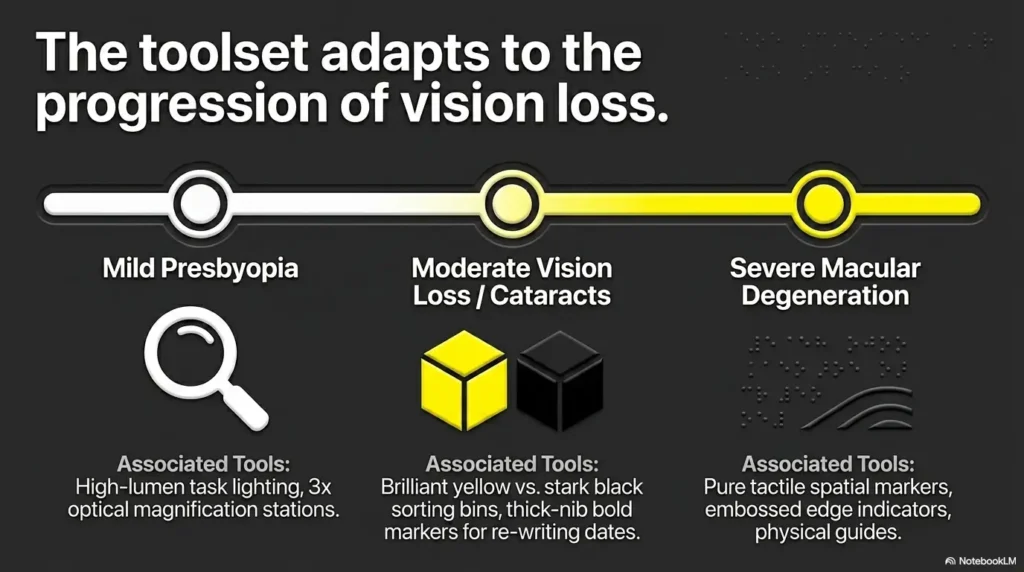
Look for three things: good lighting, a place to sit, and enough surface area to open one envelope at a time. Seniors with low vision often need more space than expected because they may use a magnifier, larger paper, or a phone camera to enlarge text.
Add a Magnifier, Letter Opener, Pen, and Trash Bin
The mail station should include the tools needed to sort mail without wandering into another room. Once someone leaves to find a pen, the paper trail begins.
Keep these items within easy reach: a handheld magnifier, a simple letter opener, a dark pen, sticky notes or large-print due-date labels, a small trash bin, and a safe place for mail waiting to be shredded.
Keep Stamps, Envelopes, and Checkbook Separate From Junk
Do not store blank checks, stamps, return envelopes, and junk mail in the same pile. That creates both confusion and risk.
If checks are still used, keep the checkbook in a separate, consistent, secure location. The mail station should help with sorting and reviewing, not become a loose financial drawer.
Mail station checklist
- Four large-print folders: Pay, Review, File, Shred
- Good lamp with minimal glare
- Handheld or stand magnifier
- Dark pen or thick marker
- Letter opener that is comfortable to grip
- Trash bin for plain junk mail
- Small box or folder for shredding
- Mail log or large-print calendar
The Weekly Mail Appointment That Protects Seniors
A mail system without a routine is a drawer with opinions. The folders matter, but the weekly review is what turns organization into protection.
Choose one regular time each week to review the Pay and Review folders. For some households, that is Sunday after lunch. For others, it is Wednesday morning with coffee. The exact time matters less than the repeatability.
Pick One Same-Day Review Time Each Week
Consistency helps reduce worry. Seniors do not have to wonder whether someone will help with the mail. Adult children do not have to ask every day, “Did anything important come?”
If you live nearby, make the review part of a visit. If you help from a distance, ask the senior or local caregiver to place mail in the four folders, then review items by phone or video call when needed.
Sort First, Read Second, Act Third
One common mistake is trying to fully read every piece of mail while sorting. That turns a five-minute sorting session into a forty-minute fog.
Use this order instead: open the envelope, identify the category, place it in the right folder, then read the Pay and Review items during the weekly appointment.
Use a Simple Mail Log for Bills and Deadlines
A mail log can be a notebook, a large-print calendar, a printed sheet, or a shared caregiver checklist. It does not need an app unless the family already uses one comfortably.
Record the date received, sender, action needed, due date, amount if relevant, and who handled it. This is especially useful for medical bills, insurance appeals, Social Security letters, and repeat statements that seem to multiply in the dark.
| Date Received | Sender | Action Needed | Due Date | Handled By |
|---|---|---|---|---|
| June 5 | Electric company | Pay bill | June 20 | Mom and Lisa |
| June 7 | Health insurer | Review EOB | No payment shown | Caregiver to check |
| June 8 | Unknown renewal notice | Confirm if real | Not clear | Do not call letter number |
Key takeaway: memory is not a filing system.
Even sharp, capable people forget paper details. A mail log protects the senior, the caregiver, and the relationship.
Short Story: The Letter Under the Coupon Stack
Marian kept her mail in a shallow wicker basket near the front door. It looked peaceful, almost decorative. Grocery coupons on top, church bulletin in the middle, bank envelopes below. Nothing seemed urgent.
Her daughter visited every Saturday and noticed the basket had become heavier. They sorted it together and found a medical bill marked “second notice” under three glossy flyers. Marian had not ignored it. She simply could not read the pale gray print and had planned to “look later.”
They did not scold. They made four folders with thick black labels and put them on a small table beside a lamp. The next week, the Pay folder held two bills, the Review folder held one insurance letter, and the basket was empty.
The lesson was gentle but firm: a pile asks the eyes to work too hard. A system lets the paper confess what it needs.
Reading Small Print Without Turning Mail Into a Chore
Before buying a cabinet, subscription, or elaborate organizer, fix the reading environment. Small print becomes harder when lighting is poor, contrast is low, glare is high, or the senior is already tired.
The goal is not to force a senior to read everything independently. The goal is to make the first pass easier and safer.
Use a Handheld Magnifier or Digital Magnifier
A handheld magnifier can help with envelope return addresses, due dates, account numbers, and fine print. A stand magnifier may be better for seniors with hand tremor or arthritis because it does not require steady hovering.
A phone camera can also enlarge text. Many people simply take a photo of the letter and zoom in. This is not elegant, but it works. For deeper comparison, see reading glasses vs magnifiers.
Improve Lighting Before Buying More Supplies
A strong lamp with even light can make a bigger difference than a new organizer. Place the light so it shines on the paper without bouncing glare into the eyes.
Glossy mail, especially marketing mail and insurance packets, can reflect light like a tiny mirror with an attitude. If glare is a problem, try matte folders, indirect lighting, and a darker writing surface under white paper.
Enlarge Important Notices With a Phone or Copier
If a notice has a due date, appeal deadline, phone number, or account detail, enlarge the key page. You can photocopy it larger, print a scanned version, or use a phone’s accessibility features to zoom.
For seniors who use iPhones, related tools such as camera zoom, Magnifier, and scan settings may help with small print. This guide on iPhone scan settings for low vision may be a useful next step.
Ask Providers for Large-Print Statements When Available
Some banks, utilities, insurers, healthcare offices, and government-related services may offer alternate formats, online access, phone support, or large-print communication options. Availability varies, so ask directly.
Use a simple script: “My parent has trouble reading small print. Do you offer large-print statements, accessible notices, phone review, or online copies we can enlarge?”
Show me the nerdy details
A senior-friendly mail setup reduces cognitive load. That means the system should ask fewer questions at once. Instead of deciding whether a letter is “important,” “recent,” “financial,” “medical,” or “probably junk,” the senior only asks: does this need payment, review, filing, or shredding?
Large text, strong contrast, consistent placement, and repeated routines all reduce the amount of visual and memory work required. This is why a plain four-folder setup often beats a beautiful multi-tab filing system.
Bills, Benefits, and Medical Mail Need Special Handling
Some mail deserves extra caution because the cost of missing it is higher. These papers may affect money, healthcare access, insurance claims, benefits, taxes, or legal rights.
When in doubt, place it in Review. The Review folder is not a punishment drawer. It is a landing pad for careful decisions.
Put Medicare, Insurance, and Pharmacy Letters in Review
Medical mail can be confusing because it often looks like a bill when it is not, or looks informational when it still requires action. Explanation of Benefits documents, claim letters, pharmacy notices, coverage changes, and prior authorization letters should be reviewed before payment or shredding.
A simple rule helps: if it mentions insurance, claims, coverage, denial, appeal, prescription, Medicare, Medicaid, or provider billing, put it in Review first.
Keep Social Security and Pension Mail Separate
Mail related to Social Security, pensions, retirement accounts, survivor benefits, or disability benefits should not be mixed with ordinary bills. These letters may involve income, eligibility, reporting requirements, or identity verification.
If a letter appears to be from Social Security and asks for sensitive information, do not respond using unverified contact details from the letter. Confirm through an official source or account portal.
Mark Due Dates in Large Print Immediately
When a due date is real and confirmed, write it in large print on the top page or on a sticky note attached to the document. Use a dark marker.
For seniors with low vision, a tiny printed date buried in paragraph four is not a due date. It is a trapdoor.
Save Explanation of Benefits Documents Until Claims Are Settled
An Explanation of Benefits is usually not a bill, but it can help compare what the provider charged, what insurance processed, and what the patient may owe. Keep these documents until the related claim, bill, or account question is settled.
If several medical letters arrive for the same visit, paperclip them together and write the appointment date in large print. This prevents the dreaded medical-mail confetti effect.
Fraud-Proofing the Mail Routine Without Scaring Anyone
Fraud prevention works best when it feels calm and normal, not like a family interrogation under fluorescent lights. The goal is to build friction around risky actions: paying unknown invoices, calling suspicious numbers, sharing personal information, and tossing sensitive mail intact.
A senior does not need to become a fraud investigator. They need a few clear rules that make scams less likely to slip through the door wearing a necktie.
Watch for Fake Invoices and Renewal Notices
Fake invoices often use urgent language, official-looking seals, or vague service names. They may say a warranty, domain, subscription, directory listing, insurance-like service, or membership is about to expire.
If the senior does not recognize the company, account, or service, place the letter in Review. Do not pay just because the paper sounds stern.
Shred Preapproved Credit Offers and Account Mail
Preapproved credit offers, account mail, insurance solicitations, bank letters, and medical mail can expose useful personal details. Shredding reduces the risk of someone misusing discarded mail.
To reduce some prescreened credit and insurance offers, readers can review official consumer information from the Federal Trade Commission and the opt-out system used by major credit bureaus.
Confirm Suspicious Letters Using Official Phone Numbers
If a letter seems suspicious, do not call the number printed on it until you verify the organization independently. Use a number from an official website, a known statement, the back of a trusted card, or an existing account portal.
This is especially important for bank letters, Medicare-related mail, Social Security notices, insurance cancellations, debt collection letters, prize notices, and anything that asks for gift cards, wire transfers, account passwords, or personal identity numbers.
Never Call the Number on a Letter You Do Not Trust
This rule is simple enough to write on a card near the mail station: If we do not trust the letter, we do not trust the phone number on the letter.
That one sentence can prevent a senior from being pulled into a fake billing office, fake government call center, or fake renewal department.
Red flag checklist
- The letter says payment is due but the company is unfamiliar.
- The sender asks for gift cards, wire transfers, cryptocurrency, or secrecy.
- The phone number does not match the official website or known statement.
- The letter asks for Social Security, Medicare, bank, or password information.
- The notice threatens immediate action but gives vague account details.
- The senior feels pressured, embarrassed, or afraid to ask for help.
Tools, Costs, and Help: What Is Worth Paying For?
You can organize mail for seniors on a small budget. The core system is inexpensive: folders, labels, a lamp, a pen, and a weekly routine.
Paid tools or services may be worth considering when low vision, tremor, cognitive changes, long-distance caregiving, heavy medical mail, or repeated missed bills make the basic setup too fragile.
Good, Better, Best Mail Setup Comparison
| Setup Tier | Best For | What to Include | What to Watch |
|---|---|---|---|
| Good: Low-cost DIY | Seniors who can sort with large labels and weekly help | Four folders, bold labels, lamp, magnifier, mail log | Requires consistency from family or caregiver |
| Better: Enhanced home setup | Low vision, arthritis, glare, or heavier mail volume | Stand magnifier, brighter lamp, large-print calendar, shredder, front-facing organizer | Do not buy gadgets that are too complex to use |
| Best: Supported system | Long-distance caregivers, repeated missed bills, complex medical mail | Caregiver visits, bill review service, financial organizer, professional advice when needed | Check privacy, cost, authority, and trust carefully |
When a Free DIY Approach Is Enough
A simple DIY setup is usually enough when the senior can identify the four folders, the mail volume is manageable, there are no repeated missed bills, and a trusted person can review confusing mail weekly.
Start there. Many households do not need a paid service. They need a lamp, a label maker, and a family agreement that no one will shame anyone over paper.
When Paid Help May Be Worth Considering
Paid help may be worth comparing if bills are repeatedly missed, the senior receives complex medical or insurance mail, family members live far away, or no one has time to review paperwork consistently.
Options may include a daily money manager, elder care manager, professional organizer with senior experience, low-vision occupational therapist, accountant, attorney, or benefits counselor. The right choice depends on the problem.
Questions to Ask Before Paying for Help
- What exact mail tasks will you handle?
- Will you pay bills, organize bills, or only help review paperwork?
- How do you protect personal, financial, and medical information?
- Do you carry insurance or professional credentials relevant to the service?
- How are fees charged: hourly, monthly, or by project?
- Can you provide a written service agreement?
- Will the senior remain involved in decisions?
- What happens if you notice suspected fraud, unpaid bills, or urgent legal mail?
Key takeaway: buy simplicity, not complexity.
The best mail organizer for seniors is the one they will actually use. A premium tool that adds steps can create more confusion than a basic folder with a giant label.
Common Mistakes That Make Senior Mail Harder to Manage
Most mail problems do not begin with laziness. They begin with tiny frictions: print too small, lighting too dim, categories too vague, and too many papers waiting for “later.”
Fixing the system is kinder than blaming the person.
Keeping Every Envelope “Just in Case”
Some seniors keep every envelope because they are afraid of throwing away something important. That fear makes sense, but it turns the home into a slow paper archive.
Instead, keep documents after review, not before. If the envelope has no needed postmark, account clue, or return information, it usually does not need to stay attached forever.
Shredding Before Checking Dates and Account Details
Shredding feels productive. It makes a satisfying growl. But shredding too early can destroy needed information.
Before shredding, check the sender, date, account number, amount, and whether the document connects to a current bill, claim, tax file, or benefits question.
Mixing Medical Mail With Regular Bills
Medical mail often comes in layers: provider bills, insurer statements, pharmacy notices, claim summaries, denial letters, and appointment reminders. Mixing these with ordinary bills creates confusion.
Use the Review folder first. After reading, group medical mail by provider, date of service, or insurance issue.
Letting Auto-Pay Hide Billing Errors
Auto-pay can be helpful, especially for fixed monthly bills. But it should not make statements invisible.
Review account mail for unusual charges, rate changes, duplicate billing, canceled services that still bill, or benefits changes. Automation is a convenience, not a guardian angel with reading glasses.
| Common Mistake | Why It Causes Trouble | Safer Alternative |
|---|---|---|
| One basket for everything | Urgent mail hides under junk | Use Pay, Review, File, Shred folders |
| Tiny labels | The senior avoids the system | Use bold, front-facing large-print labels |
| Reading every item while sorting | Sorting becomes exhausting | Sort first, read Pay and Review later |
| Calling numbers on suspicious letters | Scammers can control the contact path | Use official websites or known statements |
| Shredding too fast | Useful account details may disappear | Review first, shred second |
When to Seek Help
A mail system can prevent many problems, but it cannot solve every one. Sometimes the mail is a symptom of a larger issue: vision changes, cognitive changes, financial stress, fraud, grief, or a benefits problem that needs official attention.
Do not wait for the paper pile to become a crisis. Seek help early when patterns appear.
Missed Payments, Shutoff Notices, or Collection Letters
If a senior is missing payments, receiving shutoff notices, or getting collection letters, the system needs more than folders. Review which bills are active, which are on auto-pay, which are disputed, and who has permission to help.
Consider speaking with the provider, a trusted financial professional, an attorney if legal risk exists, or a local senior support service.
Confusing Medicare, Medicaid, or Social Security Mail
Benefits mail can be dense and time-sensitive. If a notice is confusing, contact the official agency, a benefits counselor, the insurer, or a qualified advocate. Keep copies and write down the date, name, and summary of any phone conversation.
If suspected Social Security fraud is involved, use official reporting channels rather than contact details from an unverified letter.
Signs of Identity Theft or Mail Theft
Warning signs may include missing expected mail, unfamiliar accounts, bills for services the senior did not use, debt collection for unknown charges, credit cards not requested, or notices about address changes.
If identity theft is suspected, the Federal Trade Commission’s IdentityTheft.gov offers recovery steps and reporting tools. If mail theft is suspected, the U.S. Postal Inspection Service has a reporting process.
New Confusion, Sudden Vision Changes, or Trouble Managing Daily Tasks
If a senior who previously managed mail well suddenly struggles, consider whether something else has changed. Sudden vision changes, new confusion, medication changes, dizziness, depression, grief, or illness can affect mail management.
A practical mail system helps, but sudden changes deserve medical or professional attention when appropriate.
FAQ
How should seniors organize bills when they cannot read small print?
Use a large-print Pay folder for clear bills and a Review folder for anything confusing, medical, legal, official, or suspicious. Mark confirmed due dates in large print, record them in a mail log, and review the folder at the same time each week.
What is the easiest mail system for elderly parents?
The easiest system is usually four folders labeled Pay, Review, File, and Shred. Use bold front-facing labels, good lighting, and a weekly review routine. Avoid complicated filing categories at the beginning.
How can I help my mom or dad sort mail without taking over?
Use a shared routine rather than a takeover. Let your parent open and sort what they can, then help review the Pay and Review folders. Ask permission before changing systems, discarding papers, or contacting providers.
What mail should seniors keep and what should they shred?
Keep documents related to active bills, insurance claims, taxes, benefits, legal matters, medical care, warranties, and important accounts. Shred junk mail that contains personal information, preapproved credit offers, old account mail, and sensitive documents after confirming they are no longer needed.
How often should a caregiver review senior mail?
Weekly is a good starting point for many households. More frequent review may be needed if the senior receives heavy medical mail, has missed bills before, is dealing with fraud concerns, or has active benefits or insurance issues.
How do I stop junk mail from overwhelming an older adult?
Create a Shred category for personalized junk mail, recycle plain flyers, and consider official opt-out options for some prescreened credit and insurance offers. Also check whether catalogs, charities, or repeat senders offer removal from mailing lists.
What should I do if a senior keeps missing bills?
Use a Pay folder, a large-print due-date calendar, and a weekly review. If missed bills continue, compare auto-pay, reminder calls, caregiver review, daily money management services, or professional help. Check for vision, memory, stress, or health changes too.
Can seniors request large-print bills or statements?
Sometimes. Availability depends on the provider, agency, insurer, or financial institution. Ask whether they offer large-print statements, accessible formats, phone review, online copies, or other accommodations that can make mail easier to read.
Set Up the First 15-Minute Mail Reset
The first reset should be small. Do not begin with three years of statements, a full filing cabinet, and the emotional archaeology of every envelope ever kept. That is how good intentions go to nap.
Start with today’s visible mail. Create one safe landing place. Label four folders. Sort only what is in front of you. The goal is momentum, not perfection.
Your 15-minute mail reset
- Clear one seated surface near a good light.
- Make four large-print folders: Pay, Review, File, Shred.
- Open only the current mail first.
- Put every item into one folder.
- Write the next mail review date on a large-print calendar.
- Move suspicious, medical, benefits, insurance, and confusing letters to Review.
Once this routine is in place, the house changes. Not dramatically. Not with a brass band. More like a lamp turning on over a small table: the bills have a place, the confusing letters have a pause button, the junk has an exit, and the senior keeps more of the independence that paper once tried to steal.
Last reviewed: 2026-07