
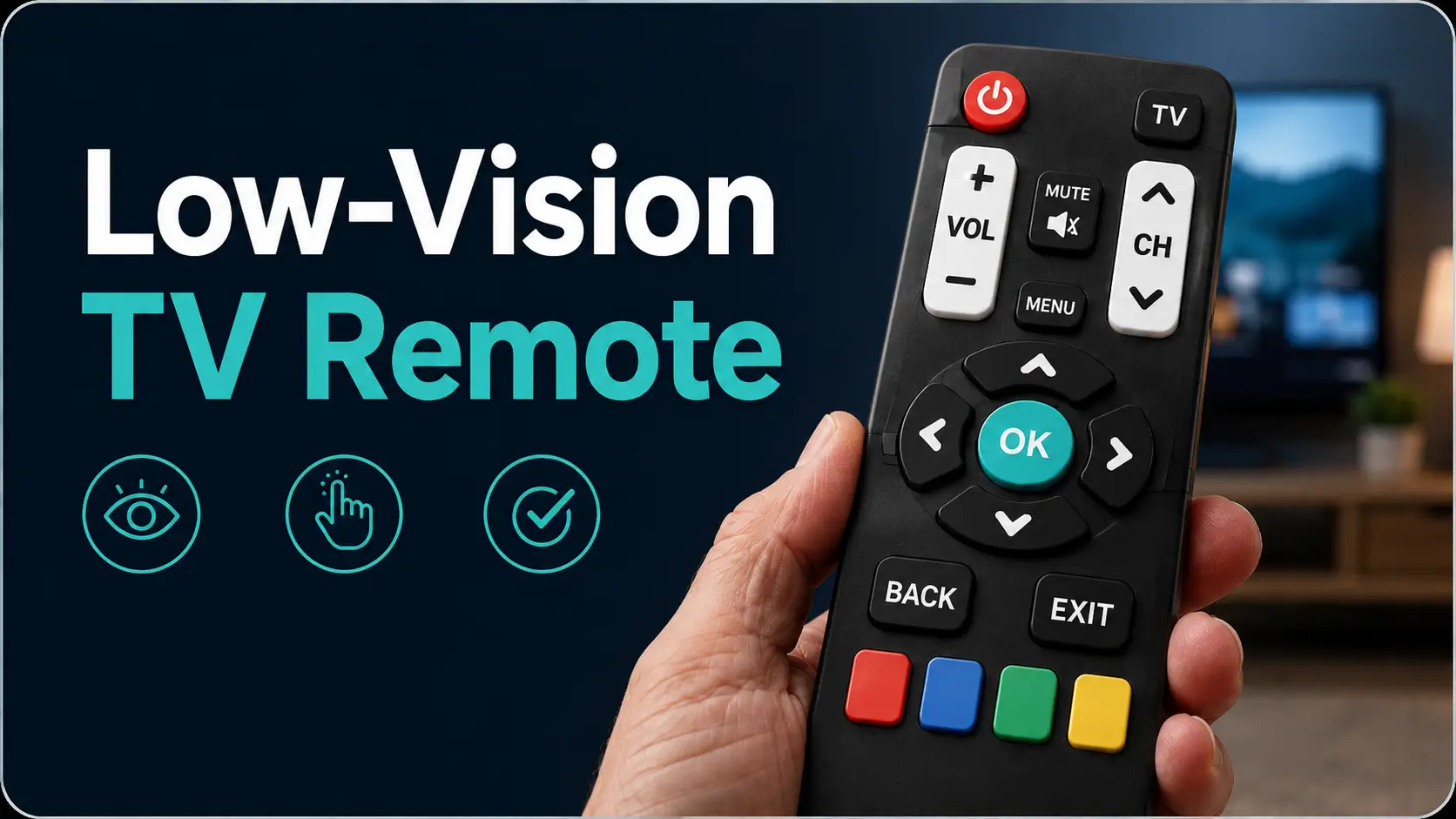
Taming the Tiny Black Piano:
A Guide to Low-Vision TV Remotes
A TV remote should not feel like a tiny black piano played in the dark. Yet for many older adults and low-vision users, that is exactly what happens: small gray buttons, invisible labels, one mysterious “Input” key, and a screen suddenly trapped in a menu nobody remembers inviting.
A large button TV remote replacement for low vision can help, but only when it fits the actual room: the TV, cable box, streaming device, soundbar, lighting, grip strength, and daily habits. The wrong remote does not simplify life. It simply makes the old confusion easier to see. Keep guessing, and the cost is more than annoyance: missed captions, loud volume, interrupted routines, caregiver calls, and one more small piece of independence chipped away.
This guide helps you choose a remote that is easier to see, easier to feel, simpler to program, and less likely to become another gadget-shaped disappointment. You will learn how to spot compatibility traps, test button layout in real evening light, and create a setup that works from the usual chair.
The Practical Method
- • Count the devices.
- • Choose fewer buttons.
- • Test it at night.
The Remote That Actually Helps Is Usually Boring
The best low-vision remote is not the one with the most features. It is the one a person can use when the room is dim, patience is thin, and the couch has swallowed the batteries once again.
Look for high contrast, tactile spacing, simple programming, stable volume control, and a layout that does not require reading tiny mode labels.
Table of Contents
Safety / Disclaimer
Low-vision tools can improve independence, but they do not replace care from an eye doctor, occupational therapist, low-vision specialist, or primary clinician. If someone is newly losing vision, frequently pressing the wrong buttons, missing emergency alerts, or becoming distressed by familiar devices, treat the remote as one small part of a bigger home-safety picture.
Sudden vision changes are different from ordinary remote frustration. Sudden blurring, flashes, new floaters, eye pain, curtain-like vision loss, double vision, or rapid change should be checked promptly by a qualified eye-care professional.
For home routines, the remote may sit beside medication lists, emergency contacts, glasses, hearing aids, lamps, and phones. That makes it a small object with a long shadow. It deserves practical attention, not gadget worship.
The Real Problem: It Is Not “Just a Remote”
Why Tiny Buttons Become Daily Friction
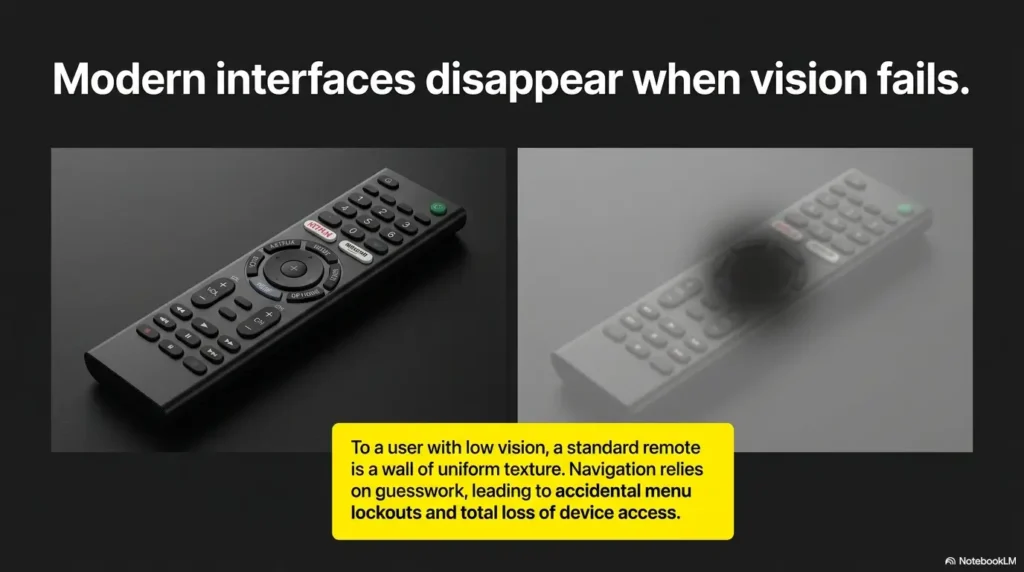
Small print is only the beginning. Many standard remotes combine low-contrast labels, flat rubber keys, glossy black plastic, crowded rows, and buttons that all feel nearly identical. Under bright store lighting, they look usable. At 8:47 p.m., beside a half-folded blanket and one suspiciously smug sofa cushion, they become a guessing game.
Low vision changes how a person gathers information. Instead of reading every label, they may rely on position, texture, contrast, memory, and routine. A remote that ignores those clues asks the user to work harder every time they want volume, captions, or the evening news.
That extra effort matters. It can turn a relaxing habit into a nightly micro-battle. The person is not being “difficult.” The tool is asking for more visual precision than the user can comfortably give.
The Independence Cost No One Sees
Remote-control frustration often looks small from the outside. Someone calls from the living room: “Can you fix the TV?” Again. A family member walks over, presses two buttons, and the problem disappears. But inside that tiny exchange, confidence can leak out quietly.
The user may stop changing channels. They may avoid streaming. They may leave the volume too loud because lowering it feels risky. They may miss captions because the remote hides the button behind a menu labyrinth fit for a small mythological creature.
For caregivers, the issue becomes interruption. For the low-vision user, it becomes dependence. The better goal is not entertainment luxury. It is fewer unnecessary calls for help.
The Better Goal: Fewer Buttons, Fewer Mistakes
A helpful large button remote reduces cognitive load. That means the user does not need to remember three modes, a code list, a special app, and the secret handshake required to reach the home screen.
The best remote lets the hand learn. Power is always in the same place. Volume is easy to feel. Channel buttons are separated. Mute is obvious. Input is available, but not sitting where it can cause a household weather event.
- Prioritize power, volume, mute, channel, input, and home/menu.
- Avoid crowded layouts that make every button feel the same.
- Test by touch, not just by sight.
Apply in 60 seconds: Write down the six buttons the user actually needs each week.
Who This Is For, And Who Should Skip It
Best Fit: Low Vision, Arthritis, Tremor, Or Memory-Light Simplicity
A large button remote replacement is often a good fit when someone can use the TV once the controls are visible, tactile, and consistent. This includes many people with macular degeneration, glaucoma field loss, diabetic eye disease, cataracts, stroke-related vision changes, tremor, arthritis, or general age-related visual strain.
It may also help people who do not want a smartphone app for everything. Not every household wants the TV controlled by a glowing rectangle that also contains banking alerts, grandchild photos, and thirteen weather notifications.
If the main problem is visibility, grip, button spacing, or too many confusing functions, a simplified remote can be a clean win.
Not Ideal: Complex Smart Home Setups With Many Devices
A basic large button remote may struggle in a room with a smart TV, streaming stick, cable box, soundbar, AV receiver, Blu-ray player, and a voice assistant that answers only when nobody asked it anything.
Some remotes use infrared, which usually requires line of sight. Many streaming devices use Bluetooth, Wi-Fi, or proprietary controls. A simple universal remote may control TV power and volume but fail to move through streaming apps.
That does not mean you cannot simplify the setup. It means you must count devices before buying. The living room decides the remote, not the product photo.
Caregiver Check: Who Will Program It?
Many replacement remotes are easy after setup, but awkward during setup. Someone may need to enter brand codes, copy commands from the old remote, pair a device, or test volume routing through a soundbar.
Before buying, ask who will program it. A remote that needs reprogramming after every battery change is not a gift. It is a tiny household goblin with a blister pack.
For families managing broader home adaptations, a remote decision pairs well with practical low-vision planning such as questions to ask a low-vision occupational therapist. The remote is one station on the independence map.
Button Design: The First Detail That Decides Everything
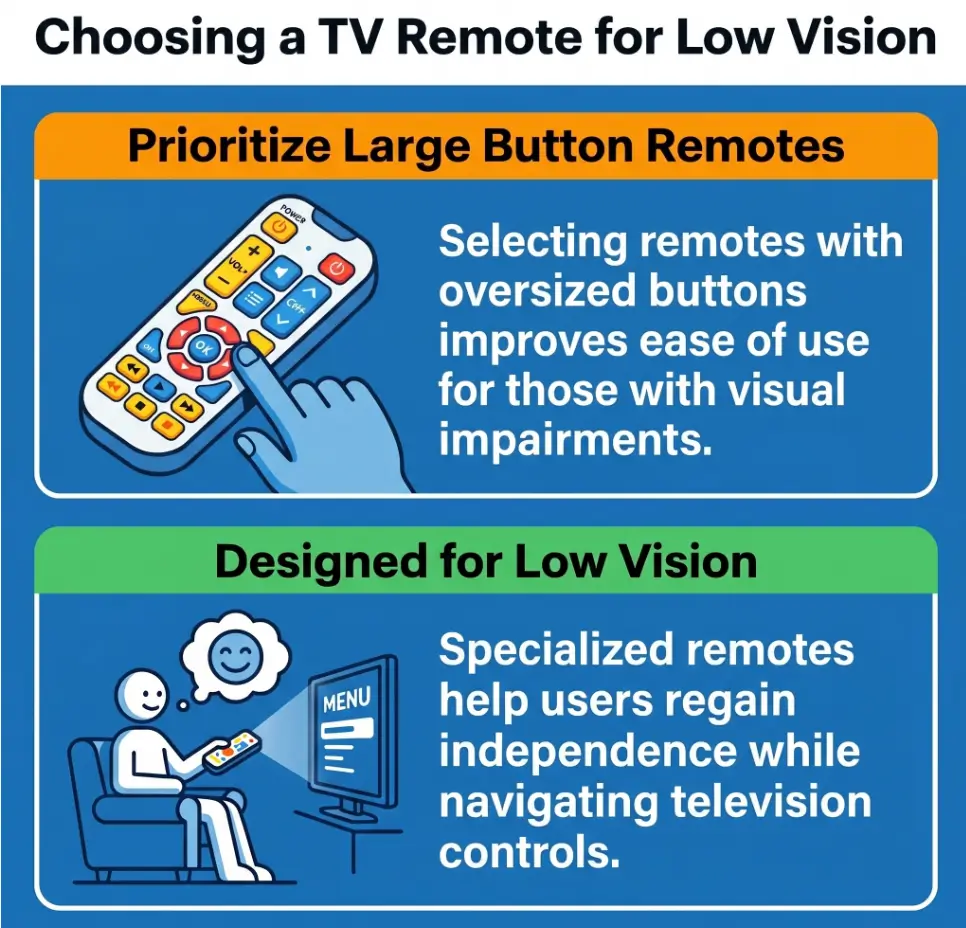
High Contrast Beats “Big” Alone
Large buttons help only when the user can identify them. A big gray button with faint gray lettering is still a fog bank. Strong contrast often matters more than size alone.
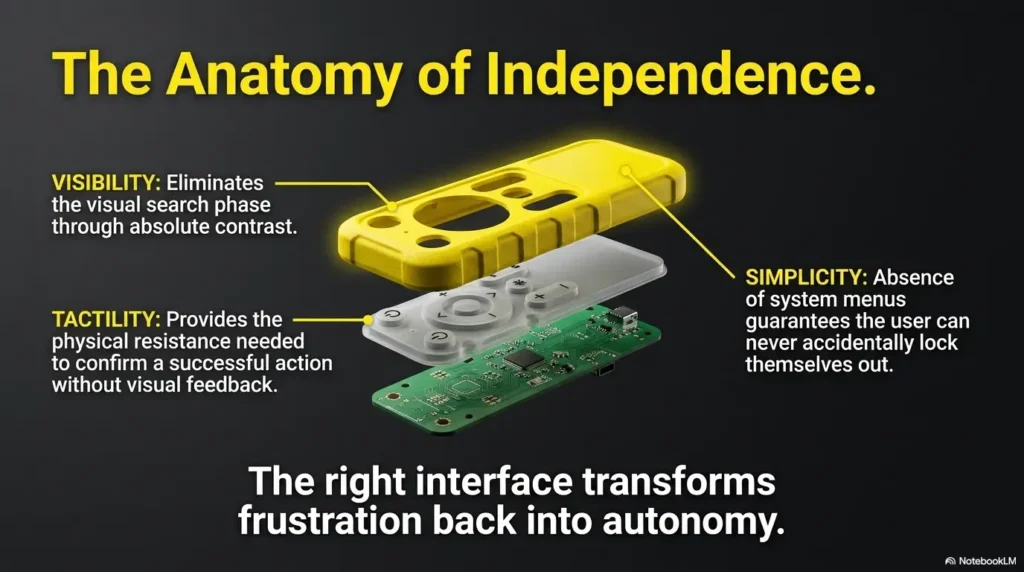
Look for white-on-black, black-on-white, yellow-on-black, or bold color blocks used consistently. Labels should be large, plain, and uncluttered. Avoid shiny surfaces that catch lamp glare, especially if the user is already sensitive to light. If glare is part of the TV problem too, the room may benefit from a broader TV glare reduction setup.
Contrast should also work in real life. A black remote on a dark couch may vanish. A white remote on a white side table may also disappear. The remote needs contrast against the room, not just against itself.
Tactile Landmarks Help Hands Remember
Good tactile design lets the user locate controls without reading every label. Raised dots, separated clusters, concave buttons, firm clicks, and a distinct power button help the hand build a route.
Volume and channel controls should not feel identical. Mute should be easy to find but not easy to press accidentally. Input should be accessible, yet not located where it will be hit during routine volume changes.
If the user already uses tactile systems elsewhere, the concept will feel familiar. The same thinking behind tactile dots for microwave buttons can apply to remotes: create landmarks, reduce searching, and keep placement consistent.
Pattern Interrupt: Big Buttons Can Still Be Bad Buttons
Some large button remotes look helpful but fail in the hand. The buttons may be oversized but crowded. The labels may be large but low contrast. The remote may include four device modes, a tiny setup key, and an input button that quietly launches confusion.
Do not judge the remote by button size alone. Judge it by mistakes prevented. Can the user find power without reading? Can they change volume without switching modes? Can they avoid the setup button during normal use?
High contrast labels, no glossy glare, visible in evening light.
Raised, separated, memorable buttons for power and volume.
Works with the TV, cable box, soundbar, or streaming device.
Try the hardest moment: dim room, tired eyes, normal chair.
Compatibility: The Hidden Trap Before Checkout
TV-Only, Cable Box, Or Streaming Device?
Before shopping, identify what the current remote actually controls. Many families think they are replacing “the TV remote,” but the channel control may belong to the cable box. Volume may route through a soundbar. Streaming may run through a Roku, Fire TV, Apple TV, or smart TV app.
There are three common setups:
- TV-only: The remote controls power, volume, channel, input, and menu directly on the TV.
- TV plus cable box: The remote may need to control TV power and volume, but cable box channels.
- Smart TV or streaming setup: The remote may need home, directional arrows, select, back, voice, and app navigation.
Each setup calls for a different replacement. A simple large button remote may be perfect for basic TV. It may be disappointing for a streaming-heavy household.
Universal Remote Does Not Mean Universal Happiness
“Universal” usually means programmable. It does not mean every function will automatically work. Some universal remotes rely on code lists. Some have learning functions that copy commands from the old remote. Some control several devices, but only after careful setup.
Think of universal remotes as translators. Some speak fluent TV. Some speak cable-box with an accent. Some stare blankly at Bluetooth streaming devices and pretend they did not hear the question.
For smart TV caption and subtitle routines, families may also need to check the TV menu itself. If low-vision subtitles are part of the nightly routine, related guidance on smart TV subtitles for age-related macular degeneration can help you avoid burying captions behind tiny menus.
Look For These Words Before Buying
Read the product description for specific compatibility clues. Look for TV brand support, cable box support, number of devices controlled, learning function, infrared, Bluetooth, streaming device compatibility, and whether setup codes are included online or in the package.
Money Block: Compatibility Yes/No Checklist
- Yes/No: Does it list the TV brand?
- Yes/No: Does it control more than one device if you need TV plus cable or soundbar?
- Yes/No: Does it have learning mode if the old remote still works?
- Yes/No: Does it support the streaming device, not just the TV?
- Yes/No: Can you find the manual or code list before purchase?
Neutral action: If you answer “no” or “not sure” to two or more, keep shopping or choose a learning remote.
Show me the nerdy details
Most basic remotes use infrared light, which requires a clear path between remote and device. Many modern streaming remotes use Bluetooth, radio frequency, Wi-Fi, or manufacturer-specific pairing. A universal infrared remote may turn on a smart TV but still fail to navigate a separate streaming stick. Soundbars add another layer because volume commands may go to the soundbar while channels belong to the cable box. This is why device count matters before button size.
Common Mistakes That Make Low-Vision Remotes Harder
Mistake 1: Buying The Remote With The Most Buttons
More buttons can feel safer because every function appears covered. In practice, too many buttons create more targets for mistakes. A low-vision user may not need picture mode, sleep timer, four color keys, DVD controls, and three menu layers.
The most useful remote is often ruthless. It says: power, volume, mute, channel, input, home, arrows, select. Everything else must earn its chair at the table.
Mistake 2: Ignoring The Soundbar Or Cable Box
This is the classic living-room trap. The replacement remote controls the TV perfectly, but volume still comes from the soundbar. Or it changes volume but not channels because channels belong to the cable box.
Before buying, follow the signal path. Which device changes channels? Which device produces sound? Which remote opens streaming apps? A two-minute inventory can save an entire Saturday afternoon of squinting at setup codes.
Mistake 3: Choosing A Remote With Tiny Mode Buttons
Mode buttons such as TV, DVD, AUX, CBL, and STB can be useful, but they can also cause trouble. If the user accidentally presses AUX, the volume button may stop controlling the TV. The remote feels broken, but it is simply listening to the wrong device.
For low-vision users, tiny mode keys are especially risky because they can be hard to see and easy to hit by accident. If mode switching is required, choose a remote with clear mode indicators or a setup where daily controls work without changing modes.
Mistake 4: Waiting Until The Old Remote Completely Dies
A learning remote needs the old remote to copy commands. Even a code-based remote is easier to set up while the original still works, because you can compare functions immediately.
Do not wait until the old remote is missing, cracked, sticky, or communicating only through ancient battery-door prayers. Replace it while it can still teach the new one.
- Learning remotes may need the original remote.
- Testing is easier while both remotes work.
- Caregivers can compare buttons and label the new routine.
Apply in 60 seconds: Put fresh batteries in the old remote before setup day.
Simple Remote Types: Which One Fits The Living Room?
Basic Large Button Remote
A basic large button remote is best for simple TV watching: power, volume, mute, channels, and sometimes input. It is often the right choice for someone who watches broadcast TV or basic cable and does not need streaming navigation.
The strength is simplicity. The weakness is limited control. If the household uses a streaming stick, soundbar, or cable box, basic may become too basic.
Universal Large Button Remote
A universal large button remote can control multiple devices, such as a TV and cable box, or TV and soundbar. This is often the sweet spot for families replacing a cluttered original remote.
Check how many devices it supports. Some control two. Some control four. Some promise a small empire, then require a setup process that makes everyone briefly reconsider candles and radio.
Learning Remote
A learning remote copies commands from the original remote. This can be excellent when brand codes are uncertain or when the user needs only a few specific functions.
Learning remotes are especially helpful when the old remote still works. You can copy power, volume, mute, channel, input, and home, then ignore the extra circus.
Voice Remote
Voice remotes can help with search, opening apps, changing content, and reducing menu navigation. They may be useful for someone comfortable speaking commands and living with the privacy expectations of voice features.
They are not always better. Some users dislike talking to devices. Others struggle with phrasing, accents, background noise, or inconsistent responses. Voice can be a helpful layer, but tactile controls still matter.
Money Block: Remote Type Decision Card
| Choose this | When it fits | Trade-off |
|---|---|---|
| Basic large button | TV-only or very simple cable use | May not handle streaming or soundbars |
| Universal large button | TV plus cable box or soundbar | Setup codes may take patience |
| Learning remote | Old remote still works | Requires careful button copying |
| Voice remote | User likes spoken commands and streaming | Voice setup and privacy comfort matter |
Neutral action: Choose the simplest type that controls the devices used every week.
Setup Day: Make The First Hour Gentle
Program Only The Buttons That Matter
Do not try to reproduce every function on the old remote. Start with the daily essentials: power, volume up, volume down, mute, channel up, channel down, input, home, back, arrows, and select if streaming is used.
Then stop. Give the user a few days with the simple version before adding extras. A calm setup beats a perfect setup that nobody can remember.
Tape A Tiny “Remote Map” Near The Chair
A remote map is a small printed card with five to seven actions. It might say:
- Power: top red button
- Volume: left tall button
- Channel: right tall button
- Mute: small button below volume
- Home: round button in the middle
- Input: bottom left, use only if screen says “No Signal”
Use large print, strong contrast, and plain words. If reading labels is hard, consider voice labels or phone-based tools. Some families already use routines like reading labels aloud with a phone; the same idea can support remote setup notes.
Here’s What No One Tells You: Hide The Old Remote Carefully
Keeping both remotes visible can create confusion. The user may pick up the old one out of habit, then wonder why the new map does not match. But hiding the old remote too soon can backfire if the new remote loses programming or a missing function appears.
The practical compromise: keep the old remote in a labeled drawer for two weeks. Not on the coffee table. Not under the cushion. Not in that mysterious basket where spare cables go to become legends.
Short Story: The Remote In The Blue Bowl
Marian’s daughter bought three large button remotes in two months. Each one seemed promising. Each one ended up beside the old remote, beside the cable remote, beside a small flashlight, all arranged like a confusing little orchestra on the end table. Marian still called for help every night. The breakthrough was not a fourth remote.
It was a blue ceramic bowl. They programmed one remote for power, volume, mute, channels, and input. They printed a card in 22-point type. The old remotes went into a labeled drawer. The new remote lived in the blue bowl, always left of the lamp. After a week, Marian stopped asking where it was. After two weeks, she stopped apologizing for needing help. The lesson was plain: the remote is only half the system. The landing place, the map, and the routine finish the job.
Money Block: Setup-Day Quote-Prep List
If you call a TV provider, electronics store, installer, or family tech helper, gather this first:
- TV brand and model if visible
- Cable box or satellite box brand
- Streaming device name, if used
- Soundbar or receiver brand
- Current remote model number, if printed inside battery cover
- Must-have buttons the user actually needs
Neutral action: Take one clear phone photo of each device before asking for help.
Low-Light Use: The Living Room Test Competitors Forget
Test It At 8 P.M., Not Noon
Many remotes look fine in daylight and fail during actual use. Test the remote in the chair where the person watches TV, under the lighting they normally use, at the time they normally use it.
This is especially important for glare-sensitive eyes, central vision loss, and fatigue. A person may see better at noon than at night. If the remote fails during evening viewing, it fails the real exam.
Lighting choices can help. A softer lamp, a consistent side-table position, or a less harsh bulb may make the remote easier to use. If light sensitivity is part of the room problem, compare options such as red versus amber night lights or 2700K versus 3000K bulbs for glare-sensitive eyes.
Contrast With The Couch Matters
The remote should not visually melt into the furniture. A black remote on a charcoal couch is not elegant. It is camouflage. Add a bright case, tactile tape, lanyard, tray, or contrasting landing spot.
If the user has field loss, the landing spot should be predictable. Left of the lamp. Front edge of the side table. Inside the yellow tray. Same place every time. The room becomes easier when objects behave like loyal citizens.
Add A Landing Spot
A remote landing spot is a small environmental fix with outsized value. Use a tray, basket, bowl, Velcro strip, bright pouch, or lanyard. The point is not décor. The point is retrieval without a search party.
For people who already use bedside organization systems, the principle is similar to low-vision bedside organization: reduce wandering objects, make the important item tactile and visible, and build a repeatable habit.
- Test button visibility under normal evening lighting.
- Choose a remote or case that contrasts with furniture.
- Give the remote one permanent landing spot.
Apply in 60 seconds: Put a bright tray beside the usual TV chair tonight.
Caregiver Buying Checklist: Five Questions Before You Click Buy
Can The User Find Power Without Reading?
The power button should be obvious by touch and sight. A raised red button at the top is often easier than a small button buried among function keys.
Ask the user to pick up the remote and find power with their eyes half-closed or in dim light. This is not a trick. It is a kinder version of reality.
Can They Change Volume Without Changing Modes?
Volume should work every time without switching between TV, AUX, and CBL modes. If the remote requires mode switching for daily volume, it may create repeated failures.
Soundbars are the usual culprit. If the soundbar controls volume, program volume commands carefully and test after turning everything off and back on.
Can Someone Reprogram It Later?
Batteries die. Remotes get dropped. Settings vanish. Manuals disappear into drawers with old keys and expired coupons.
Choose a remote with a manual you can find online, visible setup instructions, and a programming method someone in the household can repeat. If the setup depends on one tech-savvy relative visiting from another state, write everything down.
Is The Remote Too Light To Notice?
Some users prefer a slightly larger, heavier remote because it is easier to locate and harder to lose between cushions. Others need a lighter remote because of hand fatigue or arthritis.
Grip matters. Rubberized sides, a curved back, or a case can help. Avoid slippery glossy shells when hand strength is limited.
Does It Reduce Calls For Help?
The final test is not whether the remote looks senior-friendly online. The final test is whether it reduces calls for help in the actual home.
Track one week. How often does the user need help turning the TV on, changing volume, finding captions, or fixing input? If the new remote lowers that number, it is doing its quiet work.
Money Block: Five-Tier Remote Fit Map
- Tier 1: TV-only, large power and volume buttons, no setup complexity.
- Tier 2: TV plus cable box, universal remote with clear device support.
- Tier 3: TV plus soundbar, reliable volume routing and simple mode control.
- Tier 4: Smart TV, directional buttons, home, back, select, and captions access.
- Tier 5: Multi-device streaming room, likely needs a carefully programmed universal or voice-supported setup.
Neutral action: Match the room to the lowest tier that covers weekly use.
When To Seek Help Beyond A New Remote
Sudden Vision Changes Need Medical Attention
A remote can solve usability friction. It cannot explain sudden vision loss, new flashes, new floaters, eye pain, or rapid changes in clarity. Those symptoms deserve prompt medical guidance.
The National Eye Institute and major eye-care organizations consistently encourage people to take sudden changes seriously. A remote purchase should not delay care when vision changes quickly.
Repeated Confusion May Not Be A Remote Problem
If a person repeatedly struggles with familiar tasks, becomes distressed by steps they once handled, or cannot follow a simple remote map after gentle practice, consider a broader review. Vision, hearing, medication side effects, sleep, cognition, stress, and depression can all affect daily function.
For families already managing medication routines, remote confusion may be one clue among many. Practical supports like a low-vision medication safety system can reduce risk in areas more serious than TV control.
Ask About Low-Vision Occupational Therapy
Low-vision occupational therapists and specialists can help adapt daily tasks, lighting, contrast, labels, phone settings, kitchen routines, and entertainment setups. They often think in systems, not single products.
That is exactly the mindset a remote needs. Button size matters. So do light, layout, landing spot, memory, and caregiver backup.
FAQ
What is the easiest TV remote for someone with low vision?
The easiest TV remote for someone with low vision is usually a high-contrast large-button remote with only essential controls. Look for large labels, separated volume and channel buttons, tactile landmarks, and a clear power button. A full-featured smart remote may look impressive, but too many small buttons can make daily use harder.
Do large button remotes work with smart TVs?
Some large button remotes work with smart TVs, but compatibility varies. Many basic remotes use infrared and may control power and volume, while streaming app navigation may require Bluetooth, Wi-Fi, or the original smart TV remote. Check the TV brand, remote protocol, and whether the replacement includes home, back, arrows, and select buttons.
Can one large button remote control both TV and cable?
Yes, a universal or learning large button remote may control both a TV and cable box. Setup depends on the TV brand, cable box brand, remote code support, and how volume is routed. If channels belong to the cable box and volume belongs to the TV or soundbar, program and test both functions separately.
Are voice remotes better for low vision?
Voice remotes can be helpful for search, app opening, and reducing menu navigation. They are not automatically better. Some users dislike voice commands, have trouble with phrasing, or need reliable tactile controls. For many low-vision users, the best setup combines simple physical buttons with optional voice features.
What button features matter most for seniors?
The most important button features are strong contrast, generous spacing, tactile feel, limited button count, easy battery changes, and reliable volume and channel controls. A distinct power button and a predictable layout matter more than decorative features. The hand should be able to learn the remote without constant reading.
Why does my replacement remote control volume but not channels?
This usually happens because volume and channels belong to different devices. Volume may be linked to the TV or soundbar, while channels may be controlled by the cable box. Reprogram the remote for the cable box, check device mode buttons, and test channel controls after turning the system off and back on.
Should I buy a backlit large button remote?
A backlit remote can help in dim rooms, especially for evening TV. Still, backlighting should not be the only accessibility feature. High-contrast physical labels, tactile spacing, and a simple layout remain important when batteries fade, the light times out, or the user prefers finding buttons by feel.
How do I make a remote easier to find?
Use a consistent landing spot, high-contrast case, bright tray, lanyard, Velcro strip, or simple label. Place it where the user naturally reaches, not where the room looks neat in theory. The goal is to make the remote visible, tactile, and predictable without adding clutter.
Next Step: Do The Three-Minute Living Room Audit
Count The Devices First
Before buying anything, stand in the living room and list every device involved in watching TV. Include the TV, cable box, streaming stick, soundbar, receiver, and any device the user touches weekly.
If there are more than two devices, avoid the cheapest basic remote unless you are certain it can control the right functions.
Circle The Six Must-Have Buttons
Write down the must-have buttons. For many households, the baseline is power, volume up, volume down, mute, channel up, channel down, input, and home/menu. If streaming is used, add arrows, select, back, and home.
Do not design the remote around rare features. Design it around the tired Tuesday night version of the user. That is the version who deserves the best engineering.
Buy For The Hardest Moment
The right remote works when the user is tired, the room is dim, the show already started, and patience is wearing its little paper hat.
That is the honest test. Not the product page. Not the box. Not the promise of “easy setup” printed in heroic letters. The hardest moment tells the truth.
- Count the devices before choosing a remote.
- Limit daily controls to the buttons that matter.
- Test the remote from the usual chair in evening light.
Apply in 60 seconds: Take a photo of the TV area and label each device before shopping.
Conclusion
The remote was never just a remote. It was the small gatekeeper between a person and the comfort of routine: the evening news, a favorite movie, captions that make dialogue easier, volume that does not disturb the house, and the quiet pleasure of doing something without asking for rescue.
A good large button TV remote replacement for low vision should be visible, tactile, simple, compatible, and tested in the actual living room. Big buttons help, but only when they are paired with contrast, spacing, reliable programming, and a landing spot the user can find without a search expedition.
Your next step is simple: spend 15 minutes tonight counting devices, circling the six must-have buttons, and testing the current remote in normal evening light. That tiny audit will tell you more than a dozen product photos.
Last reviewed: 2026-05.