


Independent shopping with low vision
Shopping Tips for Seniors Who Cannot See Small Shelf Labels
Without Guessing, Overspending, or Giving Up Control
A grocery aisle can become surprisingly tiring when every shelf tag looks like a row of gray ants. The price may be visible, yet the package size, loyalty requirement, unit cost, or flavor remains hidden in print designed for younger eyes and perfect lighting.
The answer is not simply to “bring a magnifying glass.” A reliable shopping system combines preparation, the right visual tool, careful price matching, store assistance, and a checkout routine that catches errors before they travel home in the bag.
This guide is for older adults who want to remain active shoppers, as well as family members who want to help without quietly taking over. You will learn how to make labels readable, reduce visual fatigue, compare prices accurately, and recognize when a change in vision deserves medical attention.
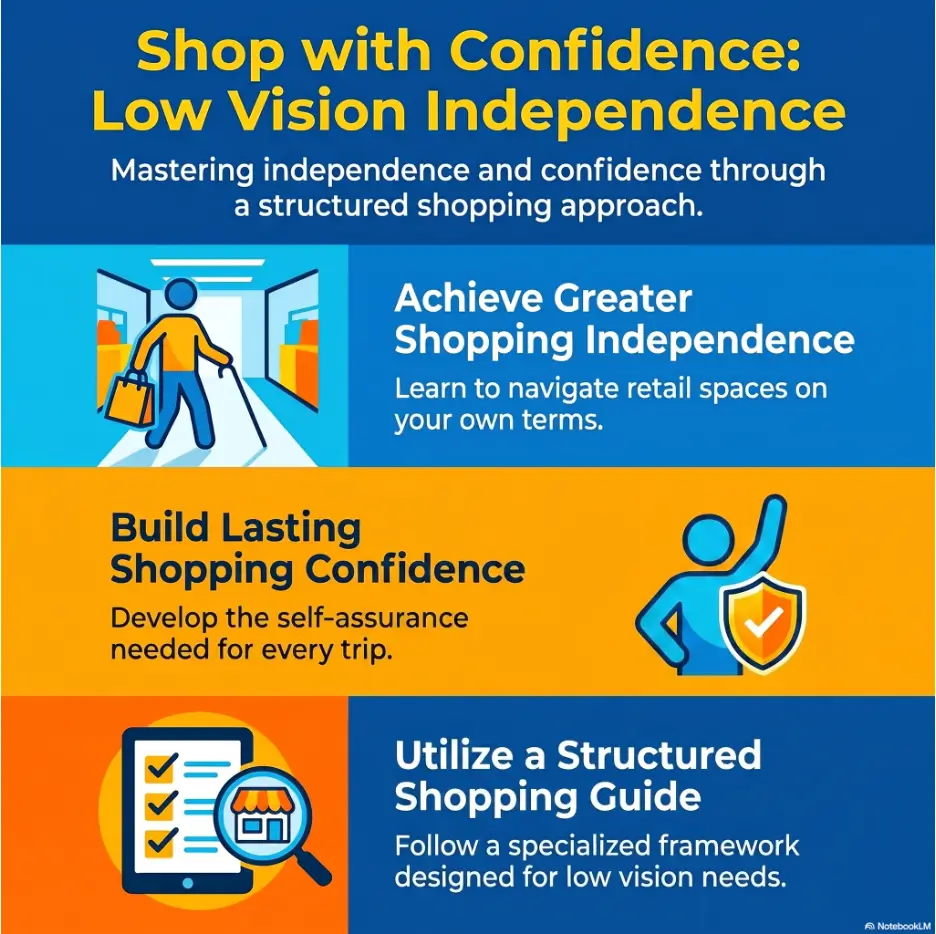
Read with less strain
Set up phones, magnifiers, lighting, and lists before entering the aisle.
Pay the correct price
Match products, package sizes, sale conditions, and unit prices with confidence.
Keep your independence
Ask for precise assistance while keeping your own choices and pace.
🛒 The goal is not to read every label. It is to build a shopping method that makes the important details easier to verify.
Article snapshot
This guide is designed for seniors with low vision, caregivers, and family members who find shelf labels difficult to read. It solves the practical problems of comparing prices, identifying similar packages, using phone accessibility tools, requesting store assistance, and checking receipts. By the end, you can assemble a five-minute shopping kit and follow a repeatable aisle-to-checkout routine.
Table of Contents
Safety First: Know What Shopping Tools Can and Cannot Solve
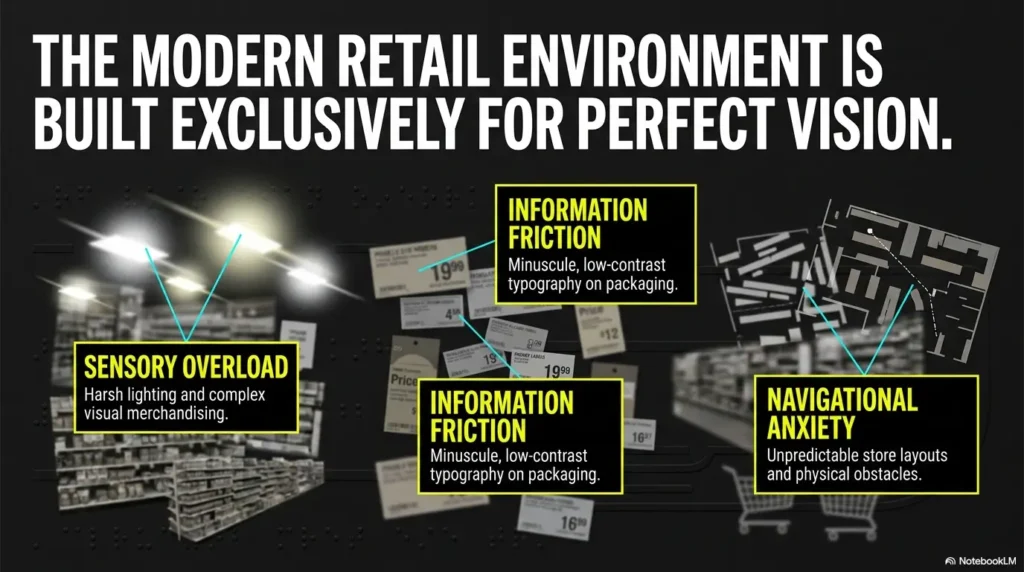
Difficulty reading a shelf label is often a practical accessibility problem. Small type, glare, poor contrast, low shelves, and crowded layouts can challenge even someone whose eye prescription is current.
However, a magnifier or phone camera cannot diagnose why vision has changed. A tool may help you read around a stable limitation, but it should not be used to normalize sudden blur, distortion, missing areas of vision, severe eye pain, or a rapid decline in reading ability.
Safety and medical disclaimer
This article provides general accessibility and shopping guidance, not medical diagnosis or treatment. Arrange an eye examination for persistent or worsening difficulty with everyday tasks. Sudden vision loss, a new curtain-like shadow, many new flashes or floaters, severe eye pain, or sudden distortion may require urgent professional assessment.
Stable low vision is different from a new visual change
A person who has used magnification for years may know that fine print is difficult but otherwise experience predictable vision. That is different from someone who could read labels last month and now cannot distinguish prices, faces, or straight lines as well as before.
Keep a simple record if the change is gradual. Note when it began, whether it affects one eye or both, whether brighter light helps, and whether words look blurry, bent, dim, doubled, or partly missing. These details can help an eye-care professional understand the functional problem.
Measure success by accuracy and energy, not speed
A successful shopping trip is not the fastest possible trip. It is one in which you choose the intended products, understand the prices that matter, move safely, and return home without feeling visually wrung out.
Low vision can make concentration expensive. Every attempt to decipher tiny text spends attention. The practical strategy is therefore selective: verify the details that affect safety, cost, dietary needs, and product identity, while ignoring decorative print that does not change the decision.
Key takeaway
Use shopping tools to improve access, not to explain away a new medical symptom. Stable difficulty can often be managed with preparation and visual aids. New or rapidly worsening difficulty deserves professional attention.
Prepare Before the Store So Small Print Has Less Power
The easiest label to read is sometimes the one you do not need to study in the aisle. Preparation transfers difficult decisions from a noisy, brightly lit store to a familiar chair, a larger screen, and a calmer moment.
This is not overplanning. It is energy management. A five-minute list can prevent twenty minutes of searching among nearly identical boxes while a cart wheel chatters and someone politely waits behind you.
Build a large-print list organized by aisle
Write or print the list in a font size that can be read comfortably, not merely barely. Use strong contrast, generous line spacing, and short item descriptions. Avoid packing several details into one crowded line.
Organize the list according to the store’s usual path: produce, bakery, canned goods, frozen food, household supplies, and checkout. This reduces backtracking, which saves both walking effort and visual searching.
- Too vague: cereal
- Better: plain oat cereal, blue box, 18 ounces
- Best when price matters: plain oat cereal, 16 to 20 ounces, maximum $5, compare unit price
For a repeat purchase, include one recognizable feature such as the lid color, package shape, or approximate shelf area. Visual features should support identification, not replace checking the name and size.
A dedicated low-vision grocery list system can make this routine easier to repeat, especially when several family members add items during the week.
Save product photos and package sizes
Photograph products that are purchased regularly. Capture the front, the size statement, and any detail that distinguishes one version from another. A photo can be enlarged at home or shown to an employee in the store.
This is especially useful for products with siblings that dress alike: regular and sugar-free drink mixes, salted and unsalted butter, sensitive-skin and fragranced detergent, or two medications sold in nearly identical boxes.
Create one album called “Shopping.” Do not scatter pictures among vacation photos, screenshots, and accidental photographs of the ceiling. A single album turns the phone into a compact visual catalog rather than a digital attic.
Set price and substitution boundaries before leaving
Decide what can change and what cannot. Perhaps the brand is flexible but the package size matters. Perhaps the flavor is fixed, but a store brand is acceptable. Perhaps the item contains an allergen and no substitution is safe without reading the ingredients.
| Item | Must match | Can change | Price limit |
|---|---|---|---|
| Breakfast cereal | Low added sugar | Brand | $5 |
| Laundry detergent | Fragrance-free | Package size | $14 |
| Canned soup | Low sodium | Flavor | $3 per can |
| Pet food | Exact formula | Nothing without approval | $28 |
This small table is valuable for caregivers too. It allows help without guesswork and reduces the chance that “close enough” becomes four weeks of the wrong product.
Readiness checklist
- The list is readable at a comfortable distance.
- Regular products include brand, type, and package size.
- Price limits are marked for expensive or frequently discounted items.
- Product photos are stored in one easy-to-find phone album.
- The phone is charged and the magnifier shortcut has been practiced.
- Reading glasses or a magnifier are in the shopping bag, not on the kitchen counter.
Turn a Smartphone Into a Practical Shelf-Label Reader
A smartphone is often the most flexible low-vision shopping tool because it can enlarge, freeze, brighten, photograph, scan, and sometimes read text aloud. The useful feature is not simply zoom. It is the ability to stop a moving visual problem and examine it on your terms.
Practice at home first. A busy aisle is an unforgiving classroom, particularly when the feature is buried three menus deep and the screen brightness has quietly dimmed itself.
Make the magnifier available in one or two actions
On an iPhone, the Magnifier app can be placed on the Home Screen, in Control Center, or assigned to an accessibility shortcut. Some users also set a Back Tap action so the magnifier opens when the back of the phone is tapped.
On Android devices, accessibility options vary by manufacturer and operating system. Look under Settings, then Accessibility, for magnification, display size, bold text, high-contrast options, accessibility shortcuts, or a dedicated magnifier app.
Use the method that is easiest to remember, not the one with the most features. A powerful tool that cannot be opened under mild pressure is merely a talented tenant who never answers the door.
Freeze the image instead of holding perfectly still
Many people assume they must keep the phone steady while reading. This is difficult when reaching toward a low shelf, managing a cart, or living with hand tremor.
Instead, aim the camera at the label and capture or freeze the view. Then bring the phone to a comfortable distance, enlarge the image, and adjust the brightness or contrast. The shelf can remain where it is. Your eyes no longer need to negotiate with the aisle.
If the image is blurry, move slightly farther from the label and zoom rather than placing the camera extremely close. Tap the area of text on the screen to encourage the camera to focus. Try angling the phone a little when overhead light creates a white glare patch.
Use spoken text when enlargement is not enough
Some phones can identify nearby text and read it aloud. Results depend on lighting, camera angle, print quality, and how crowded the label is. Spoken text can be extremely helpful, but it should be verified when the detail is safety-critical.
For example, a phone may correctly read “two for five dollars” yet miss “with loyalty card.” It may confuse 8 ounces with 18 ounces when the print is compressed. Use speech as a second pathway, not an infallible cashier whispering from the clouds.
Key takeaway
The most useful phone sequence is simple: open the magnifier, aim, freeze, enlarge, and verify. Practice on a food box at home until the sequence feels ordinary.
Show me the nerdy details
Magnification improves angular size: the letters occupy more space on the retina or display, making their shape easier to distinguish. It does not automatically restore contrast, fill missing visual-field areas, or eliminate distortion.
Digital tools can also alter contrast, invert colors, increase brightness, or isolate text. These changes sometimes help more than simply making the image larger. Excessive zoom, however, reduces how much of the label appears on screen, so the reader may lose context or skip a line.
That is why a moderate zoom level, a frozen image, and deliberate scanning from left to right often outperform maximum enlargement.
Read the Shelf Tag Without Falling for the Largest Number
Shelf tags are not arranged according to visual importance. The largest number may be the sale price, the member price, the price after buying several items, or even the amount saved rather than the amount paid.
The task is therefore not merely “read the number.” It is to connect the correct tag to the correct product and understand the conditions attached to that number.
Match the product to the shelf tag before comparing price
Begin with the product name, variety, and package size. Shelf positions drift. A customer returns an item to the wrong place, a display is restocked imperfectly, or the tag sits between two similar products.
Use a three-point match:
- Confirm the brand or product name.
- Confirm the type, flavor, strength, or formula.
- Confirm the package size or quantity.
If any point differs, do not assume the tag belongs to the item. Scan the barcode with the store app, ask an employee, or locate another tag.
Decode the sale conditions before placing the item in the cart
Sale labels often carry conditions in smaller print than the promotional number. Look for phrases such as “with card,” “digital coupon,” “must buy four,” “limit two,” “selected varieties,” or “price valid through Sunday.”
A sign reading “2 for $6” may allow one item for $3, or it may require two purchases. Store policies differ. When the condition is not clear, ask one precise question: “Is one item three dollars, or do I have to buy two?”
That sentence is easier for an employee to answer than “What does this say?” It also protects against the common problem of receiving only the large price while missing the fine-print rule.
Use unit price to compare different package sizes
The unit price shows cost per ounce, pound, item, sheet, or other standard measure. It can reveal that a larger package is not actually cheaper, especially during uneven promotions.
Suppose a 12-ounce jar costs $4.20 and an 18-ounce jar costs $5.94. The larger jar costs more at checkout, but the unit price is lower. That may be a better value if the product will be used before it expires and the heavier container is comfortable to handle.
| Package | Total price | Unit price | Practical question |
|---|---|---|---|
| 12 ounces | $4.20 | 35¢ per ounce | Is the smaller size easier to carry or finish? |
| 18 ounces | $5.94 | 33¢ per ounce | Will the lower unit price actually reduce waste? |
| Two 10-ounce jars | $6.40 | 32¢ per ounce | Does the promotion require a loyalty card? |
Unit price is useful, but it is not a commandment carved into the shelf. The cheapest ounce is not a bargain if the package is too heavy, the food spoils, or the quantity strains the budget today.
The M-C-U-V Shelf-Tag Check
1. Match
Brand, variety, and package size must fit the tag.
2. Conditions
Check card, coupon, quantity, and date requirements.
3. Unit price
Compare cost per ounce, item, sheet, or pound.
4. Verify
Scan, ask, or confirm at checkout when unsure.
Choose a Visual Aid That Works in a Real Store
A device can perform beautifully at a kitchen table and fail spectacularly under fluorescent lights beside a crowded cart. Real shopping requires portability, one-handed use, quick focusing, and enough light without painful glare.
The best visual aid is not necessarily the strongest magnifier. It is the one that can be carried, positioned, and used reliably for the specific task.
Use a pocket magnifier for quick, familiar checks
A small handheld magnifier is useful for prices, expiration dates, flavor names, and short ingredient checks. It requires no battery unless it includes a light, and it can remain in a coat pocket or small pouch.
Its weakness is the working distance. Stronger magnification generally means a smaller viewing area and a shorter distance from the print. A person may need to hold both the product and lens steadily while finding the correct focus.
Choose a lens with a comfortable handle and enough width to capture several characters at once. Test it on curved cans, glossy boxes, and labels held vertically. Reading only flat paper on a desk gives the magnifier an unrealistically polite audition.
Consider an illuminated magnifier for dim shelves
Built-in light can improve contrast when shelves are shadowed. It can also create glare on glossy packaging, particularly when the light points directly at the surface.
Try tilting either the package or magnifier slightly so the reflected light moves away from your eyes. A small angle may turn a white glare cloud back into readable black print.
Keep spare batteries if the magnifier depends on replaceable cells. Rechargeable models should be charged with the phone and shopping bag in the same staging area.
Know what reading glasses can and cannot do
Reading glasses are designed for a particular working distance. They may help with a product held at chest level but blur a shelf label several feet away. Stronger readers also tend to require the print to be held closer.
Do not keep buying stronger over-the-counter readers simply because labels remain difficult. The problem may involve contrast sensitivity, cataract, retinal disease, visual-field loss, prescription needs, or another issue that stronger magnification alone will not correct.
For a clearer comparison of tools, review this guide to reading glasses versus magnifiers. Someone with tremor may also benefit from learning how handheld and stand magnifiers differ.
| Tool | Best for | Main advantage | Main limitation |
|---|---|---|---|
| Reading glasses | Product held at a known distance | Hands remain free | May not focus on distant shelf tags |
| Pocket magnifier | Short price and label checks | Simple and portable | Requires positioning and steady use |
| Illuminated magnifier | Dim shelves and low contrast | Adds focused light | Can create glare |
| Smartphone magnifier | Freezing, enlarging, photographing, and speech | Flexible digital controls | Requires battery and practice |
| Companion or employee | Complex or safety-critical information | Fast verbal confirmation | Requires clear communication and trust |
Key takeaway
Choose tools by task. Reading glasses may suit a box held close, a pocket magnifier may suit a short tag, and a phone may suit a difficult label that needs to be frozen, enlarged, or spoken.
Avoid the Small-Print Mistakes That Quietly Cost Money
Most shopping errors are not dramatic. They are small substitutions, missed discount conditions, incorrect quantities, and products that look familiar enough to enter the cart unchallenged.
The financial cost may be modest once, but repeated errors erode confidence. A good system prevents the mistake without turning every purchase into an investigation worthy of a detective with three assistants and a corkboard.
Do not rely on package color or shelf position
Manufacturers often use one visual family across several versions. The same color may appear on regular, reduced-sodium, sugar-free, extra-strength, or scented varieties. Packaging may also change while the product remains the same.
Use color and shape as location clues only. Then verify the product name and one distinguishing detail. For medication, supplements, allergen-sensitive foods, and specialized nutrition products, verify more than one detail.
If similar-looking medicine containers are also a concern at home, read the guide to managing similar-looking pills and packages.
Separate the promotional headline from the actual requirement
A shelf sign may emphasize a low price while placing the qualifying details in smaller type. Check whether the promotion requires membership, a digital coupon, a minimum purchase, or a specific product size.
When using a store app, confirm that the digital coupon has actually been activated. Merely viewing a coupon may not add it to the account. At checkout, watch for the discount or ask the cashier to verify it before payment.
Check the receipt before leaving the building
Receipt print can be as unfriendly as shelf print, with the added charm of abbreviations that resemble license plates. Photograph the receipt and enlarge it on the phone, or ask customer service to review a suspected price.
Check high-priced items first, then quantities, discounts, and substitutions. There is no need to study every line with equal intensity. Prioritize the places where an error would matter.
Mistake checklist
- The shelf tag belongs to the neighboring size or flavor.
- The sale requires a loyalty account or digital coupon.
- The large number is a multi-buy price rather than the single-item price.
- The package looks familiar but is a different formula.
- The barcode scanner shows an online price that differs from the store price.
- An item was scanned twice or the wrong quantity was entered.
- A discount failed to appear on the receipt.
Short Story: The Soup That Was Not on Sale
Margaret saw a bright sign under her usual soup and read the large “$1.99” without difficulty. The smaller line disappeared into the glare, but the cans were in the familiar spot, so she placed six in her cart.
At home, her daughter enlarged the receipt and found that each can had cost $3.49. The sale applied only to a different size on the shelf below and required a store card.
On the next trip, Margaret used a new rule: match the can size first, then ask one focused question if the condition remained unclear. She also photographed the receipt before leaving.
The lesson was not that she needed someone to shop for her. She needed a better verification point. One thirty-second check preserved both her budget and her independence.
Ask Store Employees for Help Without Giving Up Independence
Requesting assistance is not surrendering control. It is using a service at the precise point where the environment has created a barrier.
The most effective requests are specific, brief, and easy to answer. They tell the employee what information is needed rather than handing over the entire decision.
Use a script that names the missing information
Instead of saying, “I cannot see this,” try one of these sentences:
- “Could you tell me the price and the unit price for this item?”
- “Does this sale require a loyalty card or buying more than one?”
- “Could you confirm that this is the fragrance-free version?”
- “Would you read the expiration date and package size?”
- “Could you show me where the low-sodium version is located?”
A precise request limits the interaction to the information you need. You remain the person choosing the product.
Escalate when the information affects health or safety
Ingredients, allergens, medication directions, cleaning warnings, and expiration dates deserve stronger verification. A rushed glance or uncertain phone reading is not enough when an error could cause harm.
Ask an employee to read the exact wording, or use customer service where lighting and space may be better. For medication products, ask the pharmacist rather than relying on general retail staff.
For more ways to handle tiny medicine print, see medication label strategies for seniors and the guide to reading labels aloud clearly and accurately.
Help as a caregiver without becoming the shopping director
A caregiver can act as a reader, navigator, or second checker while the older adult remains the decision-maker. Ask, “What would be useful for me to read?” rather than seizing the package and announcing a choice.
Agree on signals before the trip. One person might want help only when requested. Another may appreciate automatic warnings about obstacles, unreadable sale conditions, or products placed on high shelves.
When guiding someone physically, ask permission and use a consistent technique. The article on sighted-guide assistance explains how to offer support without pushing, pulling, or steering by surprise.
Key takeaway
Ask for information, not permission to choose. A clear request such as “Please read the price, size, and sale condition” keeps the interaction efficient and preserves control.
Move Through the Store With Less Fatigue and Physical Risk
Reading labels is only part of the shopping task. Low shelves invite bending, high shelves invite reaching, promotional displays narrow the path, and polished floors reflect overhead lights like a shallow indoor lake.
A safe shopping plan accounts for movement, glare, balance, and mental fatigue as carefully as print size.
Shop when the store is quieter and the body is fresher
Ask the store when aisles are least crowded. Mid-morning on a weekday may be calmer than late afternoon, although restocking schedules vary. A quiet store offers more time to stop, use a phone, and ask questions without feeling swept along by traffic.
Shop after eating and resting rather than at the end of an exhausting day. Visual function can feel worse when a person is tired, hungry, anxious, or rushing before an appointment.
Manage glare without making the aisle too dark
A brimmed hat or visor may reduce overhead glare. Some people benefit from tinted lenses recommended for their visual condition, but very dark lenses can make shelves and floor hazards harder to see indoors.
When reading a glossy package, rotate it until the reflection moves away. Use the body to shade a label if necessary. On the phone, increase screen brightness enough to read comfortably, but avoid maximum brightness if it causes discomfort or washes out contrast.
Avoid unstable reaching and deep bending
Do not climb on the lower shelf, lean far across a freezer, or stretch above a comfortable height to avoid asking for assistance. The product is not worth a fall.
Use the cart for support only if it is stable and you normally rely on it safely. A rolling cart is not a substitute for a prescribed mobility aid. Keep frequently checked tools in an outer pocket so you are not bending into a bag in the middle of the aisle.
Plan rest points before fatigue becomes confusion
Visual fatigue often arrives quietly. Words become harder to interpret, decisions slow down, and familiar packages begin to look alike. That is a good time to pause, not to push through the final six aisles on determination alone.
Use a bench, pharmacy waiting area, or quiet edge of the store if available. Review the remaining list and decide whether every item is still necessary today. Dividing one large trip into two smaller trips may preserve more independence than enduring one weekly marathon.
Low-fatigue store plan
- Choose a quiet shopping time.
- Start with essential items while attention is strongest.
- Use an aisle-organized list to reduce backtracking.
- Ask for high, low, or hard-to-locate products.
- Pause after several visually demanding comparisons.
- Skip optional items when accuracy begins to decline.
Use a Checkout Routine That Catches Errors Before Home
Checkout is the final verification point. It is also noisy, time-sensitive, and full of moving numbers. A fixed routine reduces the amount of information that must be processed at once.
The goal is not to monitor every beep with military precision. It is to notice the errors most likely to affect the total and resolve them while the store can still correct them easily.
Group items in a way that supports checking
Place expensive products together and keep coupon or sale items easy to identify. If two nearly identical items have different prices, place them separately on the belt and mention the expected discount before scanning.
At self-checkout, scan slowly enough to hear or see each item register. The guide to using self-checkout with low vision offers additional strategies for screen glare, item lookup, and requesting assistance.
Ask for a verbal total and confirm payment
Ask the cashier to state the total before payment. When using a card terminal, verify the amount on the display or ask the cashier to confirm it. Keep the payment card in a consistent wallet slot to reduce fumbling and accidental card selection.
If cash is used, organize bills by denomination before shopping. Count change in a quieter place if the checkout line feels rushed.
Use a three-pass receipt check
A three-pass check is faster than trying to decode every abbreviation:
- Pass one: Check the total and payment method.
- Pass two: Check expensive items and quantities.
- Pass three: Check promised discounts, coupons, and substitutions.
Photograph the receipt on a dark, plain background. Avoid holding it under a bright ceiling fixture that creates glare. The phone’s scan or document feature may flatten the image and improve contrast.
For phone-specific help, see these iPhone receipt-reading settings. Keep the paper receipt until all discounts and returns are settled, even if a digital copy has been saved.
Key takeaway
Checkout is not too late to verify a price. Ask for the total, check major items and discounts, and photograph the receipt before leaving the store.
When to Seek Help or Stop Shopping
Independence includes knowing when conditions are no longer safe for the current trip. Stopping is not failure. It is a decision to protect vision, balance, money, and confidence before a manageable problem grows teeth.
Pause or end the trip when accuracy or balance declines
Stop and seek assistance if you become dizzy, disoriented, unusually unsteady, overwhelmed by glare, unable to recognize products reliably, or too fatigued to check important details.
Move to a safe, quiet area. Call a family member, ask customer service for help, or arrange transportation if driving no longer feels safe. A half-filled cart can wait. Your body has already voted.
Arrange an eye examination for persistent functional difficulty
Schedule an eye examination when difficulty reading prices, labels, mail, medication instructions, or phone text persists despite adequate lighting and the correct glasses. Mention the specific tasks that have become difficult.
An eye-care professional may check prescription needs and eye health, then discuss magnification or refer you for low-vision rehabilitation. Vision rehabilitation focuses on using remaining vision and adaptive strategies for daily activities.
Treat sudden warning signs as urgent
Seek prompt medical advice for sudden blurred vision, new distortion, a rapid decrease in vision, or a sudden increase in flashes or floaters. Sudden vision loss, a dark curtain or shadow, severe eye pain, or major new visual symptoms can require urgent assessment.
Do not drive yourself if vision has changed suddenly. Ask someone to take you, contact an urgent eye-care service, or use emergency services when appropriate.
Stop-and-help rule
Stop shopping when vision, balance, or concentration no longer supports safe decisions. Seek urgent care for sudden vision loss, a curtain-like shadow, severe eye pain, or sudden major visual changes.
FAQ
How can seniors enlarge shelf labels with a smartphone?
Open the phone’s magnifier or camera, aim at the shelf label, and freeze or photograph the image. Enlarge it on the screen, adjust brightness or contrast, and tilt the phone if glare hides the text. Set an accessibility shortcut before shopping so the feature opens quickly.
What type of magnifier is best for grocery shopping?
A lightweight pocket magnifier works well for short checks. An illuminated model may help on dim shelves, while a smartphone is useful for freezing and enlarging difficult labels. The best option is the one the shopper can position and focus comfortably in a real aisle.
Can store employees read prices and product labels for customers?
Yes. Ask for the exact information needed, such as the price, unit price, size, sale condition, expiration date, or product variety. A focused request is faster and helps the shopper retain control over the final choice.
How can someone with low vision compare unit prices?
Use a phone magnifier, barcode scanner, or employee assistance to locate the unit price, usually shown per ounce, pound, item, or sheet. Compare the same unit across products. Also consider waste, package weight, storage, and the amount that must be paid today.
Are grocery store apps accurate for in-store prices?
Store apps are useful for product identification and price checking, but online, pickup, delivery, and in-store prices may differ. Confirm the store location selected in the app and verify important prices against the shelf tag or an employee.
What should a senior do when two packages look almost identical?
Check the product name, variety or formula, and package size. Use color only as a clue. For medication, allergens, or medically necessary foods, ask another person to verify the exact wording before purchase.
How can a caregiver help without reducing independence?
Ask what type of help is wanted, then provide only that assistance. Read specific details, locate an item, carry a heavy product, or guide around an obstacle while allowing the older adult to choose brands, quantities, and priorities.
When does trouble reading small print require an eye examination?
Arrange an examination when the difficulty is persistent, worsening, or interfering with everyday activities despite appropriate glasses and lighting. Seek prompt help for sudden blur, distortion, new flashes or floaters, missing vision, severe pain, or sudden vision loss.
Build Your Five-Minute Shopping Kit Today
The strongest shopping system is not a suitcase of gadgets. It is a small set of familiar tools stored together and practiced before the next trip.
Take fifteen minutes today. Place a charged phone, pocket magnifier, readable list, pen, reusable bag, and any required store card in one location near the door. Add a cleaning cloth for glasses and phone lenses. A fingerprint across the camera can turn perfectly readable print into morning fog.
Then practice one complete label check at home:
- Open the phone magnifier using the chosen shortcut.
- Aim at the package name and size.
- Freeze or photograph the image.
- Enlarge it without losing the surrounding context.
- Read one price-like number and one small condition line.
- Place the tool back in the shopping kit.
Finally, choose one sentence to use when assistance is needed: “Could you read the price, unit price, and sale condition for this item?” Rehearsing it removes the small hesitation that can otherwise lead to guessing.
Your five-minute shopping kit
- Charged phone with magnifier shortcut
- Pocket or illuminated magnifier
- Large-print aisle-based shopping list
- Product photos and package sizes
- Store card, payment method, and receipt plan
- One clear assistance request
The promise is modest but powerful: fewer guesses, fewer incorrect purchases, and more energy left for the parts of the day that deserve it.
Small shelf labels may remain small. Your method does not have to remain fragile. Preparation, magnification, precise questions, and a deliberate checkout check can turn a visually exhausting errand into a manageable routine.
Last reviewed: 2026-06