
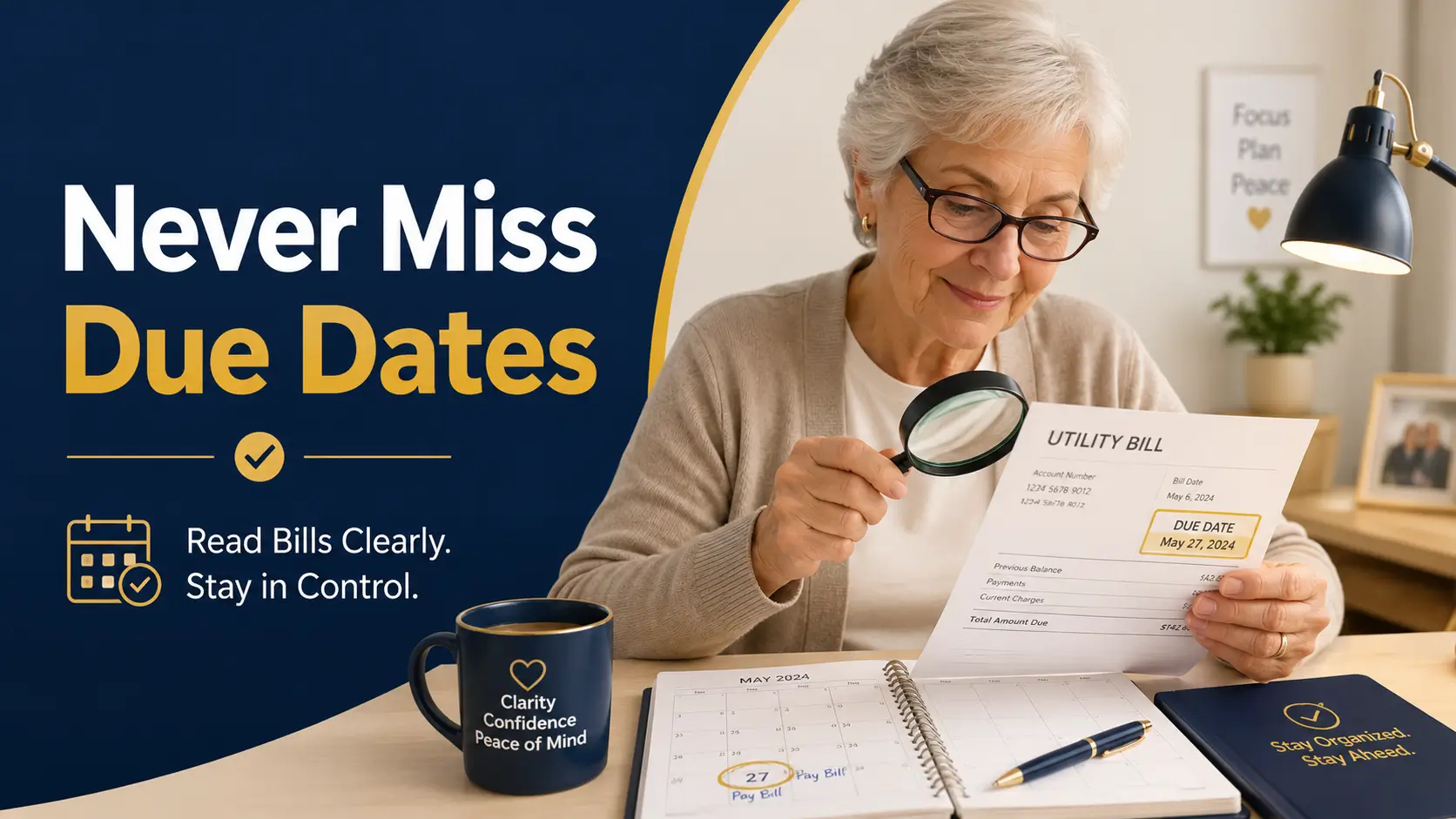
Vision-friendly bill routine for older adults
How Seniors with Presbyopia Can Read Bills
Without Missing Due Dates
A bill should not feel like a secret written in dust. Yet for many seniors with presbyopia, the due date is small, the account number is smaller, and the “amount due” hides in a polite little box that seems designed by someone with the eyesight of a falcon.
This guide turns bill reading into a calm, repeatable system. You will learn how to set up better lighting, scan the right four spots first, compare paper and digital bills, use auto-pay without losing track, and ask for help without surrendering independence.
The goal is not perfection. The goal is fewer late fees, fewer “Did I already pay this?” moments, and a home routine that respects aging eyes instead of scolding them.
Find the date first
Use a 4-spot scan so the due date does not vanish under logos and fine print.
Build a station
Put light, magnification, calendar, pen, and filing tools in one reliable place.
Keep proof
Record confirmations before filing, especially for online and phone payments.
Small print is annoying. Missed due dates are expensive. The system below gives aging eyes a fair fight. 👓
Snapshot
This article is for seniors, retirees, caregivers, and adult children who want a safer way to read household bills when near print has become blurry. You will learn a simple due-date-first routine, how to compare paper and digital statements, which reading tools are worth considering, and how to build a one-page dashboard you can start today.
Table of Contents
Before You Act: Protect Eyes, Money, and Independence
Presbyopia is a common age-related change that makes close-up tasks harder, including reading bills, medication labels, phone screens, menus, and bank statements. This article can help you build a safer bill-reading routine, but it cannot diagnose eye disease, financial fraud, memory changes, or legal responsibility for another person’s money.
If your vision changes suddenly, one eye becomes much blurrier than the other, you see double, or bills are being missed in a new pattern, treat that as information worth checking. For eye symptoms, contact an eye-care professional. For serious debt, suspected fraud, or managing someone else’s finances, confirm next steps with a qualified professional or a trusted official resource.
Key takeaway
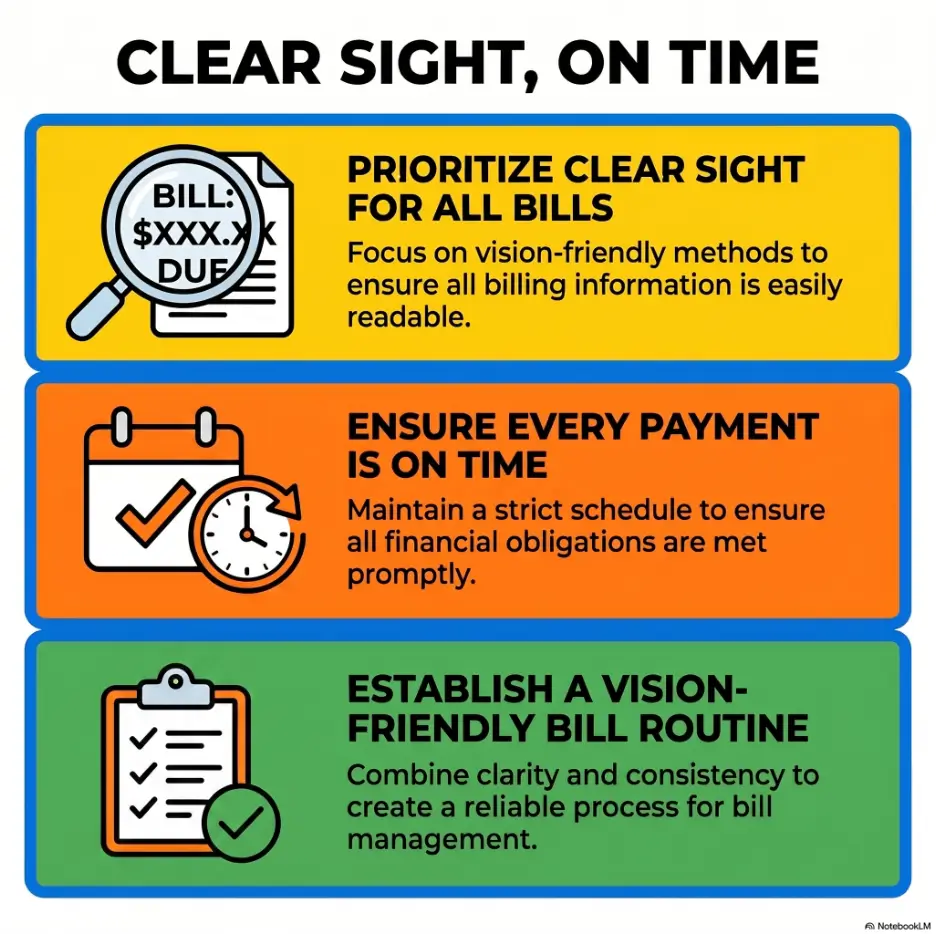
The safest bill routine protects three things at once: eyesight, due dates, and decision-making independence. A good system should make the senior more confident, not make them feel managed like a drawer of office supplies.
For a plain-language overview of presbyopia itself, the National Eye Institute has a helpful official explainer. Use it for general understanding, not as a substitute for a personal eye exam.
Who This Is For, and When It Is Not Enough
For seniors whose distance vision feels fine but bill print feels foggy
Presbyopia can feel sneaky because distance vision may still seem decent. A street sign looks clear, but the gas bill looks as if it has been printed during a rainstorm.
This guide fits older adults who can still read with enough light, magnification, or digital zoom, but who struggle with small due dates, account numbers, confirmation codes, and dense statement layouts.
For caregivers who want to help without taking over
Many adult children and spouses want to help with bills, but the emotional line is delicate. A person can need larger print without needing someone else to run the household.
The best support often looks small: a shared reminder, a larger calendar, a second check before payment, or a fraud phrase for suspicious calls. Quiet scaffolding beats noisy control.
Not for sudden vision loss, eye pain, or urgent money trouble
This article is not enough if there is sudden vision loss, eye pain, new double vision, a threat of utility shutoff, a past-due mortgage notice, a tax levy, or a suspected scam. Those situations deserve direct help from the right professional or official agency.
| Situation | This guide may help | Also consider |
|---|---|---|
| Fine print is hard, but vision is stable | Yes | Better lighting, readers, magnifier, digital zoom |
| Bills are missed because mail piles up | Yes | Weekly bill day and due-date dashboard |
| New blur, double vision, or sudden change | Only as general organization help | Eye-care professional promptly |
| Scam call, urgent payment demand, or wire request | Only as prevention support | Hang up, verify independently, contact bank or official agency |
| Caregiver is legally managing money | Partly | Review fiduciary duties and local legal guidance |
Due Dates Hide First: The 4-Spot Bill Scan
Most people read bills from the top down. That feels natural, but it is not always safe. Bill design often gives the logo, marketing box, account summary, and promotional messages more visual drama than the due date.
For seniors with presbyopia, the smarter move is to scan for the four items that protect against late fees before reading anything else.
Start with the due date before reading the full bill
The due date is the little hinge on the whole door. Circle it, write it on the envelope, or enter it into a calendar before you study the rest of the statement.
Look for phrases such as “payment due,” “due by,” “autopay scheduled,” “minimum payment due,” or “past due.” Some bills show more than one date, so do not assume the first date you see is the payment deadline.
Find amount due, minimum payment, and auto-pay status
Credit cards and medical bills can be especially tricky because they may show a total balance, a minimum payment, a prior balance, insurance adjustment, and a “pay this amount” box. Read the label beside the number, not only the number.
If auto-pay is active, confirm whether it pays the full balance, statement balance, minimum payment, or a fixed amount. Auto-pay is helpful, but it should not become a financial fog machine.
The tiny box that matters more than the big logo
Many bills place the most important information inside a small summary box. Train your eye to hunt for that box first. It often contains the account number, due date, amount due, and payment instructions.
| Scan spot | What to look for | What to do immediately |
|---|---|---|
| 1. Due date | Payment due, due by, autopay date | Write it on the dashboard or calendar |
| 2. Amount due | Current amount, minimum payment, statement balance | Mark the exact amount you intend to pay |
| 3. Payment method | Mail, phone, online, auto-pay, bank bill pay | Confirm which method you will use |
| 4. Confirmation proof | Confirmation number, email receipt, check number | Record it before filing the bill |
Key takeaway
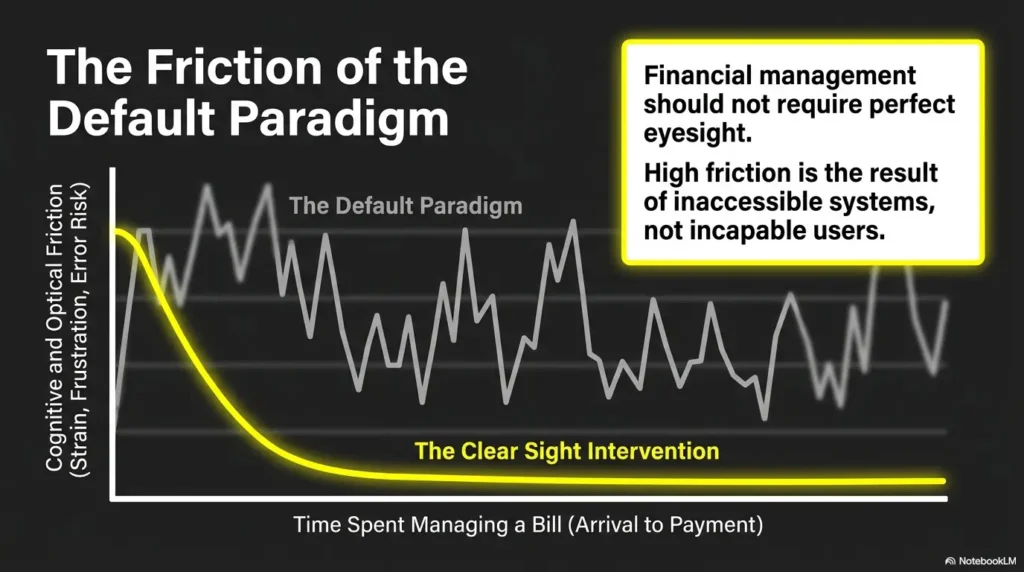
Do not “read the bill” first. Secure the due date first. Then secure the amount, payment method, and confirmation trail. The rest can wait politely in line.
Build a Bill-Reading Station That Does Not Fight Your Eyes
A bill-reading station does not need to be fancy. It needs to be consistent. The right spot should reduce searching, squinting, glare, and the small household chaos that makes a person say, “I’ll deal with this later,” which is how due dates quietly escape.
Use task lighting, not just room lighting
Room lighting fills a space. Task lighting serves a task. For bills, that usually means a bright, adjustable lamp aimed at the paper from the side, not directly into the eyes.
Try moving the lamp instead of buying a new one first. Many reading problems come from shadow placement, glossy paper glare, or light coming from behind the reader’s shoulder.
Keep readers, magnifier, pen, and calendar in one place
A routine becomes easier when the tools live together. Keep one small tray or basket near the bill-reading area with reading glasses, magnifier, dark pen, highlighter, envelope opener, and a calendar or dashboard sheet.
If reading glasses migrate around the house, consider a dedicated pair for bills only. You may also like this related guide on the best places to keep reading glasses so they are there when the paper arrives.
Here is what no one tells you: shadows can look like missing numbers
Small print plus shadow can make a 3 look like an 8, a 6 look like a 0, or a decimal point disappear like a crumb on a patterned rug. This matters most on payment amounts, account numbers, ZIP codes, and confirmation codes.
Bill-reading station checklist
- Adjustable lamp placed beside the page, not behind the head
- Clean reading glasses in the correct strength
- Handheld or stand magnifier
- Dark pen that writes boldly on envelopes
- Calendar, dashboard sheet, or bill notebook
- Small folder for “to pay,” “paid,” and “question to ask”
- Phone charger nearby if using camera zoom or online payment
Paper Bills vs Digital Bills: Choose the Format Your Eyes Trust
There is no moral prize for using paper or digital bills. The best format is the one the senior can read accurately, find again later, and use without stress.
When paper bills are easier for presbyopia
Paper can be easier because it is physical. You can circle the due date, place it in a “to pay” folder, and compare pages side by side. For some seniors, that tactile certainty is worth more than a login portal with six menus and a password reset goblin.
Paper works best when there is a clear filing system. If mail piles up in several rooms, paper bills can become risky. For related help, see this guide on a low-vision filing system.
When digital zoom beats a handheld magnifier
Digital bills can be excellent when the device is set up well. A tablet or computer can enlarge text, increase contrast, search for “due date,” and save confirmations.
The risk is navigation. If the senior cannot reliably find the bill again, open the PDF, identify the correct month, and save proof of payment, digital billing may need a better folder system before it becomes the main method.
Ask for large-print, accessible, or electronic statements when available
Some banks, insurers, utilities, and medical billing offices may offer large-print statements, accessible PDFs, email reminders, text alerts, or phone support. Availability varies, so ask directly and write down what the provider says.
| Format | Best for | Watch out for | Useful next step |
|---|---|---|---|
| Paper bill | People who like marking, filing, and seeing bills physically | Small print, glare, lost envelopes | Use a bill station and bold folder labels |
| Digital bill | People comfortable with zoom, email, PDFs, and portals | Password friction, confusing menus, missed emails | Create a dedicated bills folder and calendar reminders |
| Large-print statement | People who can read larger paper more comfortably | Not every provider offers it | Call and ask for accessible statement options |
| Phone payment support | People who need help confirming details | Scam risk if the call was not initiated safely | Use the number printed on a known bill or official website |
Short Story: The bill that looked paid
Marian kept her utility bills in a blue folder near the microwave. She was organized, careful, and proud of paying on time. One month, she saw the words “automatic payment” near the top of the statement and filed it away.
Two weeks later, a late notice arrived. The auto-pay had been scheduled, but the card on file had expired. The bill had not lied. It had simply whispered the important part in tiny print.
Her daughter did not take over. They made a small change: every bill now got three marks before filing: due date, amount, and paid proof. Auto-pay bills got one extra check for the payment account.
The lesson was gentle but firm. A bill is not finished when it is read. It is finished when the payment can be proven.
The 10-Minute Weekly Bill Ritual
A weekly bill ritual works because it reduces decision fatigue. Instead of opening envelopes whenever anxiety taps the window, you choose one short, protected time each week.
Pick one bill day and protect it like an appointment
Choose a day that already has a rhythm. Sunday after lunch. Tuesday morning with coffee. Friday before grocery shopping. The exact day matters less than the repeat.
Caregivers can help by asking, “Do you want me to sit with you during bill time?” rather than “Did you pay your bills?” One preserves dignity. The other can land like a clipboard.
Open, scan, mark, pay, confirm, file
The ritual should be short enough to repeat even on a tired day. Do not make it a full financial review unless that is truly needed.
- Gather unopened mail and digital bill reminders.
- Open only bill-related mail first.
- Scan the due date, amount, payment method, and auto-pay status.
- Mark “due soon,” “paid,” or “question.”
- Pay bills that are ready and safe to pay.
- Record confirmation numbers, check numbers, or email receipts.
- File paid bills in the same place every time.
Use one color for due soon and one color for paid
Use a simple color code. For example, orange means “due soon” and green means “paid.” Do not create a rainbow bureaucracy. Two colors are enough for most households.
If colors are hard to distinguish, use shapes instead. A large circle can mean “due soon,” and a large check mark can mean “paid.” The point is fast recognition, not stationery elegance.
Key takeaway
A weekly bill ritual is not about becoming a paperwork monk. It is about preventing bills from becoming a scattered flock of tiny deadlines.
Bill safety flow
The 5-step path from unopened envelope to paid proof
1. Light
Set the page under task lighting before reading.
2. Scan
Find due date, amount, method, and status.
3. Mark
Circle or write the deadline clearly.
4. Pay
Use the chosen safe payment route.
5. Prove
Record confirmation before filing.
Simple Tools That Make Bills Easier to Read
Tools can help, but the best tool is not always the most expensive one. The right choice depends on hand steadiness, glare sensitivity, reading distance, digital comfort, and whether the person reads one bill at a time or manages a stack of paperwork.
Over-the-counter reading glasses: useful but not magic
Reading glasses may help with presbyopia, especially when the main problem is close-up focus. But they are not a cure-all. Some people need different strengths for paper, computer screens, and phone use.
If readers cause headaches, distortion, dizziness, or still do not make bills clear, it may be time for an eye exam. If astigmatism is part of the problem, this related guide on reading glasses for astigmatism may help you understand why off-the-rack readers may not feel right.
Handheld magnifiers, stand magnifiers, and phone camera zoom
A handheld magnifier is flexible and inexpensive, but it may be tiring if the hand shakes or the bill takes several minutes to read. A stand magnifier can be steadier because it rests on the page.
Phone camera zoom is often underrated. Open the camera, point it at the bill, enlarge the image, and use the phone’s light only if glare is controlled. This can be surprisingly effective for confirmation numbers and tiny boxes.
For a deeper comparison, see reading glasses vs magnifiers.
Voice assistants and screen readers for digital statements
Some seniors prefer having digital text read aloud. Screen readers, phone accessibility settings, and voice assistants can reduce eye strain, especially for long statements. The challenge is privacy: bills may include account details, medical information, or balances.
Use audio features in a private space, and avoid reading sensitive financial information aloud near strangers, public smart speakers, or shared devices.
| Setup | Best for | Budget level | Before buying, ask |
|---|---|---|---|
| Good: lamp, readers, bold pen, folder | Mild presbyopia and mostly paper bills | Low | Can I read the due date without leaning or squinting? |
| Better: stand magnifier plus task lamp | Longer bills, hand fatigue, shaky hands | Low to mid | Can I use it comfortably for 10 minutes? |
| Best: tablet or computer zoom plus organized digital folders | Digital statements and online payment users | Mid to higher | Can I find, enlarge, save, and confirm bills without help? |
Show me the nerdy details
Presbyopia affects near focusing, but bill-reading accuracy also depends on contrast, glare, working distance, font size, line spacing, paper finish, and cognitive load. A senior may read one large word correctly and still miss a tiny deadline beside it. That is why a system beats a single tool. Lighting improves contrast. Magnification increases size. A dashboard reduces memory burden. Confirmation tracking closes the loop. When these pieces work together, the reader does not have to rely on heroic squinting.
Do Not Let Auto-Pay Become a Black Box
Auto-pay can be wonderful. It can also create a quiet kind of confusion, especially when a senior assumes everything is handled but the bank account, card, amount, or vendor setting has changed.
Check whether auto-pay is actually active
Look for the exact wording. “Eligible for auto-pay,” “enroll in auto-pay,” and “auto-pay active” are not the same thing. One is an invitation. One is an action. One is a status.
If the bill says no payment is due because an automatic payment is scheduled, record the scheduled date and payment method on the dashboard.
Confirm the card or bank account has not expired
Auto-pay can fail when a credit card expires, a bank account changes, a debit card is replaced after fraud, or a provider updates its billing system. Medical, insurance, utility, phone, and subscription bills are common places to check.
Keep a monthly auto-pay audit sheet
Once a month, compare expected auto-pay bills against bank or card activity. This does not need to be a full financial review. It is simply a “did the expected payments happen?” check.
Monthly auto-pay audit
- List every bill that is supposed to be automatic.
- Write the expected payment date and amount range.
- Check the bank or card account after the date passes.
- Mark paid, failed, changed, or needs call.
- Update expired cards before the next billing cycle.
- Keep one month of confirmation emails or screenshots in a bills folder.
For seniors who also manage checkbooks, this related guide on large-print check register alternatives may help create a more readable tracking system.
Caregiver Help Without Taking Over the Wallet
Bill help can carry emotional weight. Money is not just money. It is privacy, adulthood, history, marriage, pride, and the little rituals of keeping a household alive.
The right caregiver role is often “second set of eyes,” not “new boss of the desk.” Start with the least intrusive help that solves the actual problem.
Create a second set of eyes, not a second boss
A caregiver might sit nearby during bill time, read only the tiny due-date box, help enlarge a digital statement, or double-check whether a confirmation number was recorded. The senior can still decide what to pay and when.
Use shared reminders without sharing every password
Shared reminders can protect due dates without requiring full account access. A family calendar can say “electric bill due” without showing the account balance or login details.
If someone truly needs to manage another person’s money, use proper legal and financial guidance. The Consumer Financial Protection Bureau has plain-language resources for people managing money for someone else.
Set a fraud phrase for suspicious calls or urgent payment requests
Scam pressure often sounds urgent: pay now, move money, keep this secret, confirm your account, buy gift cards, click this link. A family fraud phrase can slow the moment down.
Choose a simple phrase such as “pause and verify.” If a caller demands immediate payment, the senior can hang up and call a known official number from a prior bill, bank card, or official website.
Key takeaway
Any urgent request to send money deserves a pause. Real bills can survive verification. Scams hate daylight.
The Federal Trade Commission offers scam prevention guidance for older adults and families. It is worth reviewing before a crisis, not during one.
When the Problem Is Not Just Small Print
Sometimes the bill is not the whole problem. The small print may reveal a bigger issue: vision change, medication side effects, fatigue, grief, memory strain, depression, or a household system that has become too complex.
New blur, double vision, or sudden changes need attention
Presbyopia usually develops gradually. Sudden changes deserve more caution. If a senior suddenly cannot read bills that were readable last month, or if one eye seems much worse, do not simply buy stronger readers and hope for the best.
This article on presbyopia vs cataracts may help readers understand why different vision problems can feel similar during daily tasks.
Missed bills may signal memory, medication, or system overload
A missed due date does not automatically mean cognitive decline. It may mean the senior has too many envelopes, too many passwords, poor lighting, eye fatigue, or no trusted place to record payments.
Still, if missed bills are new, frequent, or paired with other changes, bring it up gently. A practical starting question is: “Is the system too hard, or is the remembering too hard?” Those are different problems.
Ask for help early, before late fees become a pattern
It is easier to add a shared reminder in February than to repair damaged credit in July. Early help can be small, respectful, and reversible.
When to ask for outside help
- Two or more late notices arrive in a short period.
- The senior cannot tell whether a bill was paid.
- Payment confirmations are often missing.
- Mail is unopened because reading feels exhausting.
- There are suspicious calls, texts, emails, or payment requests.
- Vision seems suddenly worse or different from one eye to the other.
Next Step: Create a One-Page Due-Date Dashboard
A due-date dashboard is the quiet hero of this system. It puts recurring bills in one place so the senior does not have to hunt through envelopes, emails, apps, and memory.
Write every recurring bill in one place
Start with the predictable bills: rent or mortgage, utilities, phone, internet, insurance, credit cards, medical payment plans, subscriptions, and property-related expenses. Do not worry about making it beautiful. Make it readable.
Add due date, payment method, login location, and support number
The dashboard should not contain full passwords or sensitive account numbers if other people can see it. Instead, write where the login is stored, such as “password manager,” “red notebook in locked drawer,” or “call provider.”
Review it every Sunday before the week begins
Reviewing the dashboard once a week prevents the “surprise bill” feeling. For digital organization, this related guide on organizing digital files for seniors can help keep electronic statements from becoming a second junk drawer.
| Bill | Usual due date | Payment method | Proof to keep | Support contact |
|---|---|---|---|---|
| Electric | 10th | Auto-pay | Bank transaction | Number on bill |
| Phone | 15th | Card auto-pay | Email receipt | Provider account page |
| Credit card | 22nd | Online payment | Confirmation number | Number on card |
| Medical bill | Varies | Mail or phone | Receipt or check number | Billing office |
Key takeaway
A dashboard turns bill reading from a memory test into a visual routine. It is not a ledger. It is a map.
FAQ
What is the easiest way for seniors with presbyopia to read bills?
The easiest method is to use strong task lighting, the right reading aid, and a due-date-first scan. Find the due date, amount due, payment method, and confirmation proof before reading the rest of the bill.
Should seniors use paper bills or online bills?
Use the format the senior can read, track, and confirm most reliably. Paper is often easier to mark and file. Digital bills are helpful when zoom, search, reminders, and saved confirmations are easy to use.
How can I stop missing due dates because the print is too small?
Create a one-page due-date dashboard and review it weekly. Circle due dates on paper bills, set calendar reminders for digital bills, and record confirmation numbers immediately after payment.
Are magnifiers better than reading glasses for bills?
Not always. Reading glasses help with near focus. Magnifiers enlarge specific details. Some seniors use both: reading glasses for general bill reading and a magnifier for account numbers, due dates, and fine print.
How can caregivers help with bills without taking control?
Start with limited support: shared reminders, a weekly sit-with-you bill time, a second check for due dates, or help enlarging digital statements. Avoid taking passwords, accounts, or decisions unless proper authority and consent are in place.
What should I do if I paid a bill but cannot find confirmation?
Check the bank or card transaction history first. Then check email receipts, the provider’s payment portal, or the check register. If still unsure, call the provider using a trusted number from a prior bill or official website.
Can auto-pay help seniors avoid late fees?
Yes, auto-pay can help, but it still needs review. Check that auto-pay is active, the payment account is current, and the expected payment actually happened each month.
When should blurry bill print become an eye-care concern?
If blurry near print develops gradually, presbyopia may be part of the reason. If vision changes suddenly, one eye changes more than the other, or there is double vision, pain, flashes, or major distortion, contact an eye-care professional promptly.
Your 15-Minute Start: Make One Bill Easier Today
Do not overhaul every bill, password, drawer, and folder today. That is how good intentions become a paper blizzard.
Choose one bill. Put it under better light. Find the due date, amount due, payment method, and confirmation requirement. Write those four items on a single sheet. Then add one more recurring bill tomorrow.
Within a week, you will have the beginning of a dashboard. Within a month, you will have a calmer system. The fine print may still be small, but it no longer gets to run the household.
Do this now
Make a four-column note: bill, due date, amount, proof. Fill it out for the next bill you touch. That tiny page is the beginning of fewer late fees and less squinting at the kitchen table.
Last reviewed: 2026-07