
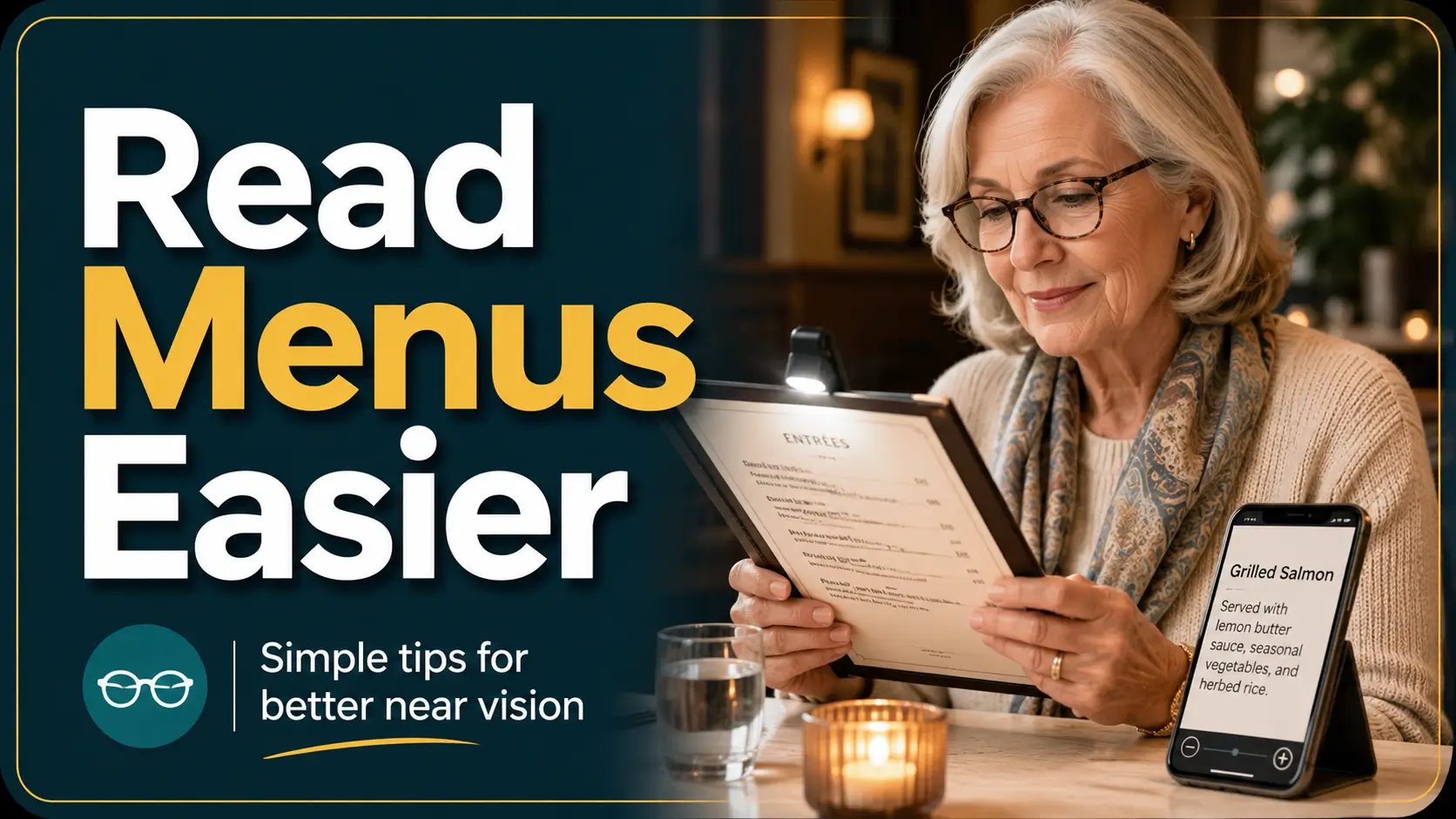
Comfortable dining with aging eyes
How Seniors with Presbyopia Can
Read Restaurant Menus More Easily
The waiter has arrived, everyone else is ready, and the menu seems to have been printed for a committee of watchmakers. You move it closer. The words blur. You move it farther away. Now your arms are negotiating terms with the bread basket.
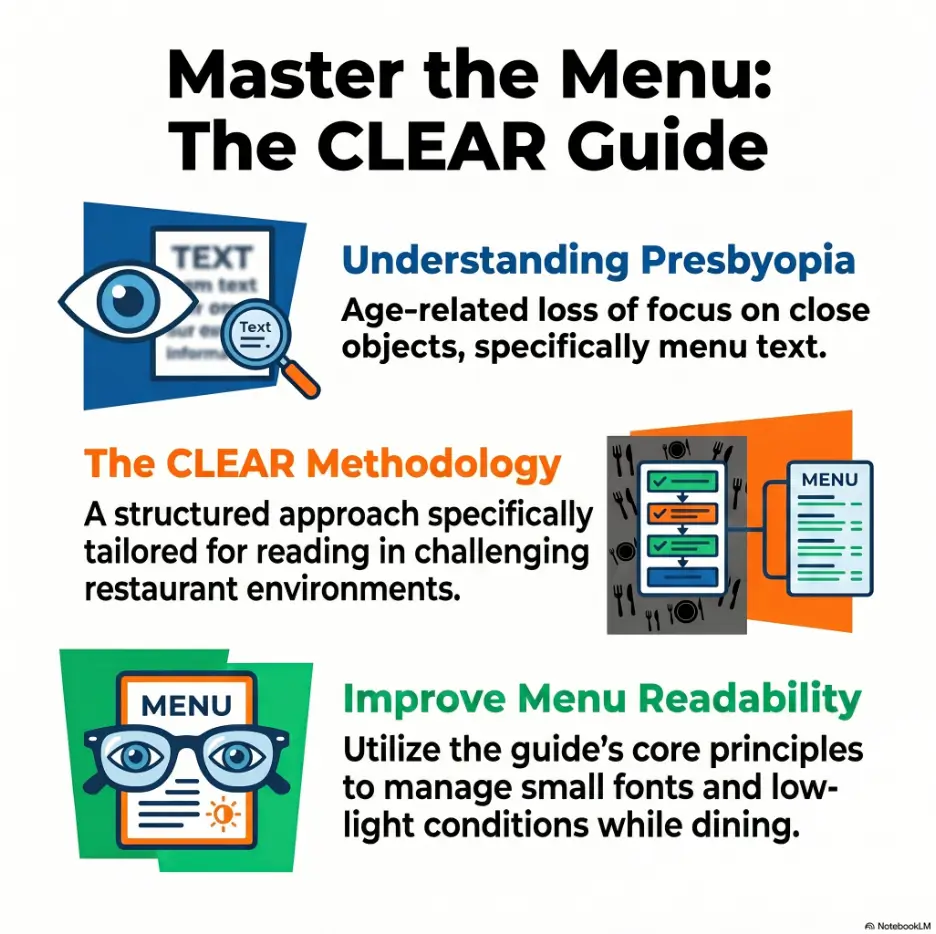
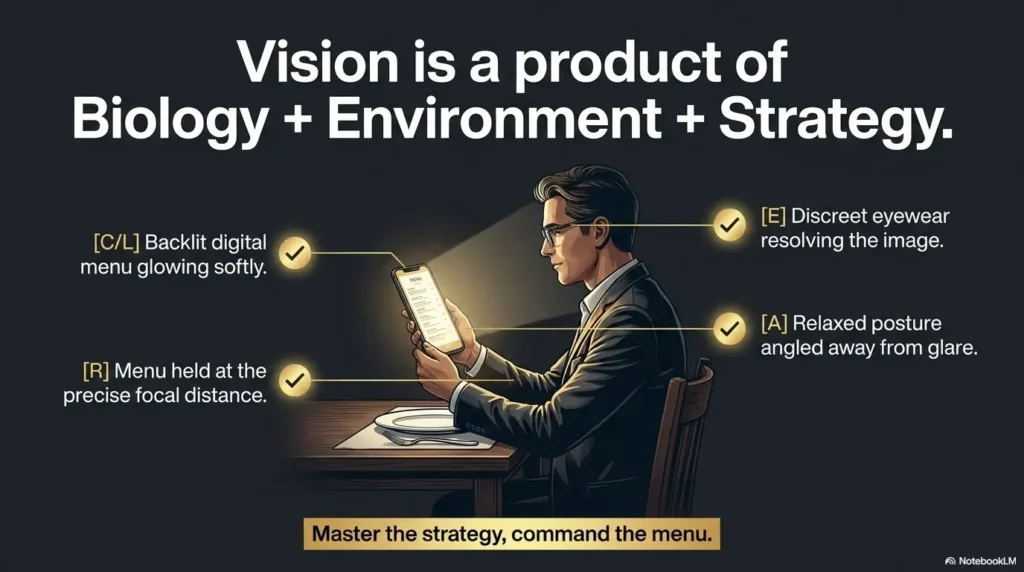
This familiar restaurant problem is often caused by presbyopia, the gradual age-related loss of near focusing ability. Yet the lens inside the eye is only one part of the story. Dim lighting, glossy paper, ornate lettering, glare, incorrect reading glasses, and rushed social situations can turn a manageable vision change into an exhausting little performance.
This guide shows how to improve the whole reading setup rather than simply buying stronger glasses. You will learn how to position light, choose useful eyewear, enlarge digital menus, carry discreet tools, request help without surrendering your choices, and recognize symptoms that deserve an eye examination rather than another menu trick.
See more clearly
Use distance, contrast, and controlled light together.
Carry less
Build a compact dining kit that earns its pocket space.
Stay in charge
Ask for information while keeping the decision yours.
🍽️ The goal is not heroic squinting. It is a calmer meal with fewer visual negotiations.
Article snapshot
This guide is for older adults with gradual near-vision difficulty and for family members who want to help without taking over. It explains how to make restaurant menus easier to read using better lighting, suitable glasses, phone accessibility tools, compact magnifiers, and simple requests. By the end, you can assemble a two-minute dining vision kit and know when ordinary presbyopia may not explain the problem.
Table of Contents
Why Restaurant Menus Become Harder to Read
Presbyopia is a gradual reduction in the eye’s ability to focus on nearby objects. It commonly becomes noticeable during the forties and continues changing with age. By the time many adults reach their sixties, the challenge is familiar: distance vision may feel acceptable, yet ingredient lists, prices, receipts, and medication labels require more effort.
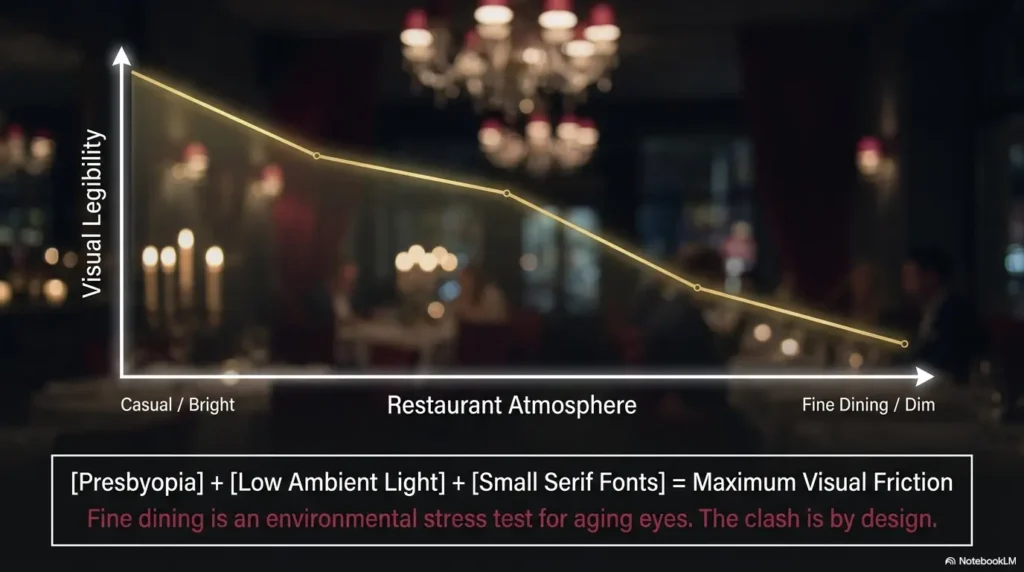
A restaurant exposes that difficulty with unusual efficiency. The room may be intentionally dim. The menu may use cream lettering on brown paper. Reflections move across a laminated page as overhead lights, candles, windows, and phones compete for attention.
The result can feel personal, especially when other diners are waiting. It is not. A menu is simply a demanding near-vision test disguised as dinner.
Presbyopia changes near focus, not reading ability
Inside each eye is a natural lens that changes shape to focus at different distances. With age, that focusing system becomes less flexible. Nearby print therefore requires more distance, additional optical correction, or both.
This has nothing to do with intelligence, literacy, or attention. A person may read complex novels, financial statements, or legal documents with ease in a good setup and still struggle with “roasted cauliflower” in amber restaurant light.
That distinction matters. When people interpret menu difficulty as personal decline, they may hide it, guess at dishes, or let someone else order for them. Treating it as a setup problem leads to better solutions.
Dim light shrinks the margin for error
Bright, even light improves the visibility of small details. In dim conditions, the pupil becomes larger and the optical system may deliver less crisp fine detail. Older eyes can also require more useful illumination than younger eyes for the same reading task.
This helps explain why the same menu may seem readable near a restaurant window at lunch and nearly encrypted in a corner booth at dinner. Presbyopia has not changed between the appetizer and dessert. The environment has.
Contrast, glare, and decorative fonts form a three-part obstacle
Small print is only one problem. Low contrast makes the boundaries of each letter harder to separate from the background. Glossy paper reflects light into the eyes. Thin scripts and compressed typefaces remove familiar letter shapes.
A larger word in pale gray may be harder to read than a smaller word in bold black. Likewise, a bright flashlight aimed straight at a laminated menu can create a white mirror that is technically well lit and practically useless.
Key takeaway
Menu readability is a chain: print size, contrast, glare, viewing distance, and lens correction all matter. Improving two or three links often works better than buying the strongest readers on the rack.
Wait, did the menu change, or did your focusing distance?
A useful first test is to move the menu away slowly rather than pulling it closer. People with presbyopia often discover a clearer zone several inches farther out than expected. The letters may remain small, but their edges become sharper.
Once you find that zone, keep the menu there and add light or magnification. Do not repeatedly chase focus by moving the page in and out. That turns dinner into an accordion recital.
Safety Before Menu Tricks
Health and vision disclaimer
This article offers general educational guidance for gradual, age-related near-vision difficulty. It cannot diagnose presbyopia or rule out cataracts, retinal disease, glaucoma, medication effects, neurological problems, or other causes of blurred vision.
Use the advice only when the change is gradual and familiar. Sudden vision loss, new flashes or floaters, a dark curtain or shadow, eye pain, marked redness, double vision, or a major difference between the eyes deserves prompt professional assessment.
Presbyopia usually develops gradually. A person may first need to hold labels farther away, seek brighter light, or remove distance glasses to read. The pattern is generally predictable rather than dramatic.
Restaurant difficulty should therefore be placed in context. Is the menu the only problem? Does near print improve with usual reading glasses? Is the difficulty similar in both eyes? Has it changed over months rather than minutes?
The ordinary presbyopia pattern
- Near print gradually becomes harder to focus.
- Holding material farther away helps.
- Brighter, controlled light improves comfort.
- Reading glasses or the near zone of multifocal lenses help.
- Distance vision may remain relatively clear.
- The difficulty is generally similar from one day to the next.
Changes not to explain away as “just getting older”
Do not assume presbyopia explains every reading problem after age sixty. Cataracts can reduce contrast and increase glare. Macular disease can distort or obscure central detail. Dry eye can cause fluctuating blur. Diabetes and some medications may also affect vision.
One simple question helps: “Is this merely inconvenient, or is it new, unequal, painful, distorted, or rapidly worsening?” The second group belongs in a conversation with an eye care professional.
Sixty-second safety check
- Cover one eye, then the other. Is one substantially worse?
- Look at straight menu borders. Do they appear bent or missing?
- Notice whether the blur clears after blinking.
- Check for pain, redness, flashes, new floaters, or shadowed vision.
- Ask whether the change was sudden or gradual.
For a broader overview of gradual changes versus warning signs, see this guide to senior vision changes that deserve attention.
Use Restaurant Lighting Without Creating More Glare
Useful light lands on the page, improves contrast, and stays out of the eyes. More light is not automatically better. Direction, reflection, intensity, and surface finish determine whether illumination clarifies the menu or turns it into a silver pond.
Move the light toward the menu instead of leaning toward it
Leaning across the table to reach a candle or overhead pool of light may create neck strain and an unstable reading posture. It can also move the menu too close to the eyes, where presbyopia makes focus worse.
Instead, keep your back supported, hold the menu at the distance where it looks sharpest, and adjust the menu angle. Even a small tilt can move a reflection away from your line of sight.
If there is a table lamp, position the menu beneath it but not directly opposite the reflected bulb. Think of glare as a billiard ball: the angle at which light strikes a glossy page influences where it bounces.
Reflected light often beats a direct phone flash
A phone flashlight can help, but aim it from the side rather than directly above the page. Side lighting reveals print while pushing the brightest reflection away from the viewing angle.
Another option is to let the light bounce from a pale wall, napkin, or matte menu cover. Reflected light is softer and may reduce the harsh hotspot created by a bare LED.
Never place a phone where it could slide into a drink or shine into another diner’s face. A quieter approach is usually more effective and considerably less theatrical.
Choose the seat before choosing the entrée
At daytime meals, sit where window light reaches the table from the side. Avoid facing a bright window directly, because the strong backlight can make the darker menu harder to see.
At night, look for an evenly lit table rather than the brightest visible fixture. A lamp behind your shoulder may illuminate the page without entering your eyes. A spotlight directly overhead may produce more glare, especially on laminated menus.
| Lighting situation | What often goes wrong | Better adjustment |
|---|---|---|
| Candle-only table | Warm but insufficient light | Use a side-angled phone light or request another table |
| Bright overhead spotlight | Glossy reflection masks print | Tilt the menu or move it slightly off-center |
| Window behind the menu | Useful daylight falls on the page | Usually a good position if glare is controlled |
| Window behind the reader | Reader may cast a shadow | Shift sideways so light reaches the page |
| Window directly in front | Backlighting reduces comfort | Turn the chair or choose another seat |
Key takeaway
The best light is not the brightest light in the room. It is the light that reaches the menu evenly without bouncing straight into your eyes.
Choose Reading Glasses for Real Dining Conditions
Drugstore readers can be useful for uncomplicated presbyopia, but the number printed on the temple is not a universal score. The appropriate strength depends partly on reading distance, existing refractive error, whether both eyes need the same correction, and whether astigmatism is present.
The best restaurant pair is not necessarily the pair that makes the smallest sample text look enormous at six inches. It is the pair that lets you read ordinary menu print at a comfortable distance while keeping your posture relaxed.
Test lens strength at your real menu-reading distance
Measure the distance at which you naturally hold a menu. Many people read a restaurant menu farther away than a paperback because it is large, shared, or resting on the table.
When trying readers, hold sample print at that same distance. Begin with the lowest strength that provides clear, comfortable reading. A stronger lens may require you to bring the print closer, narrowing the range in which the text stays clear.
If you already wear prescription glasses, ask your optometrist or ophthalmologist how over-the-counter readers fit with your correction. People with significant astigmatism, different prescriptions between the eyes, eye disease, or previous eye surgery may benefit from prescription lenses.
Keep a dedicated pair where memory naturally meets the task
A perfect pair left on the kitchen counter has the optical value of a decorative spoon. Store restaurant glasses in the coat, handbag, car console, or small pouch that reliably travels with you.
Use a case with a texture or color you can identify quickly. Clean the lenses regularly. Smudges scatter light and can make dim-room contrast worse, especially when the menu is already glossy.
Readers, bifocals, and progressives solve different dining problems
| Lens option | Useful when | Possible restaurant drawback |
|---|---|---|
| Single-vision readers | You mainly need help with near print | Across-table faces may blur while wearing them |
| Bifocals | You want separate distance and near zones | The near segment may feel small for a large menu |
| Progressive lenses | You switch among room, companion, plate, and menu distances | You may need to find the correct corridor and move your head |
| Prescription near glasses | You need astigmatism or unequal-eye correction | They usually require professional fitting and higher cost |
For a detailed side-by-side guide, read reading glasses versus magnifiers for older adults. Readers improve focus across a broad area, while magnifiers enlarge a smaller portion of the page. Some diners benefit from carrying both.
Why stronger readers can feel impressive and still be wrong
High-powered readers can make print look larger, but they also require a closer working distance and may offer a narrower clear zone. That can encourage hunching over the table and make it difficult to scan an entire menu column.
Using strong readers does not cause presbyopia to worsen. However, an unsuitable strength can produce temporary blur, headache, nausea, or frustration. It can also conceal the fact that one eye sees much worse than the other.
Do not stack two pairs of reading glasses unless an eye care professional has specifically recommended the arrangement for a defined task. The optics, fit, and viewing distance become unpredictable, and the result is rarely elegant.
Short Story: The Birthday Menu That Stopped Being a Test
Martin had begun ordering the daily special without asking what it was. At his daughter’s birthday dinner, the menu arrived in charcoal-gray print beneath a small amber lamp. He joked that the restaurant had forgotten the ink, then waited for everyone else to choose.
His daughter quietly moved the lamp six inches toward the menu and tilted the glossy page. Martin put on the inexpensive readers he kept in his jacket rather than the stronger pair in his desk drawer.
The print became readable, but one column remained troublesome. He opened his phone camera, enlarged only the dessert section, and froze the image so his hand could rest on the table.
Nothing dramatic happened. That was the point. He chose the lamb, rejected the overly ambitious beet appetizer, and ordered his own dessert. The useful lesson was not one magical device. It was the combination of distance, light, suitable lenses, and one familiar phone gesture.
Turn Your Phone Into a Pocket Vision Tool
A smartphone can enlarge printed menus, adjust brightness and contrast, freeze an image, display a restaurant’s online menu, and sometimes read text aloud. Yet the tool only helps when the controls are prepared before the room becomes dark and the server becomes attentive.
Use the camera preview before searching for a special app
Open the camera, point it at the menu, and spread two fingers on the screen to zoom. This is often enough for a price, ingredient, or unfamiliar word.
Hold the phone over the page rather than bringing the screen close to your face. Tap the text area to focus. If the image keeps moving, take a photograph and enlarge it while the phone rests on the table.
Be mindful of other diners and restaurant policies. Photograph only the menu, not nearby guests. Turn off the camera flash unless it is genuinely needed.
Prepare iPhone Magnifier before leaving home
Apple’s Magnifier can enlarge nearby text and offers controls such as brightness, contrast filters, flashlight adjustment, and frozen views. Depending on the iPhone model and software version, Magnifier may also detect text and provide spoken output.
- Find and open the Magnifier app.
- Point the camera at a printed page in ordinary indoor light.
- Practice moving the zoom slider only as far as needed.
- Try freezing the frame so you can lower the phone.
- Test brightness and contrast controls.
- Add Magnifier to a convenient shortcut if your device supports it.
People who prefer a fast gesture may find this guide to the iPhone Back Tap Magnifier shortcut useful. Set it up at home, because configuring accessibility controls under a candle is a special category of optimism.
Use Android magnification and page zoom deliberately
Android accessibility options vary by device maker and software version. Many phones offer screen magnification, larger text, bold text, color correction, or high-contrast options. Some Pixel phones support a dedicated Magnifier app.
For an online restaurant menu, browser page zoom may be more useful than enlarging the entire phone interface. Increase the webpage size until descriptions are readable, then rotate the phone horizontally if wider columns become easier to scan.
Open a QR menu without accepting its tiny default text
Scan the QR code with the phone camera, open the restaurant page, and look for browser zoom or text-size controls. Pinch zoom may work, but some poorly designed pages resist it. Reader mode, when available, can remove decorative clutter and improve contrast.
If the QR code is difficult to capture, hold the phone farther away first so the entire code appears within the camera frame. Move closer only after the camera recognizes it. Avoid placing the phone so near that the image cannot focus.
For a step-by-step practice guide, see QR code scanning for people with low vision.
Key takeaway
The phone becomes useful when the shortcut is familiar. Practice opening magnification, freezing an image, and enlarging a webpage once at home. Restaurant pressure is a poor software instructor.
The CLEAR Menu Method
1. Create distance
Move the menu slowly outward until letter edges improve.
2. Light the page
Use even side light and tilt away reflections.
3. Add correction
Wear suitable readers or use the near zone of prescribed lenses.
4. Request or enlarge
Use phone magnification or ask for an accessible alternative.
Decision rule: Improve the setup in this order before reaching for much stronger lenses.
Portable Tools That Rescue a Difficult Menu
A useful restaurant aid must survive ordinary life. It should fit in the bag you actually carry, open without a wrestling match, and provide enough benefit to justify remembering it.
The most powerful magnifier is not automatically the best choice. Stability, field of view, illumination, hand control, and discretion often matter more than maximum magnification.
Choose an illuminated handheld magnifier for dim print
A handheld magnifier with a built-in light combines enlargement and illumination. This can be especially useful when the menu’s type is fine and the room is dark.
Lower magnification generally provides a wider field of view, allowing several words to appear at once. Higher magnification enlarges more but shows less of the page and requires steadier positioning.
Try the device on real menu-sized print before buying. Check whether the switch is easy to find by touch, the battery compartment is manageable, and the handle feels secure.
Compare card, folding, and stand magnifiers by the job
| Tool | Main advantage | Best for | Limitation |
|---|---|---|---|
| Card magnifier | Very slim and inexpensive | Occasional price or ingredient checks | Often modest optical quality and no light |
| Folding pocket magnifier | Lens stays protected | Routine dining and travel | Small lens may slow line-by-line scanning |
| Illuminated handheld magnifier | Combines light and enlargement | Dim rooms and fine print | Requires battery and hand control |
| Small stand magnifier | Stable viewing distance | Tremor, arthritis, or fatigue | Bulkier on the table and in a bag |
| Neck-hanging magnifier | Can reduce hand demand | Longer reading sessions | Often less discreet and awkward for brief use |
People with shaky hands or arthritis may find a stable support more helpful than extra power. The comparison in handheld versus stand magnifiers for tremor explains why a fixed focal distance can simplify reading.
Use a compact reading light without lighting the entire dining room
A small clip light can work well on paper menus, provided it does not damage the menu or shine across the table. Choose a diffused light with adjustable brightness rather than a narrow, piercing beam.
Warm light may feel pleasant, but color temperature alone does not determine readability. Evenness, brightness, contrast, and glare control matter more. Test the light on glossy and matte paper before giving it permanent residence in your bag.
Give every tool the pocket-survival test
- Can you identify and open it without reading tiny controls?
- Can you use it with one hand?
- Does it require a charging cable you will forget?
- Will the lens remain protected from keys and coins?
- Does the light create glare on laminated paper?
- Can you scan a full menu line without losing your place?
- Is it small enough to remain in your everyday bag?
Dining tool scorecard
Clarity
Can you read ordinary menu print?
Stability
Can you hold or rest it steadily?
Speed
Can you use it within ten seconds?
Portability
Will it remain with your dining essentials?
Menu-Reading Mistakes That Increase Eye Strain
Eye strain is often the result of an awkward setup maintained for too long. The eyes are trying to focus, the neck is bent, the shoulders are raised, and the reader is pretending the table is not waiting.
A few common habits offer momentary hope while making the task harder.
Do not pull the menu closer when your eyes need more distance
Moving print closer makes each letter appear larger, but it also demands more focusing power. With presbyopia, that demand may exceed what the eye can comfortably provide.
Find the clearest natural distance first. If the print remains too small there, add optical magnification or phone zoom rather than collapsing the distance.
Do not improvise a tower of reading glasses
Wearing one pair of readers over another increases plus power, changes the effective lens position, reduces the working distance, and may distort peripheral vision. It is a crude experiment, not a dependable solution.
If your usual readers no longer work at a comfortable distance, schedule an updated eye examination rather than building a small optical sandwich.
Do not stare through glare and wait for surrender
Glare is an environmental problem. Waiting rarely repairs it. Tilt the page, shift the light, change seats, or place the menu on a matte surface.
Clean your glasses as well. Fingerprints and cooking vapor can create halos that become far more noticeable in dim restaurants.
Squinting is a momentary clue, not a long-term plan
Squinting can briefly sharpen an image by reducing stray light entering the eye, much like a pinhole. It does not restore comfortable near focus and may contribute to facial tension or headache.
If squinting repeatedly improves clarity, note that fact and discuss it at your next eye appointment. It may suggest that optical correction or another visual factor deserves attention.
Key takeaway
When reading becomes uncomfortable, change the setup before forcing the eyes. Adjust distance, light, glare, or magnification within the first minute.
Mistake checklist: what to stop doing tonight
- Holding print six inches from your face because it looks larger
- Using a flashlight directly above a glossy page
- Cleaning glasses with a greasy napkin
- Choosing the strongest readers without checking working distance
- Keeping the menu problem secret until everyone has ordered
- Assuming sudden or one-sided blur is ordinary presbyopia
Make the Restaurant Easier Before You Sit Down
The most comfortable menu-reading strategy may begin before the front door. A two-minute preview can reduce time pressure, identify dietary options, and reveal whether the restaurant provides an accessible online menu.
Preview the menu online at home
Search the restaurant’s official website, open the current menu, and enlarge it on a tablet or computer. Note two or three dishes that appear suitable. You do not need to make a final choice.
This creates a useful shortlist while leaving room for specials or seasonal changes. It also allows careful review of ingredients, prices, sodium information, sugar content, or allergen notes without a server standing nearby.
Online menus can be outdated. Confirm important details at the restaurant, especially allergens, ingredients, and prices.
Request usable light when making the reservation
A simple reservation note can prevent an awkward table change: “One guest has difficulty reading in low light. Could we have a well-lit table, preferably away from strong window glare?”
Specific language helps the host understand the need. “Well lit” alone may produce a table beneath a dazzling spotlight. Mention glare if glare is part of the problem.
Ask whether another menu format exists
Restaurants may have paper menus, disposable menus, digital menus, online menus, or printed allergen sheets even when only one format appears on the table. Ask rather than assuming.
A paper menu may be easier than a glossy laminated one. A digital menu may allow enlargement. A server may also be able to bring a menu from a brighter part of the room.
Agree on a companion plan before the server arrives
When dining with family, explain how assistance should work. You might ask a companion to name the section headings, point out vegetarian dishes, or read prices while leaving the final choice to you.
This prevents the well-intentioned but unhelpful question, “Do you want me to just order for you?” Information preserves independence. Replacement of choice does not.
Before-you-go checklist
- Preview the restaurant’s current menu.
- Choose two likely dishes.
- Put cleaned reading glasses in your bag or jacket.
- Check the magnifier battery or phone charge.
- Practice opening your phone magnifier shortcut.
- Add a table-lighting request to the reservation when needed.
- Carry a small microfiber cloth for lenses.
Ask for Help Without Losing Independence
Difficulty reading a menu can feel public in a way that reading a book at home does not. The server is waiting. Other diners are choosing. A request for help may feel larger than it objectively is.
A prepared sentence reduces that social friction. Keep it brief, specific, and focused on the practical adjustment.
Use one clear sentence with the server
- “The print is difficult for me in this light. Do you have a paper or larger-print menu?”
- “Could we move to a table with better light?”
- “Would you read the three chicken dishes and their prices?”
- “I can choose once I know which dishes contain nuts.”
- “Could you give me another minute while I enlarge the menu on my phone?”
Notice that each sentence asks for a defined action. It does not require an apology or a medical biography.
Ask companions to read categories, not make decisions
A companion can provide a map: appetizers, soups, sandwiches, entrées, desserts. Once the relevant area is identified, you can use your glasses or magnifier on a smaller amount of text.
Another efficient method is to name your criteria: “Please read the seafood dishes under $30,” or “Which options are not spicy?” This reduces the volume of information without reducing your control.
Tell the helper which details matter
Someone may read the poetic dish name while skipping the information you actually need. Ask directly for ingredients, preparation method, portion size, price, allergen information, or side choices.
For food allergies, do not rely solely on menu typography or a companion’s interpretation. Speak directly with restaurant staff and ask about cross-contact practices when relevant.
How family caregivers can help without taking the menu away
- Ask, “Would better light, enlargement, or reading aloud help most?”
- Place the menu within the person’s comfortable reach.
- Read exactly what is requested.
- Pause between items rather than racing through the entire page.
- State prices and ingredients consistently.
- Avoid announcing the vision difficulty to the table.
- Do not assume the simplest or cheapest dish is preferred.
Key takeaway
Helpful assistance supplies access to information. It should not quietly replace the diner’s preferences, budget, appetite, or right to change their mind.
When to Seek Eye Care or Stop Troubleshooting
Menu tricks are appropriate for a familiar, gradual near-focus problem. They are not a substitute for routine eye examinations, and they should not delay care for sudden symptoms.
Schedule an eye examination when ordinary fixes stop working
Arrange an eye examination when your usual glasses, good light, and a comfortable reading distance no longer provide dependable clarity. Also seek an assessment if headaches, eyestrain, double vision, distortion, or a marked difference between the eyes develops.
An eye examination can check refractive correction and look for conditions that affect contrast, central detail, peripheral vision, or glare. This is particularly important for people with diabetes, glaucoma risk, previous eye surgery, macular disease, or medications that may affect vision.
Seek prompt care for sudden flashes, floaters, shadows, or vision loss
Sudden repeated flashes, a shower of new floaters, reduced vision, or a dark curtain or shadow can accompany a retinal tear or detachment. These symptoms should not be monitored casually over several restaurant visits.
Sudden vision loss, eye pain, severe redness, injury, new double vision, or neurological symptoms such as weakness or difficulty speaking also deserve urgent medical attention.
Bring useful details to the appointment
- When the reading problem began
- Whether it changed suddenly or gradually
- Whether one eye is worse
- The reading glasses strength currently used
- The distance at which menus look clearest
- Whether blinking improves the blur
- Whether glare, distortion, headache, or double vision occurs
- A complete medication and health-condition list
A brief written record can make the visit more productive. This doctor appointment note-taking system offers a practical way to capture symptoms, questions, and next steps.
Ask about low-vision support when standard glasses are not enough
People with cataracts, macular degeneration, diabetic eye disease, glaucoma, stroke-related vision loss, or other conditions may need more than ordinary readers. A low-vision evaluation can match magnification, lighting, contrast, and technology to real daily tasks.
Bring an actual restaurant menu or photographs of troublesome menus to the appointment. “I cannot read small print” is useful. “I need to read a glossy menu at about sixteen inches in low light” is even more useful.
Key takeaway
Gradual near blur is common. Sudden, painful, distorted, one-sided, or rapidly worsening vision is not a menu-access problem. Stop troubleshooting and seek appropriate care.
FAQ: Reading Restaurant Menus with Presbyopia
What strength reading glasses are best for restaurant menus?
The best strength is the lowest power that makes typical menu print clear at your comfortable dining distance. Test readers while holding print where you naturally hold a menu, not unusually close to your face. People with astigmatism, unequal prescriptions, eye disease, or previous eye surgery may need professionally prescribed lenses.
Why can I read menus outdoors but not inside restaurants?
Outdoor daylight often provides stronger, more even illumination and better contrast. Dim indoor light, glossy reflections, decorative fonts, and glare reduce the visibility of fine print. This difference can occur even when your prescription has not changed.
Can I use my phone camera as a magnifying glass?
Yes. Open the camera, point it at the menu, tap to focus, and zoom only enough to identify the text. For a steadier view, take a photograph or freeze the frame in a Magnifier app, then enlarge it while the phone rests on the table.
Are progressive lenses better than reading glasses for dining out?
Progressives can be convenient because they cover distance, intermediate, and near viewing. However, the near area may be narrower than single-vision readers, and correct head positioning matters. The better option depends on your prescription, menu distance, and how often you switch between the page and people across the table.
Does using stronger reading glasses make presbyopia worse?
Reading glasses do not cause presbyopia to progress. Presbyopia changes because the natural focusing system ages. An unnecessarily strong pair can still be uncomfortable because it shortens the working distance and narrows the clear range.
What is the best type of magnifier for a restaurant menu?
A low-to-moderate power illuminated handheld magnifier suits many diners because it provides enlargement and light while preserving a useful field of view. A small stand magnifier may be better for tremor, arthritis, or hand fatigue. Test the tool on real menu print before buying.
How far away should I hold a menu with presbyopia?
Hold it where the letter edges look clearest and your neck remains relaxed. There is no single correct distance. Move the menu outward slowly, find the clearest zone, and select reading glasses or magnification that works at that distance.
Can cataracts make restaurant menus harder to read?
Yes. Cataracts may reduce contrast, blur detail, and increase sensitivity to glare, making dim restaurants especially difficult. If lighting and appropriate readers no longer help, or glare has noticeably increased, arrange an eye examination.
Is it reasonable to ask a restaurant for a larger or better-lit menu?
Yes. Ask whether the restaurant has a paper menu, accessible digital menu, brighter table, or staff member who can read selected items. A concise request usually works better than struggling silently or ordering without the information you need.
Build Your Dining Vision Kit in 15 Minutes
The most reliable system is small enough to become ordinary. You do not need a bag of optical equipment. You need one suitable pair of glasses, one prepared phone shortcut, one backup tool, and a sentence you can use when the environment wins.
Start with the two-minute core kit
- Place a tested pair of reading glasses in your everyday bag, jacket, or car pouch.
- Add a clean microfiber lens cloth.
- Open your phone’s camera or Magnifier and practice enlarging one paragraph.
- Choose one compact illuminated magnifier if glasses and phone zoom are not enough.
- Memorize one request: “Could I have a paper menu or a table with better light?”
Use the remaining minutes for one realistic rehearsal
Find a food package, receipt, takeout menu, or printed page with small type. Sit at a table under ordinary evening light. Hold the page at your natural distance and work through the CLEAR sequence: create distance, light the page, add correction, then enlarge or request an alternative.
Notice which step produces the biggest improvement. Some people discover that their glasses are fine but their lighting is poor. Others learn that phone zoom is clear but too slow to open. Practice turns those discoveries into a dependable routine.
Your final dining kit card
Menu-ready in five checks
- Distance: Hold the menu where print is naturally sharpest.
- Light: Illuminate from the side and tilt away glare.
- Lenses: Use readers fitted to that working distance.
- Magnification: Open the phone camera or pocket magnifier.
- Request: Ask for a paper menu, better table, or selected items read aloud.
The next time a menu arrives in tiny copper lettering beneath a decorative bulb, you do not need to enter a contest with it. Change the distance. Redirect the light. Put on the right correction. Enlarge only what you need. Ask one clear question.
Do one thing now: put your preferred reading glasses beside the bag or jacket you use for restaurants and set up your phone magnifier shortcut. That small act closes the gap between knowing what helps and having it available when dinner begins.
Last reviewed: 2026-06