
Clear on the Screen, Blur in Your Hands?
Understanding Senior Near-Vision Challenges
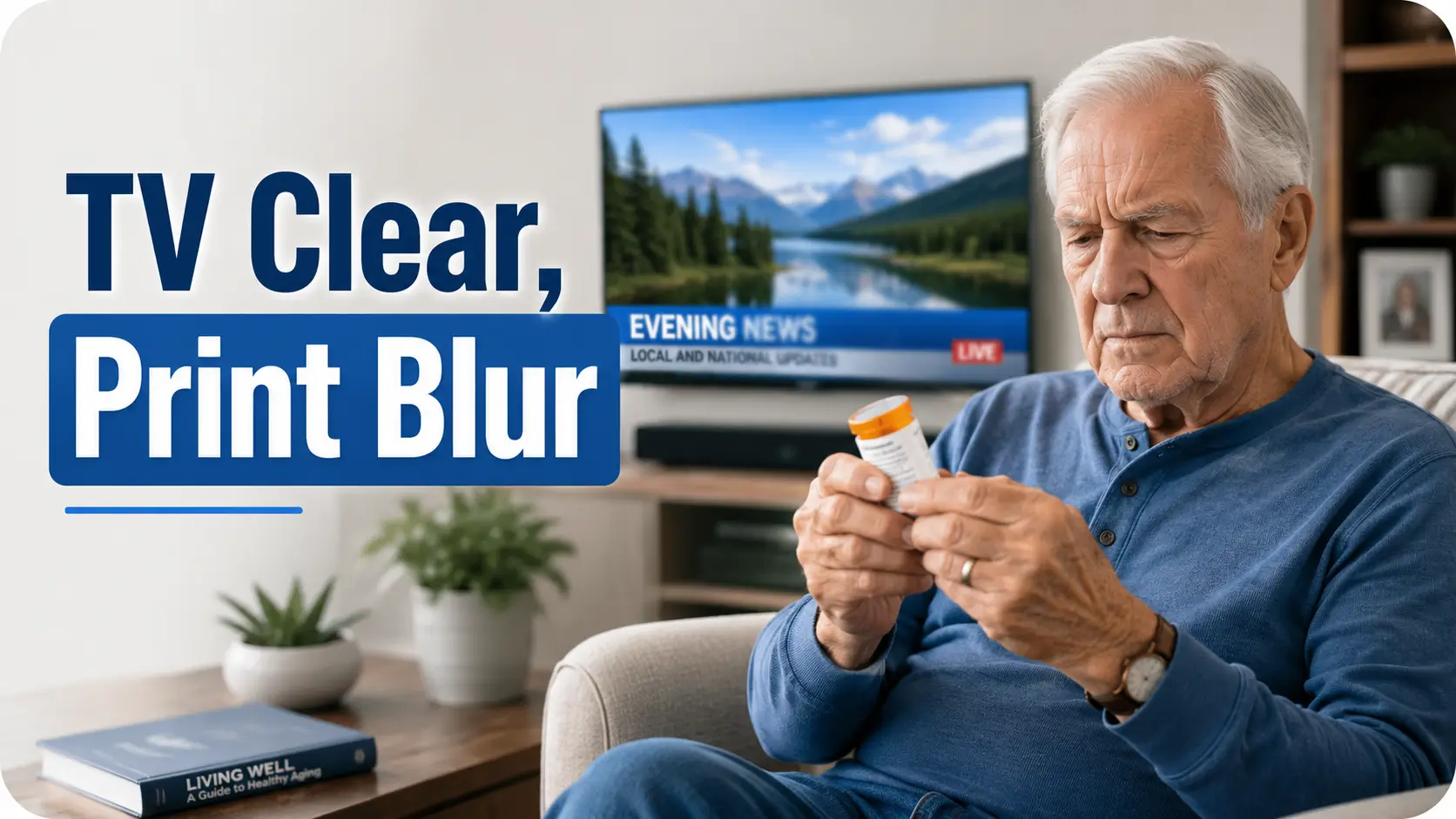
The TV looks clear enough from the sofa. The weather map has color, the faces look familiar, and the game score is readable if the screen is large. Then a pill bottle, restaurant menu, church bulletin, utility bill, or phone setting appears in the hand, and the letters shrink into a gray little swarm. That mismatch can feel confusing, even alarming.
Why seniors can see the TV but struggle to read small print usually comes down to viewing distance, aging focus, lighting, contrast, glare, and sometimes eye disease. Distance vision and near vision are not the same visual job. A television across the room asks the eyes to do one thing. A medicine label at 14 inches asks for a much more precise performance.
Guessing can cost more than comfort. It can lead to medication mix-ups, missed appointment details, unsafe cooking instructions, and quiet frustration that makes people avoid reading altogether.
Good news. There is a practical way through.
- ✕ Not magic.
- ✕ Not “just get stronger readers.”
- ✕ Not blaming age.
This guide helps you sort normal age-related near blur from warning signs, choose better reading tools, adjust lighting without creating glare, and know when an eye exam is the smart next step.
The Quick Answer: TV Vision and Reading Vision Are Two Different Tasks
A senior may see a large, bright TV image because it is far away, high contrast, and forgiving. Small print is close, detailed, lower contrast, and easily disrupted by glare, dry eye, cataracts, macular changes, or the natural stiffening of the eye’s lens called presbyopia.
Think of it as two jobs on the same résumé. Distance viewing is the broad-stage concert. Small print is the violin solo under a tiny lamp.
Table of Contents
Distance Vision and Near Vision Are Not the Same Skill
Seeing the TV is mostly distance vision. Reading small print is near vision. That sounds simple, but it explains a lot of household confusion.
Distance viewing usually means the eye can stay relatively relaxed. The object is far away, the letters or faces are large, and the brain fills in familiar patterns. A news anchor’s face does not require you to identify whether a tiny printed word says “daily” or “twice daily.”
Near reading is more demanding. The eye must focus close, hold that focus, track lines, handle small spacing, manage lighting, and keep contrast sharp. If one part of that chain weakens, reading becomes work. Not impossible, just strangely expensive in mental energy.
This is why a senior may say, “I can see fine,” while still needing help reading a prescription label. Both statements can be true. The TV and the pill bottle are not asking the same question.
The eye has to “zoom” for near work
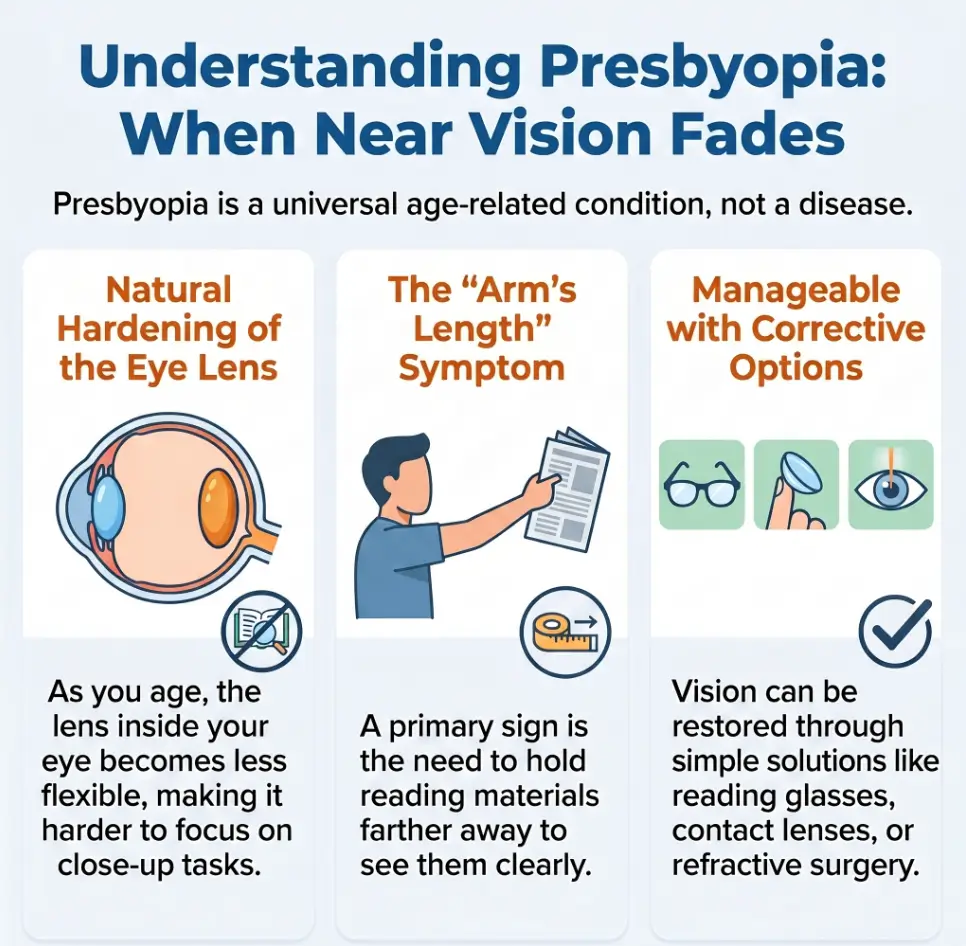
For close tasks, the lens inside the eye changes shape to focus light properly. With age, that lens becomes less flexible. The result is not moral failure, laziness, or “not trying.” It is optics. Tiny, stubborn optics.
People often compensate without noticing. They hold the menu farther away. They move toward a window. They tilt the envelope. They ask someone to “just check this one little thing.” Over time, those workarounds become a daily choreography.
- TV viewing uses larger images and longer distance.
- Small print demands focus, contrast, and steady lighting.
- Near blur deserves practical adjustments, not blame.
Apply in 60 seconds: Pick one hard-to-read item today and note its distance, lighting, and print size.
The brain helps with TV, but small print gives fewer clues
A television scene offers context. If a chef is holding a pan, you do not need every pixel to understand dinner is happening. If the screen shows a baseball player, you can follow the action even with imperfect sharpness.
Small print is less forgiving. A single letter can change meaning. “Take one” is not the same as “take once.” “Exp 06/26” is not a decorative flourish. For practical reading, almost-right can still be wrong.
That is why small print problems deserve a more careful setup than casual TV viewing. A better lamp, stronger contrast, or the right magnification can restore independence faster than a drawer full of random readers.
Presbyopia: The Quiet Reason Small Print Starts Moving Away
Presbyopia is the age-related loss of the eye’s ability to focus clearly on nearby objects. It often becomes noticeable in the early to mid-40s and tends to progress into the 60s. By senior years, many people need dedicated help for close reading, even if their distance vision seems acceptable.
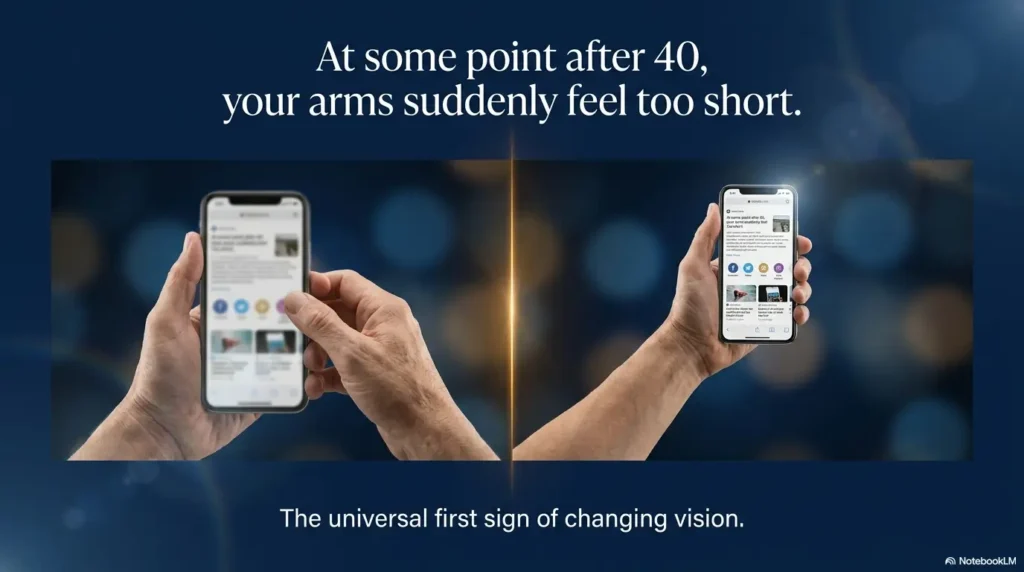
The classic sign is the “long-arm menu.” The person holds the menu farther and farther away until the arms run out of room. At that point, the print has not changed. The focusing system has.
Presbyopia is common and expected, but that does not mean every reading problem is harmless. It simply means the first suspect is often the aging lens, especially when the main complaint is small print at close range.
Why stronger light helps, but only to a point
Bright light can make the pupil smaller, which may improve depth of focus. That is one reason print can look better near a window. But too much brightness can create glare, especially on glossy mail, phone screens, white counters, or shiny pill bottles.
That is the cruel little comedy of aging eyes: more light helps until it starts fighting back.
For readers with glare sensitivity, the better answer is often controlled light, not maximum light. A shaded reading lamp placed to the side can outperform a bright overhead bulb. If glare is a recurring problem at home, the guide to reading glossy mail without glare can help with mail, notices, and shiny labels.
Presbyopia is not the same as low vision
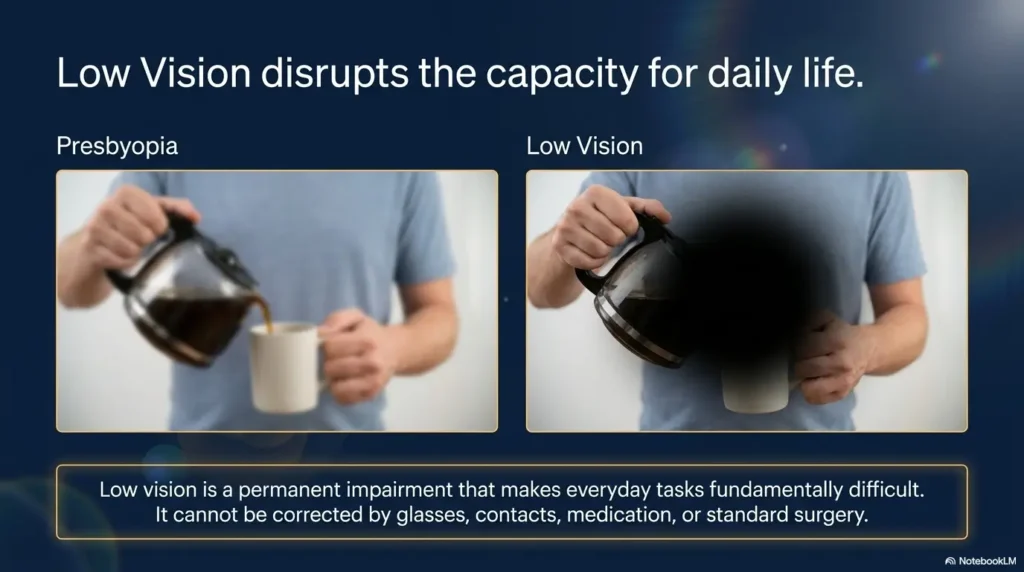
Presbyopia usually improves with reading correction, such as readers, bifocals, progressives, or task-specific lenses. Low vision means vision remains hard to use even with standard glasses, contacts, medication, or surgery. The difference matters because the tools and expectations are different.
A person with presbyopia may need a better prescription. A person with low vision may need magnification, contrast changes, audio tools, home safety changes, or training from a low vision specialist or occupational therapist.
Why the TV Is More Forgiving Than a Pill Bottle
A television is built to be seen from across the room. It glows. It moves. It uses large shapes. It often has bold contrast. A pill bottle label, by contrast, is a tiny legal document wrapped around a curved orange cylinder. Whoever designed those labels was not thinking about a tired 78-year-old at 9:40 p.m.
Even when the TV seems sharp, it may be giving the viewer a generous visual environment. The screen is large. The image is backlit. The content is familiar. The viewer can sit farther away and still understand the main idea.
Small print has none of that mercy. It may be low contrast, crowded, glossy, curved, faded, or printed in a font that appears to have been chosen by a committee of ants.
TV subtitles are a helpful comparison
Many seniors can see the TV picture but struggle with subtitles. That is the bridge between distance vision and small print. Subtitles are small text, often moving quickly, placed over changing backgrounds. They expose the same problems as menus and labels: contrast, speed, size, and fatigue.
If subtitles are the main struggle, changing caption size, font, and background can help. The guide to smart TV subtitles for AMD offers practical settings that may also help older adults with general reading difficulty.
Familiar shapes hide small losses
People can often recognize familiar faces, logos, and room layouts with less detail than they realize. Reading does not allow that shortcut. The brain must identify specific symbols in a specific order.
That is why someone may navigate the living room, watch a show, and greet a neighbor, then freeze over a medication leaflet. The issue is not contradiction. It is task demand.
Decision Card: TV Looks Fine, Small Print Does Not
| If this happens | Likely first move | Why it helps |
|---|---|---|
| TV picture is fine, menus are blurry | Near-vision exam or readers check | Close focus may need correction. |
| Subtitles disappear into the picture | Increase caption size and contrast | Text needs stable contrast. |
| Pill labels are risky | Ask pharmacy for large-print labels | Medication reading needs extra safety. |
Neutral action: Change one setting or tool first, then test it on the exact task that caused trouble.
The Small-Print Troublemakers: Lighting, Glare, Contrast, and Fatigue
Small print trouble is rarely one villain wearing a cape. It is usually a little committee: weak near focus, poor lighting, glare, low contrast, dry eye, fatigue, and print that seems designed for a microscope with a law degree.
The practical win is that many of these can be improved at home. You do not need to redesign the whole house. Start with the reading spot.
Lighting: aim, shade, and distance matter
A reading lamp should light the page, not the eyes. Place it slightly to the side and a bit behind the shoulder, then adjust until shadows and glare calm down. For many people, a flexible-neck lamp is better than an overhead ceiling light because it can be aimed like a small, civilized lighthouse.
If central vision loss is part of the picture, lamp position becomes even more important. The guide to reading lamp position for central vision loss explains how placement can change the reading experience.
Glare: bright is not always better
Glare scatters light and reduces usable contrast. It can make black letters on white paper look washed out, especially on glossy surfaces. Cataracts, dry eye, and some retinal conditions can make glare feel even worse.
Try matte surfaces, indirect lighting, shaded bulbs, and moving the reading item away from reflective counters. If the kitchen is the main problem area, under-cabinet lighting glare on glossy surfaces is a useful place to start.
Contrast: the quiet hero of readable print
Contrast is the difference between the letters and the background. High contrast makes text easier to identify. Low contrast turns reading into foggy archaeology.
Black text on a matte white or cream background is often easier than pale gray text on glossy white. For labels, use thick black markers, bold large-print stickers, or tactile markers when vision alone is not enough.
Why TV Wins and Tiny Print Loses
📺
TV distance
Farther viewing often needs less close focusing effort.
🔠
Large shapes
Faces, movement, and big graphics give the brain extra clues.
💡
Backlit image
The screen creates its own light, while paper depends on the room.
🏷️
Tiny labels
Small print is close, crowded, curved, and often low contrast.
Fatigue: reading can drain the visual battery
Many seniors read better in the morning than at night. That can be due to dry eye, medication timing, lighting changes, general fatigue, or the effort of sustained focus. If reading becomes harder later in the day, the problem may not be “worse vision” in a permanent sense. It may be a tired visual system asking for better conditions.
For people who feel drained by reading tasks, low vision fatigue offers a useful framework for pacing, task timing, and reducing visual overload.
Show me the nerdy details
Near reading depends on angular letter size, contrast sensitivity, accommodative demand, tear-film quality, retinal function, and cognitive load. A large TV image may have enough angular size at distance to remain understandable, while a 6-point label at 14 inches may fall below the reader’s comfortable threshold. Glare reduces contrast by adding scattered light over the image. Dry eye can blur the optical surface between blinks. Presbyopia reduces near focusing ability. These effects can stack, which is why a small change in lamp angle, print size, or magnification can feel surprisingly powerful.
Normal Aging or Something That Needs an Eye Doctor?
Normal aging can make small print harder. But “normal” should never become a blindfold. Some eye diseases are more common with age, and some can begin quietly.
The National Eye Institute notes that low vision is more common in older adults because eye diseases such as age-related macular degeneration, cataracts, diabetic retinopathy, and glaucoma become more common with age. Aging alone does not have to mean major vision loss.
That distinction matters. Needing readers is common. Missing half a word, seeing a dark spot, losing side vision, or having sudden blur is different. The eye does not send push notifications, so symptoms deserve attention.
Common age-related reasons small print gets harder
- Presbyopia: near focus becomes weaker.
- Cataracts: vision may look cloudy, dim, yellowed, or glare-prone.
- Dry eye: letters may blur, smear, or fluctuate.
- Macular degeneration: central detail may become distorted, missing, or harder to use.
- Glaucoma: side vision can be affected, often with few early symptoms.
- Diabetic eye disease: vision can fluctuate or become blurred from retinal changes.
If a senior already has macular degeneration or a central blind spot, small print may require different strategies. The guide on scotoma, reading, and contrast explains why missing or distorted central details can make ordinary text feel unstable.
Red flags that should not wait
Seek urgent medical care or prompt eye care for sudden vision loss, new flashes or many floaters, a curtain-like shadow, eye pain with nausea, sudden double vision, new severe headache with vision changes, or sudden distortion in one eye. Those symptoms are not “just aging.” They need a real clinician, not a brighter lamp and a hopeful shrug.
Eligibility Checklist: Is This More Than Normal Small-Print Trouble?
- Yes/No: Did the change happen suddenly?
- Yes/No: Is one eye clearly worse than the other?
- Yes/No: Are straight lines wavy or broken?
- Yes/No: Is there pain, redness, nausea, flashes, or a curtain-like shadow?
- Yes/No: Do glasses or brighter lighting no longer help enough?
Neutral action: If any answer is yes, schedule an eye exam soon, and treat sudden or severe symptoms as urgent.
Eye exams are not just about new glasses
A good eye exam checks more than prescription strength. It can include eye pressure, retina evaluation, lens clarity, diabetic eye changes, and signs of disease that a person may not feel yet.
If the senior has diabetes, glaucoma risk, macular degeneration, cataracts, or a family history of eye disease, routine exams become even more important. For appointment planning, an annual eye exam checklist for seniors can help families bring the right questions instead of leaving with the classic parking-lot thought, “We forgot to ask the main thing.”
Reading Fix Options: Readers, Bifocals, Magnifiers, and Phone Tools
The best reading fix depends on the task. A person may need one solution for books, another for pill bottles, another for restaurant menus, and another for the phone. One pair of drugstore readers does not have to carry the whole household on its tiny plastic shoulders.
Start by naming the task. “I can’t read” is too broad. “I can’t read the oven display at night,” “I can’t read pill directions,” and “I lose my place in a church bulletin” each point to different solutions.
Reading glasses: useful, but not always enough
Over-the-counter readers can help simple presbyopia, especially when both eyes need similar correction and the task is close. But they may not correct astigmatism, unequal prescriptions, eye alignment problems, or disease-related blur.
If readers help for five minutes but then cause headaches, eye strain, or nausea, it is worth getting a proper refraction. The issue may be the wrong strength, the wrong working distance, or a need for prescription lenses.
Bifocals and progressives: good for mixed distances
Bifocals and progressive lenses can help people switch between distance and near tasks without changing glasses. They are convenient, but they require adaptation. Some seniors find the reading zone too small for long reading sessions, especially with small print.
For dedicated tasks, single-vision reading glasses or task-specific lenses can be easier. For example, someone who reads at a desk may do better with glasses made for that exact distance.
Magnifiers: match the tool to the hand and task
Handheld magnifiers, stand magnifiers, electronic magnifiers, and phone magnifier apps all have a place. The trick is matching magnification to steadiness, lighting, field of view, and the length of the reading task.
A shaky hand may make a handheld magnifier frustrating. A stand magnifier can be steadier. For tremor or arthritis, a stand magnifier for tremor may reduce the juggling act.
Phones can help too. Many smartphones can enlarge text, improve contrast, speak selected text aloud, or use the camera as a magnifier. For iPhone users, iPhone Back Tap Magnifier can make magnification faster to open when the label ambushes you in the kitchen.
Coverage Tier Map: Matching Reading Help to the Problem
| Tier | Best for | Example tool |
|---|---|---|
| Tier 1 | Mild near blur | Proper readers or prescription reading glasses |
| Tier 2 | Mixed TV, phone, and paper tasks | Bifocals, progressives, or task lenses |
| Tier 3 | Tiny labels and spot reading | Magnifier, phone camera, large-print labels |
| Tier 4 | Low vision or central detail loss | Low vision evaluation and adaptive tools |
| Tier 5 | Safety-critical reading | Audio labels, caregiver double-checks, pharmacy support |
Neutral action: Choose the lowest tier that makes the task safe and repeatable.
A Safer Home Setup for Labels, Bills, Menus, and Medicine
The home reading setup should be boring in the best possible way. Same spot. Same lamp. Same magnifier. Same routine. A reliable setup lowers the chance of mistakes and reduces the emotional tax of asking for help every time a label appears.
Start with the items that matter most: medication labels, appointment cards, bills, kitchen instructions, emergency numbers, and phone settings. Reading a novel is important for joy. Reading a medication label is important for not accidentally turning Tuesday into a medical jazz solo.
Medication labels need a safety-first system
Medication reading should not depend on squinting. Ask the pharmacy about large-print labels, easy-open caps if safe for the household, medication synchronization, and printed medication lists. Some pharmacies can add clearer directions or help separate look-alike bottles.
For scripts that make pharmacy conversations easier, a low vision pharmacy help script can give seniors and caregivers polite, specific wording.
It also helps to keep a one-page medication list in large print. Store one copy near the medications and another in a wallet or emergency folder. The one-page medication list template is designed for exactly that kind of quick reference.
Use labels that do not depend only on vision
Large print is helpful. Tactile marking is better for items used repeatedly. Raised dots, rubber bands, bump stickers, and different container shapes can help identify common items without reading every time.
For pill bottles, tactile placement matters. A random bump sticker can create confusion if every bottle gets one in a different place. The guide to pill bottle tactile label placement can help make the system consistent.
Short Story: The Orange Bottle at Dinner
Martin could see the football game from his recliner, right down to the yellow first-down line. But at dinner, he held an orange pill bottle under the kitchen light and frowned. His daughter noticed the pause. Not panic, exactly. More like a small gate closing. The label looked clear to her, but to him the dosage line had become a gray fence.
They did not solve it with a lecture. They made tea, pulled every bottle onto the table, and built a simple system: large-print medication list, one bright reading lamp, a phone magnifier shortcut, and tactile dots placed the same way on morning-only bottles. The next week, Martin still watched the game. But the pill bottle no longer got to be the boss of dinner. The lesson was plain: independence often returns through systems, not speeches.
Create a reading station, not a scavenger hunt
A good reading station includes a lamp, the right glasses, a magnifier, a dark reading mat, a pen, and a tray for important papers. The goal is to reduce search time. When tools are scattered, even good tools become theoretical.
If bedside items are part of the problem, especially at night, low vision bedside organization can help prevent glasses, drops, phones, and medications from becoming nocturnal confetti.
- Put reading tools where the hard tasks happen.
- Use large print plus tactile cues for medication.
- Keep a current medication list in an easy-to-find place.
Apply in 60 seconds: Put one magnifier, one pen, and one pair of reading glasses in a small tray near the main reading spot.
Cost, Timing, and Appointment Prep Without the Guesswork
Small-print trouble can become expensive when people buy one random tool after another. The cheaper path is usually to define the problem, check the eyes, then buy targeted tools.
Start with the question: “What exact reading task is failing?” Then gather examples. Bring the pill bottle, the church bulletin, the phone, the mail, or photos of the stove display to the appointment. Eye care professionals can help more when they see the real-world task, not just a vague report of blur.
What to bring to an eye appointment
- Current glasses, readers, and magnifiers.
- A list of medications and eye drops.
- Examples of hard-to-read print.
- Notes on when blur is worse: morning, evening, after screens, after reading.
- Any symptoms such as glare, distortion, double vision, floaters, or eye pain.
- A family member or friend if remembering details is hard.
If note-taking gets messy during visits, a doctor appointment note-taking system can make the visit less foggy and more useful.
Mini calculator: estimate your reading distance before buying readers
Readers are often chosen by strength, but working distance matters. A person reading at 14 inches may need a different setup than someone reading music, recipes, or computer text farther away.
Mini Calculator: Reading Setup Check
Enter your usual reading distance and print difficulty to get a simple planning note.
Your result will appear here.
Neutral action: Use this as a planning prompt, not a prescription.
When cost matters, prioritize safety tasks first
Not every tool has to be bought at once. Prioritize medication reading, fall-prevention labels, emergency information, and bills with due dates. Comfort reading can come next, though it matters deeply for quality of life.
For people using Medicare, coverage for routine refraction, glasses, medical eye care, cataracts, glaucoma, or diabetic eye exams can vary by plan and diagnosis. Medicare rules can be oddly specific, like a violin tuned by paperwork. For glasses-related questions after cataract surgery, Medicare glasses after cataract surgery may help clarify a common source of confusion.
How Family Members Can Help Without Taking Over
Small-print trouble can bruise pride. A senior who asks for help reading a label may feel exposed. A family member who jumps in too quickly may accidentally turn help into takeover. The goal is partnership.
Use practical language. Instead of “You can’t see that,” try “This label is badly printed. Want me to read it once while we set up a better system?” That shifts the blame from the person to the task, where it belongs.
Offer help as a tool, not a verdict
Many people resist help because they fear it means losing independence. But the right support often protects independence. A large-print label, a phone magnifier, a better lamp, or a prepared pharmacy script can reduce the need for repeated rescue.
If you are unsure how to offer help respectfully, offering help to someone with low vision gives language that is practical without being patronizing.
Use the “read-back” method for safety
For medications, appointments, and financial details, use read-back. One person reads the information aloud. The other repeats the key detail in their own words. This is not childish. It is a safety tool used in many serious settings because human memory is a leaky little teacup.
Example: “The bottle says take one tablet at bedtime.” The senior replies, “One tablet at bedtime, not morning.” That tiny loop can prevent big mistakes.
Know when audio is better than enlargement
Sometimes the best reading tool is not visual. Spoken labels, screen readers, audio instructions, and read-aloud phone features can reduce strain. For everyday labels, how to read labels aloud can help when print is too small, lighting is poor, or fatigue is high.
- Blame the print, lighting, and setup before blaming vision.
- Use read-back for medication and appointment details.
- Offer choices instead of grabbing the task away.
Apply in 60 seconds: Replace “Can you even read that?” with “That print is tiny. Want a second set of eyes?”
FAQ
Why can my elderly parent watch TV but not read a menu?
TV images are larger, farther away, bright, and filled with context. Menus are close, small, crowded, and often low contrast. Near reading also requires focusing power that weakens with age, especially from presbyopia.
Does needing readers mean a senior has low vision?
Not necessarily. Many people need readers because of presbyopia, which is common with age. Low vision means standard glasses, contacts, medicine, or surgery do not fully restore useful vision. If ordinary readers no longer help, an eye exam is wise.
Are drugstore reading glasses safe for seniors?
They can be useful for simple near blur when both eyes need similar correction. They are not ideal if the senior has headaches, double vision, astigmatism, unequal vision between eyes, glaucoma, macular degeneration, diabetes, or sudden changes. In those cases, a professional eye exam is safer.
What strength readers should a senior use for small print?
The right strength depends on the person’s eyes and reading distance. Stronger is not always better. Too much power can force the person to hold print too close and may cause strain. Bring common reading items to an eye exam and ask about task-specific reading correction.
Why is small print worse at night?
Night reading can be harder because of fatigue, dry eye, dimmer room light, glare from lamps, smaller pupils changing less effectively with age, or medication effects. A shaded lamp, matte reading surface, and planned reading station can help.
Can cataracts make small print hard while TV still looks okay?
Yes. Cataracts can reduce contrast, increase glare, and make fine detail harder to see. A person may still understand a large TV image while struggling with labels or bills. Cloudy vision, glare, halos, or frequent prescription changes deserve an eye exam.
What is the safest way to handle medicine labels?
Use large-print pharmacy labels when available, keep a current medication list, store bottles consistently, add tactile markers when appropriate, and use read-back for dose instructions. For high-risk medicines, do not rely on squinting or memory.
When should small-print trouble be treated as urgent?
Sudden vision loss, new flashes or many floaters, a curtain-like shadow, eye pain, sudden double vision, or new distorted vision should be treated promptly. Those symptoms can signal problems that need medical attention.
Conclusion: Fix the Task, Not the Person
The opening puzzle now has a practical answer: a senior can see the TV because distance viewing is big, bright, and forgiving. Small print is close, crowded, contrast-sensitive, and dependent on near focus. The two tasks live in the same house, but they do not ask the eyes to do the same work.
The best response is not embarrassment, guessing, or a shoebox full of random readers. It is a clear system: check for warning signs, schedule an eye exam when needed, improve lighting without glare, use the right reading correction, and build safer routines for medicine, bills, labels, and menus.
One concrete next step: within 15 minutes, choose the hardest small-print item in the home, place it at the usual reading spot, test it with better side lighting and current readers, then write down whether the problem is blur, glare, size, contrast, or fatigue. That one note can make the next eye appointment much more useful.
Last reviewed: 2026-05.