
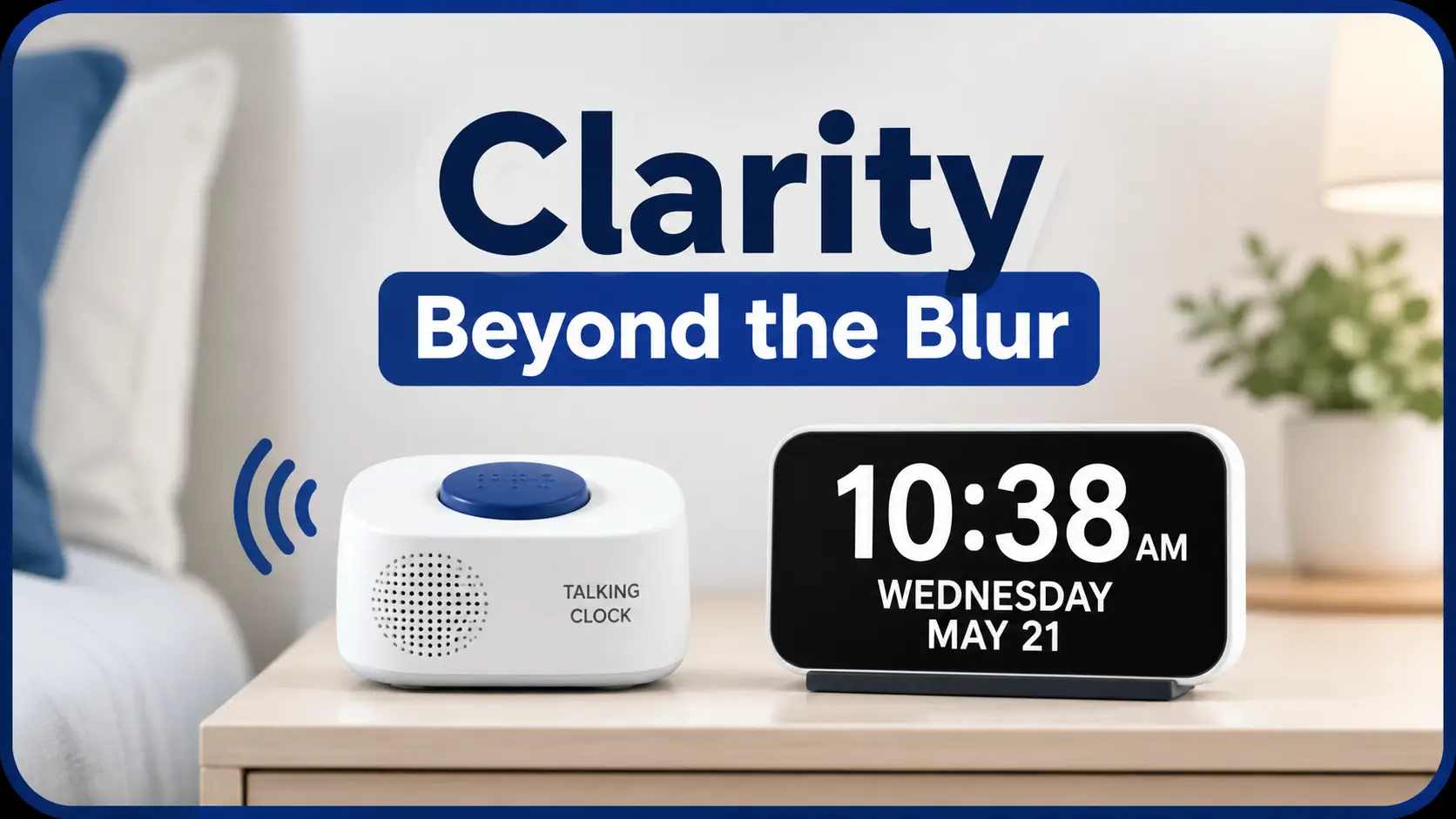
Clarity Beyond the Blur
A clock should not make someone negotiate with their own eyes before breakfast, especially not at 2 AM when glasses are missing and the room has turned into a blurry little obstacle course.
For someone with low vision, the choice between a talking clock and a large display clock is about certainty: reading the time from bed, checking a medication schedule, avoiding glare on a kitchen counter, or knowing whether it is morning without squinting at glowing noodles.
Without the right tool, a small daily task can become a steady source of strain, missed routines, and quiet dependence.
This guide helps you choose the clock that works in real rooms, under real lighting, for real eyes. You will compare:
- Voice confirmation & high-contrast displays
- Optimal nighttime use & medication timing
- Tactile button design vs. visual clarity
- Avoiding common caregiver buying mistakes
- Strategic placement for multiple clock types
Test the failed moment first, then buy the tool.
Start with the room. Watch the body, not the sales photo.
The better clock is the one that removes effort.
Table of Contents
Safety First: What a Clock Can and Cannot Fix
This guide is for general education and product selection. It cannot diagnose vision loss, replace an eye exam, or decide whether someone needs medical treatment, vision rehabilitation, occupational therapy, or a home safety review.
A clock can reduce daily friction. It can make mornings calmer. It can prevent that tiny panic of “Did I miss my pill?” But it is not a medical device with a cape. If vision is changing, falls are happening, medications are being missed, or confusion is increasing, the clock is only one tile in a larger floor.
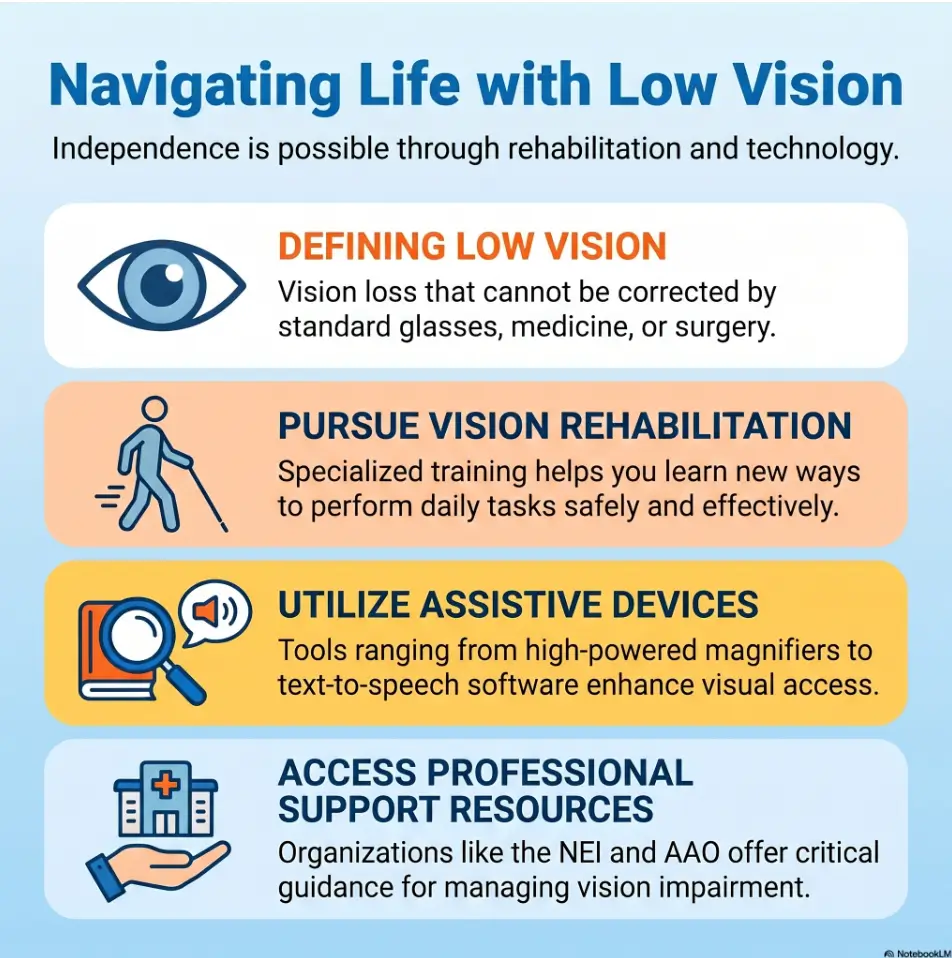
MedlinePlus describes vision rehabilitation as support that may include assistive devices, safer home setup, and training for daily tasks. The National Eye Institute also emphasizes that vision rehabilitation can make everyday activities easier for people with low vision. That matters here because the best clock is not always the largest, loudest, or most expensive one. It is the one the person can actually use in the room where time keeps ambushing them.
- Sudden vision changes need medical attention.
- Missed medications may require a broader routine review.
- Falls, night wandering, or confusion deserve extra caution.
Apply in 60 seconds: Write down the exact moment the person struggles with time: waking, cooking, medication, appointments, or bedtime.
The Real Question: Can They Get the Time Without Straining?
The best low-vision clock is not the one with the most features. It is the one that answers the question before frustration has time to put on its shoes.
The “read it once” test
Ask the person to look at the clock once from the real distance where it will live. Not from two feet away in bright store lighting. Not while holding it like a rare museum spoon. From the bed, chair, kitchen table, recliner, or hallway.
If they squint, lean forward, guess, or ask, “Is that an 8 or a 3?” the clock is already auditioning for the wrong role. That small strain can build quickly, especially when the person is already dealing with low vision fatigue during everyday tasks.
The “wake up at 2 AM” test
Nighttime is where many clocks confess their flaws. A large display may be too bright, too dim, too blue, too blurry, or angled toward the ceiling like it has joined a secret society.
A talking clock may help because it speaks the time without requiring glasses. But it also must be reachable. A voice button across the room is not assistive technology. It is a tiny obstacle course.
The “no glasses nearby” test
Low-vision shopping should assume imperfect conditions. Glasses may be on the bathroom counter. The lamp may be off. The person may be half awake. The dog may be occupying the exact patch of floor where dignity used to stand.
A good clock should still work in those conditions. For bedtime routines, the clock also needs to fit into a broader low-vision bedside organization system, where glasses, medications, water, phone, and lighting all have predictable homes.
Why clock shopping is really about confidence, not plastic
When someone can check time without effort, they move through the day with fewer small doubts. Those doubts matter. They accumulate quietly, like coins in a jar, until the whole routine feels heavier than it should.
Simple rule: choose the clock that reduces guessing, not the one that looks nicest in the product photo.
Talking Clock Wins When Vision Is Unpredictable
A talking clock is usually the stronger choice when reading numbers is unreliable. It replaces visual decoding with spoken confirmation. That is the whole magic trick. No squinting. No guessing. No “wait, is that a 6?”
Voice removes the guessing game
For someone with macular degeneration, diabetic eye disease, glaucoma, cataracts, or fluctuating vision, the problem may not be only size. The problem may be missing detail, reduced contrast, glare sensitivity, blind spots, or fatigue.
Mayo Clinic notes that low vision can involve vision that is not fully corrected by glasses, surgery, or medication, and common causes include macular degeneration, glaucoma, cataracts, and diabetes. In that context, audio can be wonderfully blunt: press button, hear time, move on.
Best for macular degeneration, severe low vision, or nighttime checking
A person with central vision loss may see the clock but not the numbers clearly. A person with peripheral vision loss may miss where the clock is. A person with glare sensitivity may find bright displays harsh at night.
Voice helps when the eyes are tired, the room is dark, or the numbers have turned into glowing noodles.
The tiny miracle: one button, no squinting
The ideal talking clock has a large, obvious time button. It should be easy to find by touch. Raised edges, tactile markings, or a top-mounted button can make a big difference.
I once watched an older relative reject a fancy talking clock because the button felt like every other button. The clock had six features. She needed one. The machine was proud of itself; she was not impressed. The same principle shows up with appliances too: tactile design often matters more than features, whether you are choosing a clock or adding tactile dots for microwave buttons.
What to listen for before buying: volume, clarity, accent, and speech speed
Not all talking clocks are pleasant. Some speak too softly. Some speak too quickly. Some sound as if a robot got trapped in a kitchen drawer in 1998.
- Volume: loud enough for the room, adjustable if possible.
- Clarity: crisp speech, especially for people with hearing loss.
- Button feel: large, tactile, and reachable.
- Alarm setup: simple enough without a tiny manual.
- Battery backup: helpful if power failures are common.
- Good for severe or changing vision.
- Useful at night when glasses are not nearby.
- Best when the main button is easy to find by touch.
Apply in 60 seconds: Ask, “Would hearing the time reduce stress in this exact moment?” If yes, put talking clocks on the shortlist.
Large Display Clock Wins When Contrast Still Works
A large display clock is often better when the person can still read bold, high-contrast numbers from a consistent distance. It gives silent, instant information. No button. No voice. No startling the sleeping spouse into a tiny midnight courtroom.
Big numbers help when the eyes still have usable detail
Large display clocks work best when the person can distinguish number shapes reliably. That means size helps, but it does not work alone. Contrast, font shape, brightness, glare control, and placement all matter.
A 4-inch number in poor contrast can be less useful than a 2-inch number with excellent contrast. Bigger is not always clearer. It is merely more confident about being unclear.
High contrast beats “stylish” every time
For low vision, decorative clocks are often little traps wearing nice shoes. Thin gray numbers on a pale background may look elegant in a catalog and useless in a bedroom.
Look for strong contrast: bright numbers on a dark background, or dark numbers on a light background depending on the user’s preference and lighting sensitivity. If the clock will sit near a bed or hallway, the same color logic may overlap with choosing a red vs amber night light for low vision.
Distance matters: bedside, wall, kitchen, or recliner?
A bedside clock may sit 2 to 5 feet away. A wall clock may need to be read from 8 to 15 feet. A kitchen clock may face sunlight, steam, cabinet shadows, and the occasional emotional tomato sauce incident.
Measure the real distance before buying. Yes, with a tape measure. We are adults. We have been humbled by worse.
Don’t buy the pretty dim one
Dim displays can fail during the day. Bright displays can disrupt sleep at night. The best large display clock offers adjustable brightness or a display that remains readable without blasting the room like a tiny airport runway.
| Feature | Better choice | Why it matters |
|---|---|---|
| Number style | Thick, simple digits | Reduces confusion between similar shapes. |
| Brightness | Adjustable | Works across day, evening, and night. |
| Contrast | High contrast | Supports faster visual recognition. |
The Hidden Dealbreaker: Lighting Changes Everything
Lighting is the quiet villain in low-vision clock shopping. It can make a good clock feel brilliant in the morning and useless by dinner.
Daylight readability is not the same as nighttime readability
A clock that looks perfect at noon may become harsh at midnight. A display that is gentle at night may disappear in daylight. This is why testing in only one lighting condition gives you false confidence, the way hotel lobby mirrors do.
Glare can turn giant numbers into soup
Glossy screens, shiny bezels, and poor placement can create reflections. For people with cataracts or glare sensitivity, even large numbers may become hard to interpret.
Try moving the clock slightly left, right, higher, or lower. Sometimes the cheapest fix is not a new product. It is a better angle. The same principle applies across the home, from clocks to counters to the broader problem of reading glossy mail without glare.
Auto-dimming sounds helpful until it gets too dim
Auto-dimming can be useful, but only if the person can still read the display after it dims. Some clocks behave like they are trying to disappear politely.
Manual brightness control is often more predictable. If the user has low vision, predictability is not boring. It is mercy with buttons.
Here’s what no one tells you: bigger is not always clearer
Large numbers can blur together if the font is poor, the glow bleeds, or the contrast is wrong. The sharper clock may win even if the numbers are smaller.
Low-Vision Clock Fit Map
Choose talking clock. Voice removes guessing.
Choose large display. Contrast must be strong.
Test from bed, half awake, lights off.
Use clock plus a pill system, not clock alone.
Show me the nerdy details
Clock readability depends on more than digit height. Practical usability comes from the interaction between visual acuity, contrast sensitivity, glare, viewing distance, display angle, cognitive load, hearing, hand strength, and room lighting. A low-vision user may technically “see” a large number but still need too much effort to identify it quickly. Audio output reduces visual load, while large displays reduce interaction load. The best choice is the one that lowers the most demanding part of the task.
Who This Is For / Not For
This is where the choice gets easier. Do not start with the product. Start with the failed moment.
Choose a talking clock if the person avoids checking time
If the person stops checking time because it is tiring, embarrassing, or unreliable, a talking clock may restore a small piece of independence. Avoidance is a signal. It says the current setup costs too much effort.
Choose a large display clock if the person still reads bold numbers easily
If the person can read strong, simple digits from the real distance without leaning or guessing, a large display clock can be elegant and efficient. It is especially useful in shared rooms where spoken time would be annoying.
Choose both if time mistakes create stress or safety risk
Some homes need both. A large display clock in the living room. A talking clock by the bed. A kitchen timer with voice output. A phone reminder for medication. Independence often arrives as a small orchestra, not one heroic trumpet.
Not ideal: voice clocks for people startled by sound or sharing a quiet room
Talking clocks are not perfect. They may wake someone else. They may startle a person with anxiety, dementia symptoms, or sound sensitivity. They may be hard to hear for someone with hearing loss.
- Avoidance points toward voice support.
- Quick silent reading points toward large display.
- Safety routines may need both.
Apply in 60 seconds: Ask the user to show you how they check time now. Watch their body, not just their answer.
Common Mistakes That Make Low-Vision Clocks Fail
Low-vision clocks fail for painfully ordinary reasons. The numbers were big, but the buttons were tiny. The voice was clear, but the volume was not adjustable. The clock looked helpful until daylight saving time turned it into a puzzle box.
Mistake 1: Buying by number size alone
Number size matters, but it is not the whole meal. Contrast, font, glare, brightness, and distance can make or break the clock.
Mistake 2: Ignoring button placement
If the talking clock’s main button is small, flat, or hidden among other controls, it may not work well for low vision or reduced hand dexterity. A clock should not require a treasure map.
Mistake 3: Choosing a clock that is hard to set
Setup matters. If the clock requires tiny switches, long button sequences, or a manual printed in microscopic gray type, it may become dependent on a caregiver for every change.
Mistake 4: Forgetting batteries, power backup, and daylight saving time
Power backup can prevent reset headaches. Atomic clocks can set time automatically by radio signal in many areas, though performance can vary by location, building materials, and placement.
Let’s be honest: nobody wants a “helpful” clock that needs a manual every Sunday
The best clock should disappear into the routine. It should not create a new household department called Clock Administration.
Money Block: Low-Vision Clock Eligibility Checklist
Use this yes/no check before buying.
- Can the person read the current clock from their real seat or bed? If no, test a talking clock.
- Does glare make the display unreadable? If yes, test placement and brightness before upgrading.
- Does the person miss medication times? If yes, use a clock plus a medication system.
- Can they set the clock without help? If no, prioritize simple setup or automatic time setting.
- Would spoken time disturb someone else? If yes, consider large display or adjustable volume.
Neutral action: Mark the top two “no” answers and shop for those problems first.
Sound vs Sight: The Side-by-Side Decision Matrix
Here is the clean comparison, with the fluff vacuumed out.
Talking clock: best strengths
A talking clock gives spoken confirmation. It is strong for severe low vision, nighttime use, uncertain reading, and situations where the person cannot easily find glasses.
Talking clock: common frustrations
It can be too loud, too quiet, hard to set, startling, or annoying in shared rooms. If the speech is unclear or the button is hard to locate, the advantage collapses.
Large display clock: best strengths
A large display clock is silent, fast, and easy to glance at when contrast still works. It can support orientation in bedrooms, living rooms, kitchens, and offices.
Large display clock: common frustrations
It may be unreadable in glare, too bright at night, too dim during the day, or visually confusing if the digits glow together. If the brightness feels harsh in hallways or bedrooms, the same thinking behind fixing a motion sensor light that is too bright can help: reduce glare, test angles, and protect nighttime vision comfort.
The caregiver shortcut: observe the failed moment first
Do not ask only, “Which do you prefer?” People often understate difficulty because they do not want to be fussed over. Watch the actual task. Do they lean? Pause? Guess? Avoid? Laugh it off? That little laugh can carry a whole weather system.
| Need | Better fit | Reason |
|---|---|---|
| Cannot reliably read numbers | Talking clock | Spoken time avoids visual guessing. |
| Can read bold digits easily | Large display clock | Silent glance works well. |
| Nighttime checking | Talking clock or dimmable display | Depends on sound tolerance and brightness sensitivity. |
| Shared bedroom | Large display clock | Avoids disturbing another sleeper. |
Bedroom, Kitchen, Bathroom: Match the Clock to the Room
One clock rarely solves every room. Time behaves differently in a bedroom than it does in a kitchen. In the bathroom, it behaves like it has wet hands and a legal department.
Bedside clock: night checks, alarms, and reachability
For a bedside clock, reachability is critical. A talking button should be found by touch. A display should be readable without sitting fully upright. If the person needs to put on glasses, turn on a lamp, and lean forward, the system is asking too much.
Kitchen clock: timers, medication, meals, and glare
Kitchens need clarity under changing light. Sun through windows, overhead lights, steam, and shiny appliances can all cause glare. A wall clock with bold contrast may work. A voice timer or smart speaker may help if hands are busy. For the same reason, kitchen routines often become easier when paired with a low-vision grocery list system that reduces memory load before cooking even begins.
Living room clock: distance viewing and wall placement
Living rooms often need larger displays because the viewing distance is longer. Place the clock where it can be seen from the main chair, not where it looks symmetrical above a shelf. Symmetry is charming. Usability pays rent.
Bathroom clock: humidity, safety, and simplicity
Bathrooms are tricky. Avoid cords where they can create hazards. Choose simple, battery-powered options if a clock is needed. Keep it readable from where the person actually stands or sits. If nighttime bathroom trips are part of the problem, review the whole path, not just the clock, with a low-vision nighttime bathroom safety setup.
Money Block: Room-by-Room Decision Card
| Room | Best first choice | Watch out for |
|---|---|---|
| Bedroom | Talking clock or dimmable large display | Night brightness, reachability, alarm volume. |
| Kitchen | High-contrast wall display or voice timer | Glare, steam, busy hands. |
| Living room | Large display clock | Viewing distance and angle. |
| Bathroom | Simple battery clock | Moisture and cord safety. |
Neutral action: Choose one room first. Solve the highest-stress time check before buying clocks for the whole house.
Medication Timing Raises the Stakes
When a clock supports medication timing, the decision becomes more serious. Not dramatic. Just honest.
When “about noon” is not good enough
Some routines can tolerate fuzziness. Lunch can be late. Laundry can wait. Medication timing may not be as forgiving, depending on the medication and the person’s care plan.
A low-vision clock can help someone confirm the time, but it should not be the only system if doses are being missed or doubled. A clock pairs better with a written routine, pill organizer, or low-vision medication tracker printable that makes the next dose visible and checkable.
Voice confirmation can reduce second-guessing
A talking clock can help when a person wakes from a nap and feels unsure whether it is morning or afternoon. Spoken time can reduce the mental fog of interpreting digits.
Large display can help routine-based users stay oriented
A large display clock in a kitchen or medication station can make time visible during a routine. For some users, seeing the time while standing near pill organizers, water, and a checklist is enough.
Don’t make the clock carry the whole medication system
Use a pill organizer, written schedule, pharmacy packaging, phone reminders, caregiver check-ins, or medication management tools when needed. The clock should support the routine, not become the entire bridge. If labels, refill instructions, or bottle directions are part of the struggle, a low-vision pharmacy help script can make the next pharmacy conversation easier and less awkward.
Caregiver Buying Guide: Test Before You Gift
A clock can be a kind gift. It can also feel like a small plastic announcement that says, “Everyone has noticed you are struggling.” The difference is often in how you test, frame, and offer it.
Ask the person to use it from their real chair or bed
Do not test the clock on a dining table under perfect lighting. Put it where it will live. Ask the person to use it without rushing. Watch what happens.
Test setup without coaching
If the person will need to set alarms, change volume, or adjust brightness, let them try it. Quietly. No hovering. No “just press that one.” A product that requires coaching every time may not support independence.
Check whether the alarm is helpful or hostile
Some alarms are gentle. Some sound like a truck reversing through a submarine. If the person has anxiety, hearing loss, dementia symptoms, or sleep trouble, test the alarm before trusting it.
The gift should feel like independence, not surveillance
Try language like, “I found two options that might make mornings easier. Want to test them and reject the annoying one?” That gives control back to the person.
I have seen this work better than the grand reveal. The grand reveal often says, “I solved you.” Testing together says, “You are still the expert on your own day.” For caregivers, the emotional choreography matters as much as the gadget, and it often helps to think through offering help to someone with low vision before presenting any new tool.
Money Block: Quote-Prep List for Comparing Clocks
Gather these details before comparing products online or in a store.
- Viewing distance in feet for each room.
- Preferred check method: glance, button, voice command, alarm.
- Lighting problems: glare, darkness, dim rooms, bright windows.
- Hearing needs: volume, clarity, tone, shared bedroom concerns.
- Setup support: who will set time, alarms, batteries, and daylight saving changes.
Neutral action: Use this list to narrow choices to 2 or 3 clocks before buying.
When to Seek Help Before Choosing a Clock
Sometimes the clock problem is really a signal flare. It points to something larger than product selection.
Sudden vision changes need medical attention
If vision changes suddenly, becomes distorted, includes flashes or floaters, or affects one eye sharply, contact an eye care professional or urgent medical service as appropriate. Do not wait for a better clock to explain a new symptom. A clock cannot replace attention to senior vision changes warning signs.
Frequent falls, missed medications, or confusion need a bigger safety review
If the person is falling, wandering at night, missing medications, or confusing time of day, consider a broader review. That may involve a clinician, pharmacist, occupational therapist, low-vision specialist, or family care team.
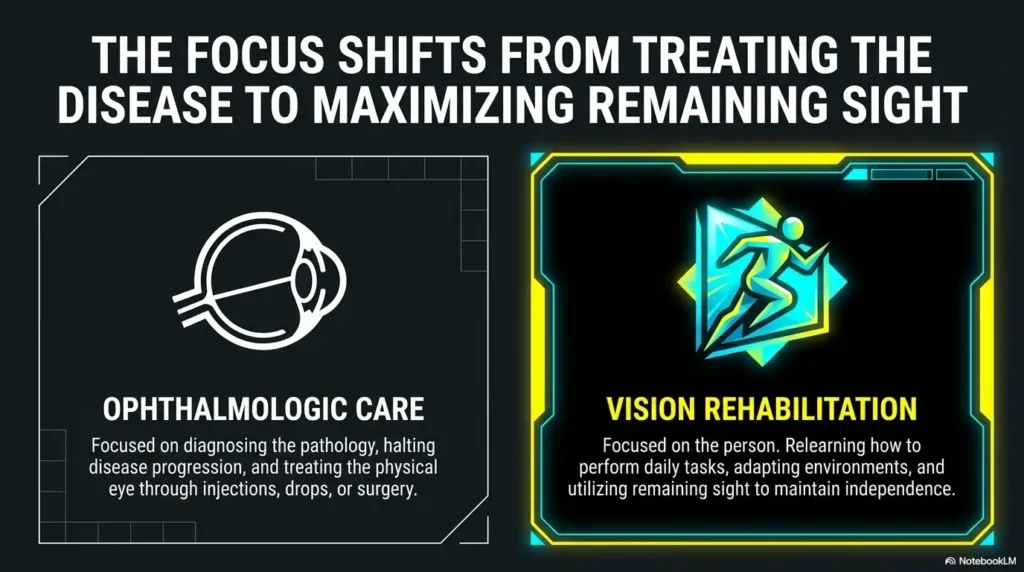
Ask about low-vision rehabilitation, not just stronger glasses
Low vision may not be fully corrected by regular glasses. Vision rehabilitation can focus on practical daily skills, home setup, assistive devices, and safer routines. If the person has macular degeneration or another condition that makes ordinary reading tools unreliable, it may be time to ask about a low-vision specialist for macular degeneration or similar referral.
A clock can help the routine, but it should not hide a new problem
The right clock should make life easier. It should not quietly cover up worsening vision, medication errors, or safety risks.
FAQ
Are talking clocks better than large display clocks for low vision?
Talking clocks are better when the person cannot reliably read numbers, especially at night or without glasses. Large display clocks are better when the person can still read bold, high-contrast digits from the real viewing distance. Many people benefit from both.
What color display is easiest to read for low vision?
There is no single best color for everyone. High contrast matters more than trendiness. Some users prefer bright red or amber digits on a dark background. Others prefer black digits on a light background. Test the display in the actual room, both day and night.
Should I buy a talking clock for an older parent?
Consider one if your parent avoids checking time, guesses, wakes at night, cannot read the bedside clock, or feels stressed about medication timing. Present it as an option to test, not as a verdict on their independence.
Are atomic clocks helpful for visually impaired users?
They can be helpful because they may set time automatically, reducing setup chores. But the clock still needs readable numbers or clear speech. Automatic time setting does not fix poor contrast, tiny buttons, or confusing alarms.
What size numbers should a low-vision clock have?
There is no universal number size because viewing distance and vision type vary. For bedside use, test from the bed. For wall use, test from the main chair or doorway. The right size is the one the person reads quickly without leaning, guessing, or squinting.
Can a smart speaker replace a talking clock?
Sometimes. A smart speaker can answer time questions by voice and set reminders. But it requires internet, power, voice commands, and comfort with technology. A dedicated talking clock may be simpler and more reliable for some users.
What is the best bedside clock for low vision?
The best bedside clock is easy to use half awake. For some people, that means a talking clock with a large top button. For others, it means a dimmable large display clock with high contrast. Reachability and nighttime comfort are the deciding factors.
Do low-vision clocks help with dementia or memory issues?
They may help with orientation, especially clocks that clearly show time of day, date, or spoken time. But dementia-related confusion needs a broader care plan. If missed medications, night wandering, or repeated disorientation occur, seek professional guidance.
Next Step: Run the 3-Minute Clock Fit Test
The opening question was simple: which clock actually helps? The answer is not “talking” or “large display” by default. The answer is the clock that removes effort from the person’s real day.
Put the clock where it will actually live
Place it on the nightstand, kitchen counter, wall, bathroom shelf, or living room table. Do not test it in fantasy lighting. Fantasy lighting is for perfume ads and people who alphabetize spices.
Check it from the real viewing distance
Ask the person to read or use it from the bed, chair, sink, or doorway. Watch for leaning, hesitation, guessing, or frustration.
Test it in bright light, dim light, and half-awake darkness
A low-vision clock must survive the whole day, not just the easiest 20 minutes of it. Test morning glare, evening dimness, and nighttime checking. If appointments and reminders are a major reason for buying the clock, pair it with a low-vision calendar system for appointments so time, date, and next steps all live in one calmer routine.
Buy the one that reduces effort, not the one that wins the product photo
For many users, the winning setup is not glamorous: a talking clock by the bed, a high-contrast display in the living room, and a simple timer or reminder system near medication. Small tools. Large relief.
Final 15-minute action: Pick the one room where time causes the most stress. Test one talking option and one large display option from the real position, in real lighting, without coaching. The better clock will announce itself, either out loud or in beautifully readable numbers.
Last reviewed: 2026-05
Tags: low vision clocks, talking clock, large display clock, assistive devices, caregiver buying guide
Meta description: Talking clock vs large display clock for low vision: compare voice, contrast, glare, rooms, medication timing, and caregiver buying tips.