


One Source of Truth: A Low Vision System for Stress-Free Appointments
A low vision calendar system for appointments without a smartphone can turn a 15-minute panic spiral into a two-minute daily habit. The difference is not more effort. It is having one paper system that settles the truth before stress gets a vote.
The real problem is rarely “forgetfulness.” It is scattered information: a reminder card on the table, a clinic note in a bag, and a half-remembered time. When appointments live in too many places, even simple weeks start to wobble. Keep guessing, and small mistakes turn into missed rides and wasted energy.
This method is practical, low-tech, and designed for real-life friction: bad lighting, tired evenings, and last-minute changes. It integrates:
- A Talking Clock for instant time confirmation.
- A Weekly Paper Rhythm Page for easy-to-read daily flow.
- One Master Appointment Log to track reschedules cleanly.
One truth source. One daily check-in. One calmer way to get out the door.
Because a good system should not demand perfect eyesight.
Table of Contents

1) Start here: the “Talking Clock + Paper Rhythm” setup (the whole system in 10 minutes)
If you only remember one thing: appointments need a single “truth source,” and you need one daily moment where you consult that truth. Everything else is decoration. (Sometimes helpful decoration. But still decoration.)
The three pieces (no more, no less)
- Talking clock/watch for time confirmation + alarms
- Weekly page for visible rhythm (Mon–Sun)
- Master appointment log for permanent truth (one place to check)
I’ve watched people build 12-tool “systems” that collapse the first time a clinic reschedules. The goal is boring on purpose. Boring survives bad lighting, stress, and the day you’re running on two hours of sleep.
The one rule that makes it stick
- One daily check-in window (same time every day) to review today + tomorrow
Let’s be honest…
If the system needs “perfect memory,” it’s not a system. It’s a dare.
- Weekly page = “what’s coming” at a glance
- Master log = “what’s true” when details conflict
- Talking time = “what time is it” without squinting
Apply in 60 seconds: Pick one spot in your home where the notebook and clock will live together, every day.
Money Block: Eligibility checklist (quick yes/no)
Answer these with Yes/No:
- Do you have one consistent place you can keep a notebook and pen?
- Can you commit to a daily check-in time (same time most days)?
- Will you write appointments in one standard format (so you can read it under stress)?
- Do you have (or can you get) an alarm source that’s loud and simple to set?
If you said “No” to one item: fix that one thing first. The system doesn’t need perfection. It needs a stable landing pad.
Neutral action: Circle the one “No” and solve it before buying anything.
2) Who this is for / not for
For you if…
- You have low vision and prefer paper or non-phone tools
- You miss appointments because details live in too many places
- You want a caregiver-friendly routine that doesn’t feel infantilizing
Not for you if…
- You need real-time changes from multiple providers each day (you may need phone/text backup)
- You’re managing complex medical scheduling across multiple specialists weekly (consider hybrid support)
A gentle truth: the goal here is not “never make a mistake.” The goal is make mistakes recoverable. The best systems don’t prevent every wobble. They prevent the wobble from becoming a fall.
A lot of vision rehab guidance focuses on keeping daily life workable through practical strategies and tools. The National Eye Institute, for example, describes vision rehabilitation as support that helps people with low vision do everyday tasks more easily. That’s exactly the lane we’re driving in: daily life, not gadgets for their own sake. If your routine already spills into medication timing and symptom tracking, it can help to pair this system with a low vision medication management routine that uses the same “one source of truth” idea.

3) Choose your “voice of time”: talking clock vs talking watch vs talking alarm
Time becomes slippery when you can’t confirm it instantly. A talking device makes time a sound you can trust, not a guess you negotiate with.
What to prioritize (not brand hype)
- Loudness + clarity: can you understand it from a few feet away, in a normal room?
- Simple alarm setting: fewer button combos, less “which mode am I in?”
- Battery behavior: predictable replacement schedule, obvious low-battery cues
Personal confession: I once tried a “feature-rich” talking device where setting an alarm required a sequence that felt like unlocking a secret level in an old video game. It worked perfectly… until I was tired. Then I set an alarm for 7:00 PM instead of 7:00 AM and gave myself a dramatic, unnecessary sprint.
The alarm strategy that prevents “late math”
- Two alarms: “start getting ready” and “leave now”
- Add a third only if transit is variable (bus/ride pickup)
Show me the nerdy details
Two alarms work because they split one stressful decision into two smaller ones: (1) begin the routine, (2) cross the threshold. This reduces “time estimation” load, which gets worse under stress. If you add more alarms, they start competing, and you’ll train yourself to ignore them. Keep it simple and consistent.
Money Block: Decision card (Clock vs Watch vs Alarm)
Pick the option that matches your daily reality:
Talking clock (home base)
- Best if you want one stable station
- Good loudness for kitchen/living room
- Downside: not with you outside
When to choose: most appointments start from home.
Talking watch (portable)
- Best if you need reminders while out
- Always attached to you (usually)
- Downside: tiny buttons can be fussy
When to choose: you’re often away from home before appointments.
Talking alarm (single purpose)
- Best if you only need alarms, not time announcements
- Often simpler controls
- Downside: may not confirm current time
When to choose: you already have a separate way to confirm time.
Neutral action: Write down “home base” vs “portable” on paper, then choose accordingly.
4) Build the paper rhythm: a weekly page that tells the truth at a glance
Your weekly page is not a diary. It’s a dashboard. If it can’t be read when you’re already stressed, it’s decorative.
The weekly page template (high-contrast and skimmable)
- Big day blocks, one appointment line per event
- A dedicated “travel/ride” line (rides are half the appointment)
Make it readable under stress
- Thick black marker or bold pen
- One format every time: DAY, DATE | TIME | PLACE | PURPOSE
Here’s what no one tells you…
Your calendar fails most often when you’re already late. Design for panic-proof reading.
A tiny lived-experience moment: I’ve seen people try to “save space” by cramming. And then, the day-of, they can’t tell if that scribble says “3” or “8.” The system didn’t fail because they were careless. It failed because it asked for precision in a moment that punishes precision.
Weekly page example entry (same format every time):
WED, MAR 18 | 10:30 AM | Eye Clinic, Suite 410 | Follow-up
Travel/Ride: pickup 9:40 AM, bring ID + insurance card
5) The master appointment log: one notebook to rule them all (and calm the chaos)
This is the part that feels “extra” until the first reschedule, the first conflicting reminder card, or the first “Wait, was it Tuesday or Thursday?” moment. Then it feels like a life raft.
Why a master log beats sticky notes
- Sticky notes are temporary truth that migrates into oblivion
- The master log is the audit trail when details conflict
I once watched a family try to solve this with a wall calendar, a purse notepad, and a “special folder.” Three calendars means three versions of reality. Reality only needs one.
What each entry must include (the “4-line script”)
- Date + day
- Time + arrive time
- Location + suite/department
- Ride plan + contact number
- Write the full details once (master log)
- Copy the quick version once (weekly page)
- Everything else points back to those two places
Apply in 60 seconds: Label the first page of a notebook: “MASTER APPOINTMENT LOG” in thick black marker.
6) The daily “check-in ritual”: your system’s heartbeat (morning + night)
This is where the system becomes kind. The check-in ritual is a small daily act that prevents big, expensive chaos later. (Expensive in time, money, and nerves.)
Morning check (2 minutes)
- Read today’s block out loud
- Set alarms for leave/arrive
Night check (3 minutes)
- Review tomorrow
- Pack the “go kit” (keys, wallet, meds, paperwork)
Tiny habit, huge payoff
Same chair, same light, same time. Make it a small ceremony, not a chore. 🗓️🔔
A note from real life: the “same chair” detail sounds silly until you try it. When your hands know where the notebook lives and your body knows where the pen sits, you save little bits of energy. Those bits add up. Especially on appointment weeks.
Mini leave-time calculator (no phone needed, but this helps you think)
Use this to decide your leave time. Then write the result in your master log and set the “leave now” alarm.
Neutral action: Pick one upcoming appointment and compute a leave time, then set your “leave now” alarm.
7) Tactile + contrast upgrades that don’t turn your planner into a craft project
Accessibility upgrades should feel like strengthening a bridge, not building a scrapbook. We want durable, low-fuss cues you can interpret by touch, even when your hands are busy.
Tactile anchors (simple, durable)
- Bump dots or raised stickers for “appointment days”
- Tabbed dividers for months or weeks
- Rubber band bookmark for “this week”
Contrast upgrades (low clutter)
- White or pale paper + black ink only
- Avoid pastel highlighters that disappear under indoor lighting
One small anecdote: someone once told me they “graduated” to a fancy pen because it looked nice. The ink was a lovely gray. It was also invisible after dinner when the overhead light turned everything into shadows. Tools don’t get bonus points for being pretty if they vanish when you need them. The same logic shows up in other home systems too, whether you’re using tactile thermostat labeling or tactile dots for microwave buttons: the best cue is the one you can find instantly, not the one that looks clever in daylight.
- Use one tactile code for “appointment day”
- Use one bookmark method for “this week”
- Keep ink high-contrast and consistent
Apply in 60 seconds: Put one bump dot on the next appointment day and test if you can find it with eyes closed.
8) Open loop: The “appointment packet” trick (so you stop losing papers at the worst moment)
The calendar tells you when and where. The packet holds what and why. When those are separated, you get the classic chaos: you arrive on time… without the form, the card, or the list of questions you promised yourself you’d ask.
The packet method
- One envelope or folder per appointment, labeled with:
- Date/time
- Provider/location
- What to bring
- Questions to ask
Why this works
- Your calendar says when/where
- Your packet holds what/why
Short Story: I once sat in a waiting room next to a man who kept patting his pockets like he was searching for a small lost bird. He had made it on time, which was already a victory, but he couldn’t find the referral paperwork. His wife had it, maybe. Or it was on the kitchen table. Or it was “in that blue folder.” The receptionist was kind, but kindness doesn’t magically produce documents.
He ended up rescheduling, and you could see the cost in his shoulders. Later, when he adopted the packet method, he said something that stuck with me: “I don’t need to remember everything. I just need to remember where the remembering lives.” That’s the whole philosophy right there. If your packet regularly includes prescriptions, medication changes, or symptom notes, it pairs beautifully with a one-page medication list template or a low vision medication tracker printable so those details travel with the appointment instead of floating loose in the house.
Money Block: Quote-prep list (before you compare tools or ask for help)
Before you buy a device or ask a caregiver to support you, gather:
- Your typical appointment frequency (per month)
- Your typical travel method (drive, bus, ride service, family)
- Your preferred writing style (marker vs pen; notebook size)
- Your biggest failure point (forgetting time, location, or papers)
Neutral action: Write these four bullets on the inside cover of your master log.
9) Open loop: How to handle reschedules without erasing your sanity
Reschedules are where good systems prove they’re good. The goal is not to keep the page pristine. The goal is to keep the truth intact.
The reschedule protocol (5 steps)
- Cross out once (don’t scribble the universe)
- Write “MOVED” + new date/time
- Update weekly page
- Update master log
- Reset alarms
The “no silent changes” rule
If it changed, it gets written in both places before you hang up.
A lived moment: you will be tempted to say, “I’ll update it later.” “Later” is a foggy country with no postal service. Do it while the new information is warm.
- One clean cross-out preserves history
- “MOVED” prevents misreading old times
- Alarms get reset immediately
Apply in 60 seconds: Add a bold “MOVED” label to your pen cup or notebook cover as a reminder cue.
10) Common mistakes that quietly break low-vision calendar systems
Mistake #1: Too many calendars
Wall calendar + notebook + cards + scraps = conflict guaranteed. When two sources disagree, your brain becomes the referee. That’s exhausting.
Mistake #2: Writing “10” without AM/PM
Add AM/PM always and a default check: “Would I ever go at 10 PM?”
Mistake #3: Alarms set for the appointment time
Alarm should protect arrival, not announce failure.
Mistake #4: No ride plan written down
Transportation is part of the appointment, not an optional subplot. This becomes even more obvious if you already use low vision travel tips for getting out the door with less friction, because a calm trip starts long before the front door opens.
I’ve made every one of these mistakes at least once in some form. The difference between “I’m bad at this” and “my system is missing a part” is huge. You’re not failing. You’re debugging.
11) Don’t do this: the “helpful” setups that create hidden fragility
Don’t rely on memory as the glue
Memory should be a bonus, not a load-bearing wall.
Don’t build a system you can’t explain in 30 seconds
If you can’t teach it, you can’t maintain it when tired or stressed.
Don’t use low-contrast pens “because they look nice”
A calendar is a tool, not stationery aesthetics.
One more “helpful” trap: making the system so complex that only one person knows how it works. That turns a calendar into a dependency. A good system is transferable. If you hand it to a caregiver for a week, they should be able to run it without becoming a detective. That principle matters even more in households already navigating how to help a spouse with vision loss or the emotional logistics of coping with vision loss as a couple.
12) Next step (one concrete action)
Tonight: create your “first weekly page”
- Draw (or print) a 7-day grid
- Write one upcoming appointment using the 4-line script
- Set two alarms (get-ready + leave)
- Put the master log next to the talking clock so the system lives in one spot
Infographic: The Talking Clock + Paper Rhythm System (one-glance map)
1) Talking Time
Announce time + set alarms (get-ready, leave, optional pickup).
2) Weekly Rhythm Page
Fast glance: day/date, time, place, purpose, travel line.
3) Master Appointment Log
Full truth: address, suite, arrive time, ride plan, phone.
Daily Check-in (2 + 3 minutes)
Morning: read today + set alarms. Night: confirm tomorrow + pack kit.
Appointment Packet
One labeled envelope: papers + questions + what to bring.
Reschedule Rule
Cross out once, write “MOVED,” update both places, reset alarms.
Best part: no smartphone required. The system runs on routine, not willpower.
FAQ
1) What’s the best calendar for low vision if I don’t use a smartphone?
The “best” is the one you can read when you’re tired: a large-print weekly page (one week per sheet) plus a master appointment log notebook. The weekly page gives fast rhythm; the master log holds full details. If you only use a wall calendar, you’ll usually miss the “small” details that matter on appointment day.
2) Are talking clocks reliable for appointment reminders?
They can be very reliable if you keep the alarm plan simple: two alarms (get-ready and leave) and a predictable battery routine. Reliability isn’t only the device. It’s also the habit: set alarms during the morning check-in, and confirm tomorrow during the night check-in.
3) How do I set up a weekly schedule that’s easy to read with low vision?
Use high-contrast black ink, write in one consistent line format, and limit each day to one clear appointment line plus one travel line. Add one tactile anchor for appointment days (like a bump dot). The goal is quick recognition, not perfect decoration.
4) What’s the simplest way to track appointments on paper without missing changes?
Two places only: (1) weekly page and (2) master log. When anything changes, update both before you end the call. Use the word “MOVED” so you don’t accidentally follow the old time later.
5) How can caregivers help without taking over my calendar?
Agree on roles. You keep the master log as the truth. A caregiver can help by reading back details during scheduling calls, confirming addresses, and doing a shared nightly check-in once a week. The key is that help should increase your independence, not replace your ownership.
6) How do I handle multiple medical appointments in one week without an app?
Keep the weekly page uncluttered by limiting it to “headline info,” and let the master log do the heavy lifting. Use appointment packets so paperwork doesn’t mix. If the week is packed, add one extra check-in midweek (10 minutes) to re-confirm rides and arrival times.
7) What’s the best pen or marker for high-contrast planners?
Look for bold, dark lines that don’t fade under indoor lighting. The specific brand matters less than the result: can you read it quickly from your usual viewing distance? Test by writing one entry, stepping back, and seeing if it’s still instantly legible.
Conclusion
Remember the dread from the beginning, the “Was it 9:00 or 2:00?” feeling? That fear thrives on scattered information. The Talking Clock + Paper Rhythm system starves it by making the truth easy to find, even on your worst day: one weekly page for rhythm, one master log for detail, one daily check-in to keep everything current, and alarms that protect arrival instead of announcing defeat.
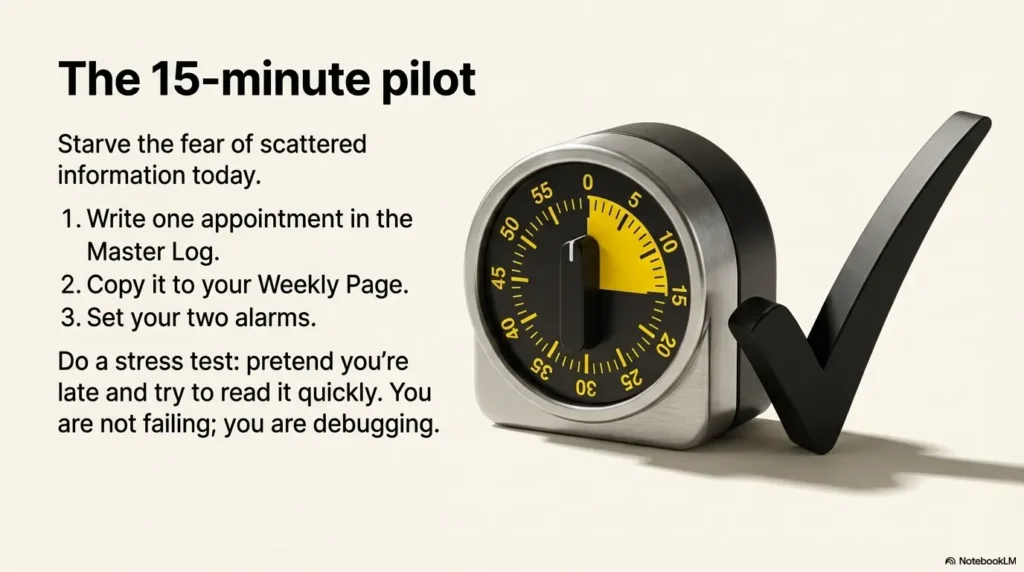
If you want a confidence boost within 15 minutes, do a quick pilot: write one appointment in the master log using the 4-line script, copy it to your weekly page, and set your two alarms. Then do one tiny stress test: pretend you’re late and try to read the entry quickly. If it’s not instantly clear, make it bolder, simpler, and more consistent. Your future self will feel the difference.
If you’re looking for additional learning support, organizations like Hadley (free workshops and practical skills for adults with vision loss), the American Foundation for the Blind, and clinical networks referenced by the National Eye Institute (NIH) can be useful starting points. You don’t need a tech overhaul to regain control. You need a system that respects how real days behave: messy, loud, and occasionally allergic to plans. And if appointments tend to bring a wash of dread before eye procedures or follow-ups, resources on anxiety before eye surgery can complement the logistics side with a little emotional ballast.
Last reviewed: 2026-03-06