
Bridging the Gap: Focus, Size, and Dignity at the Kitchen Table
A medicine label can turn a quiet Tuesday kitchen into a tiny courtroom. One person squints. One person worries. Nobody wants to say the wrong thing. That is why explaining reading glasses vs. magnifiers to an older parent needs more than a product comparison. Reading glasses, magnifiers, near vision, low vision, glare, and lighting all matter, but so does dignity. Say it clumsily and your parent may hear, “You are declining.” Say it well and they may hear, “Let’s make daily life easier.”
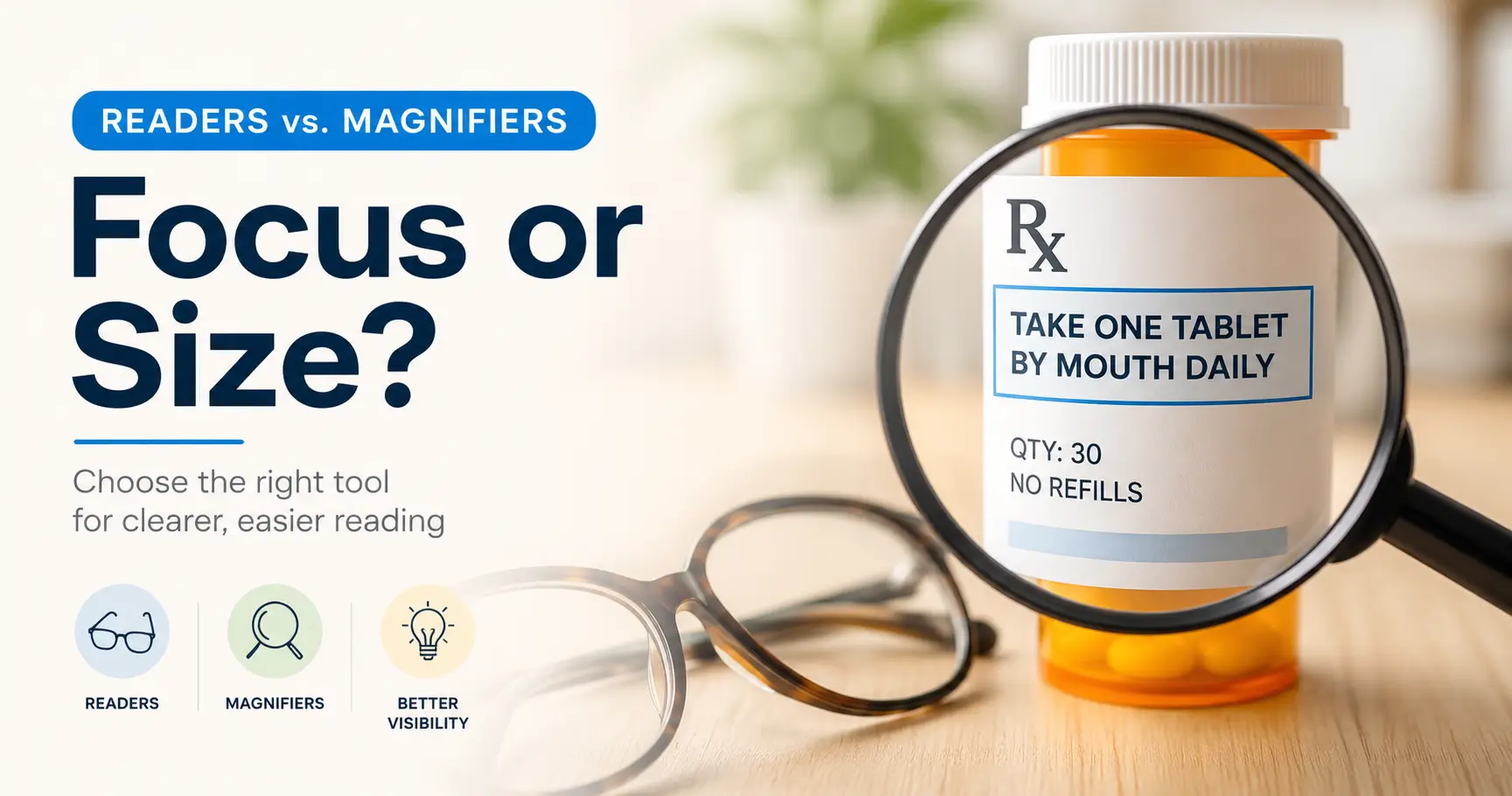
The simple seed: Reading glasses help the eyes focus up close; magnifiers make small details look larger. Readers are mostly about focus. Magnifiers are mostly about size.
The stakes are practical. Guessing can lead to the wrong tool, wasted money, unread medication instructions, skipped hobbies, and delayed eye care. This guide gives you a calm, family-friendly way to explain the difference—keeping it task-based and letting the tool, not pride, do the heavy lifting.
The Calm Family Translation
Instead of saying, “You need stronger glasses,” try: “Let’s see which setup makes this label easiest to read.”
That sentence keeps the conversation about the task, not the person. It also leaves room for lighting, readers, magnifiers, phone zoom, large-print labels, or an eye exam if the quick fixes do not help.
Table of Contents
Safety Disclaimer
This guide is for general family communication and vision education. It is not medical diagnosis, prescription advice, emergency care, or a substitute for an eye exam.
Reading glasses and magnifiers can help with close tasks, but they should not be used to “self-fix” sudden vision changes, eye pain, new distortion, new floaters, flashes, falls linked to vision, medication-reading problems, or trouble recognizing faces. If any of those appear, involve an eye care professional promptly.
Also, do not treat a stronger pair of drugstore readers as a universal answer. That little rack at the pharmacy is useful, but it is not a tiny optometry school with fluorescent lighting.
- Readers help focus near text.
- Magnifiers enlarge small details.
- New or worsening symptoms need professional attention.
Apply in 60 seconds: Ask your parent what task feels hardest this week: labels, menus, mail, phone, or hobbies.
Start With Dignity, Not Devices
The real problem is not “Which tool?”
The real problem is often, “How do I help without making my parent feel inspected?” That is a softer and harder question.
Many older adults do not resist readers or magnifiers because they hate helpful objects. They resist because the object has a message attached. A magnifier can feel like a verdict. Stronger glasses can feel like a scoreboard. A phone zoom feature can feel like a secret handshake with the future that nobody explained.
Frame the conversation around comfort, independence, and fewer daily interruptions. “Let’s make this easier” lands better than “You cannot see that anymore.” One sentence keeps the lamp warm. The other turns on a courtroom spotlight.
Use the kitchen-table test
Bring the conversation to a normal object. A pill bottle. A recipe card. A crossword clue. A church bulletin. A phone screen. A restaurant menu. Ordinary objects lower the emotional temperature.
For medication tasks, the stakes are higher because misreading instructions can create real risk. If labels are the problem, connect the conversation to practical supports such as large-print prescription labels, low-vision medication safety, or a simple one-page medication list template.
Pattern interrupt: “This is not a vision lecture”
A useful line is: “I’m not trying to diagnose your eyes. I’m trying to help match the tool to the task.”
That line does three quiet things. It lowers defensiveness. It gives your parent authority. It also reminds you not to become the family optometrist after watching one online video and owning a flashlight.
Decision Card: Start With the Task, Not the Tool
Use reading glasses first when: the page clears up at a comfortable close distance and the issue is mainly blur.
Try magnification when: the page is focused but the print remains too small, dense, low-contrast, or tiring.
Trade-off: Readers are simple and familiar. Magnifiers may solve tiny-print tasks better but need correct distance, lighting, and practice.
Neutral action line: Test both tools on one real label before buying anything new.
Readers Correct Focus; Magnifiers Enlarge the Target
The one-sentence explanation
Reading glasses are for focus. Magnifiers are for size.
That is the tiny hinge that opens the whole door. A parent does not need an optics lecture to understand it. They need a practical contrast they can feel in their hands.
Try saying: “Readers help your eyes bring close things into focus. A magnifier makes the thing itself bigger.”
Why readers help with near work
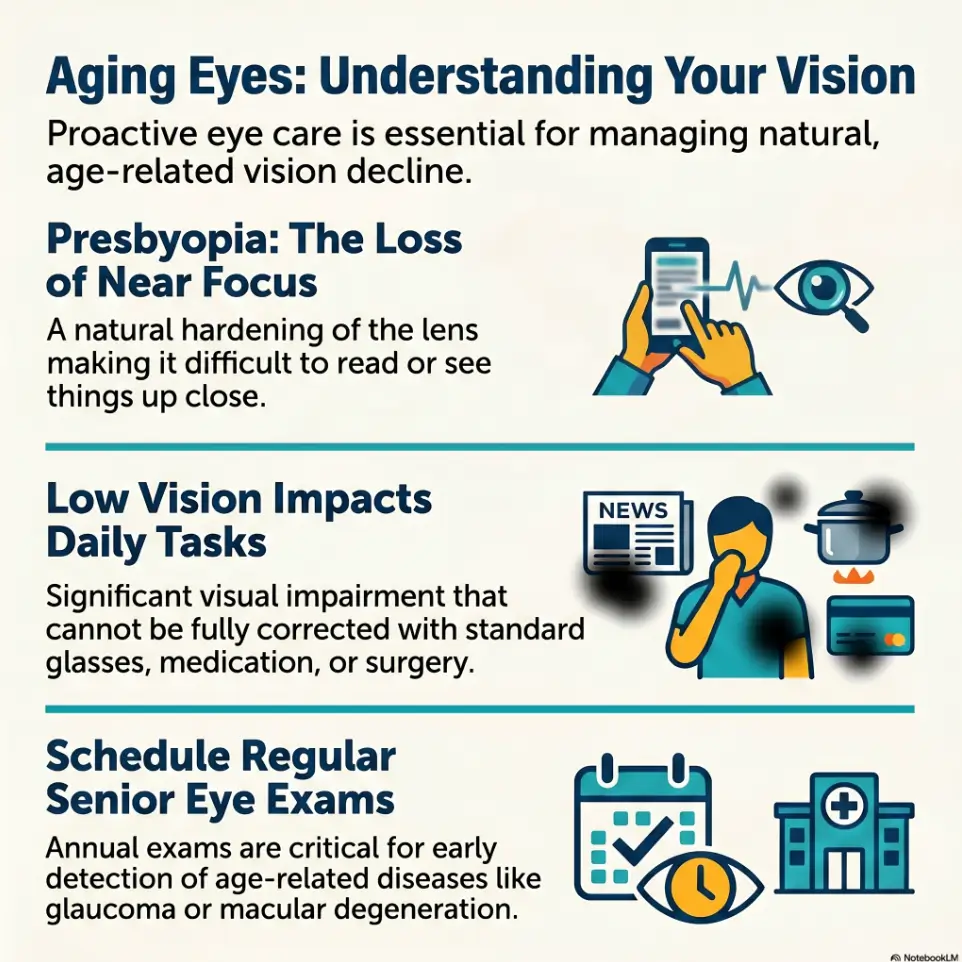
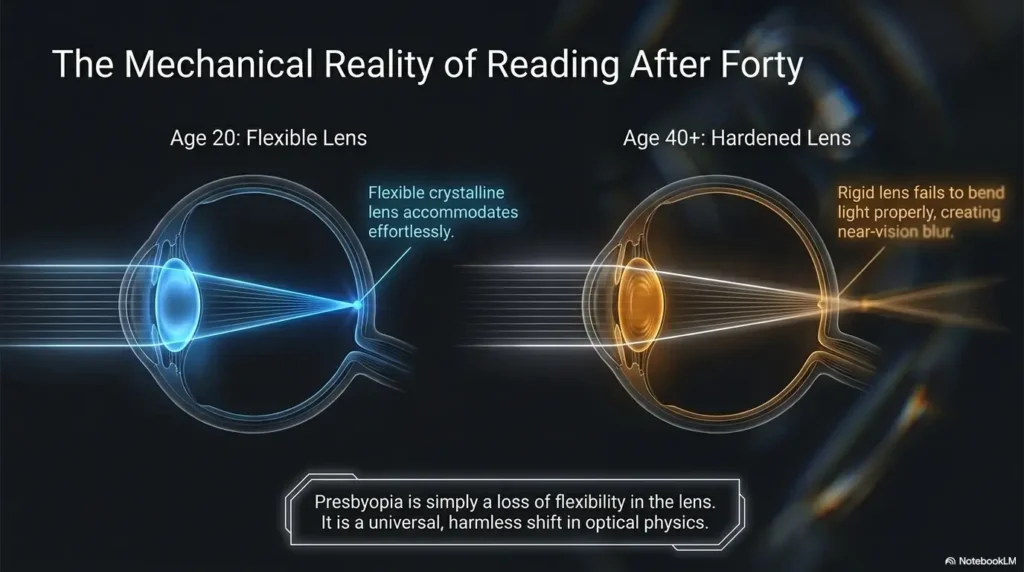
With age, many people develop presbyopia, a normal change that makes close focusing harder. The classic clue is the “long-arm menu.” The text looks better when it is held farther away, until arms run out of real estate.
Reading glasses can help bring near text back into focus. They are commonly used for books, mail, recipes, labels, and phone screens. But they work best when the main issue is near focusing, not missing areas, distortion, severe contrast problems, or disease-related vision loss.
Why magnifiers help differently
Magnifiers do not correct focus in the same way readers do. They enlarge small targets so details are easier to see. They can help with medicine labels, appliance settings, maps, sewing, model numbers, coupons, ingredient lists, and the cruelly tiny print on a receipt that looks like it was designed by ants with legal training.
Magnifiers often work best when paired with good lighting. A handheld magnifier in dim light can create frustration. An illuminated magnifier, stand magnifier, or phone magnifier can be easier for some people, especially when hand tremor or fatigue is involved. If tremor is part of the picture, a comparison like handheld vs stand magnifier for tremor can help families choose a steadier setup.
Show me the nerdy details
Reading glasses use lens power to shift the focusing demand for near work. A stronger plus power usually creates a shorter working distance, which is why “stronger” can become uncomfortable if the page must be held too close. Magnifiers work by increasing the apparent angular size of the object. In plain English, readers help the eye focus; magnifiers help the brain receive a larger image. Lighting, contrast, glare, working distance, and stability can change how well either tool performs.
The Distance Test That Makes It Click
Ask: “Where do you hold the page?”
The page position tells a story. If your parent pushes reading material farther away and says, “It clears up out here,” readers may help. If they bring the object close, add light, and still cannot make out details, a magnifier or eye exam may be needed.
This test is not a diagnosis. It is a conversation tool. It lets you replace “Your eyes are getting worse” with “Different distances need different tools.” Much gentler. Far fewer emotional paper cuts.
Compare book, bottle, and phone
Use three objects: a book, a medicine bottle, and a phone screen. Each has a different size, contrast level, glare risk, and reading distance.
- Book: usually good for testing comfortable reading distance.
- Medicine bottle: good for testing tiny print, curved surfaces, and real-world risk.
- Phone: good for testing brightness, zoom, glare, and digital accessibility settings.
If the phone is the main trouble spot, the issue may be screen settings rather than glasses alone. Some families start with iPhone Back Tap Magnifier, iPhone Magnifier filters for pill bottles, or Android Select to Speak for menus before buying another gadget.
Here’s what no one tells you
A stronger reader is not always better. Too much power can force the reading distance closer, narrow the comfortable range, and make the user feel trapped between blur and chin-tuck gymnastics.
Mini Calculator: The 3-Object Ease Score
Score each object from 0 to 3 after trying better light, current readers, and magnification.
Result: Enter scores, then calculate.
Neutral action line: Use the result to decide whether to adjust the setup or call the eye clinic.
Who This Is For / Not For
This is for adult children and caregivers
This guide is for the person trying to be helpful without becoming bossy. You may be an adult child, spouse, neighbor, friend, or caregiver. Your goal is not to win a debate. Your goal is to reduce daily friction while protecting dignity.
It also helps when you are already noticing small changes: unread mail, abandoned hobbies, restaurant menus passed across the table, or a parent quietly asking, “What does that say?” more often.
This is also for parents who resist “gadgets”
Some parents hear “gadget” and imagine a drawer full of plastic regret. Fair. Many homes have one.
Keep the first step simple. A brighter lamp. A better angle. A phone zoom demonstration. A magnifier tried for one label, not a full lifestyle rebrand.
If your parent already uses household adaptations, tie the idea to familiar supports. A large-button TV remote, low-vision clock, or bump dots and tactile tape can be framed the same way: not “special treatment,” just smarter friction removal.
Not for sudden or serious symptoms
This guide is not for sudden vision loss, eye pain, double vision, flashes, new floaters, new distortion, or missing spots. It is also not for repeated falls, new trouble recognizing faces, or major changes in driving confidence.
For those, skip the tool debate. Call an eye care professional. If symptoms are sudden or severe, treat the situation as urgent.
Don’t Say “You Need a Magnifier”
Mistake: making it sound like decline
“You need a magnifier” may be factually harmless, but emotionally heavy. To some parents, it sounds like a stamp on the passport to frailty.
Try: “Let’s test which tool makes this easier.” That sentence gives the parent agency and lets the object prove itself.
Mistake: treating resistance as stubbornness
Resistance may be fear, embarrassment, cost concern, vanity, grief, or a private memory of watching someone else lose vision. It may also be simple annoyance. Nobody wants to be interrupted while peacefully losing a fight with a cereal box ingredient list.
Assume there is a story under the resistance. You do not need to pry it open. Just leave room for it.
Better phrase: “Let’s try the easiest option first”
This phrase works because it avoids pressure. It does not say, “You must accept a new identity.” It says, “We can experiment.”
- Use “try,” not “need.”
- Use real tasks, not abstract warnings.
- Stop the test if frustration rises.
Apply in 60 seconds: Replace “You need stronger glasses” with “Let’s try the easiest setup first.”
Use a Three-Tool Ladder, Not a Debate
Step 1: Better lighting
Before changing lenses, improve light. Many older adults read better when the page is evenly lit, glare is reduced, and shadows are controlled.
Place the light slightly behind and beside the shoulder, aimed at the page rather than into the eyes. If central vision loss or glare sensitivity is involved, a guide like reading lamp position for central vision loss can help refine the setup.
Step 2: Correct readers
Try the readers your parent already owns. Then test whether a different strength helps at a comfortable distance. If there is ongoing trouble, headaches, uneven vision, or frequent changes, an eye exam is wiser than a drawer full of mystery readers.
If your parent is mostly struggling with near tasks, a related guide on senior near vision problems can help connect symptoms to practical next steps.
Step 3: Magnifier or low-vision support
If readers make the page focused but the text still feels too small, a magnifier may help. If ordinary glasses and simple magnification do not restore practical function, low-vision services may offer more options, including task training, lighting changes, electronic magnification, contrast tools, and home-safety strategies.
1
Light
Reduce glare. Aim light at the page. Improve contrast before buying.
2
Focus
Try appropriate readers for near work at a comfortable distance.
3
Enlarge
Use magnification for tiny print, precision tasks, or dense labels.
Plain-language rule: improve the environment, then focus, then enlarge.
Common Mistakes That Make the Conversation Harder
Mistake 1: Buying the strongest drugstore readers
A stronger number may seem like a stronger solution. Not always. Higher power can shorten the working distance. Your parent may end up holding the page too close, bending the neck, or feeling dizzy and annoyed.
Also, drugstore readers usually have the same power in both lenses. That may not work well if each eye needs different correction or if there is astigmatism, cataract change, macular disease, or another issue.
Mistake 2: Ignoring lighting and contrast
A magnifier without good light can become a tiny window into frustration. A white pill bottle under harsh glare can defeat an otherwise helpful tool.
For glare-sensitive eyes, practical adjustments may matter as much as lenses. Consider related home changes like an anti-glare screen protector, ways to read glossy mail without glare, or 2700K vs 3000K lighting for glare-sensitive eyes.
Mistake 3: Using one tool for every task
Menus, pill labels, bills, phones, computer screens, sewing, and appliance dials do not behave the same way. One pair of readers can feel glorious for a paperback and useless at the pharmacy counter.
That does not mean the reader “failed.” It means the task changed.
Mistake 4: Skipping the eye exam
If your parent keeps changing readers, avoids reading, complains that print moves or warps, or says familiar tools no longer help, the next step should not be another checkout-lane pair.
It may be time for a comprehensive eye exam. For broader warning signs, review senior vision changes warning signs and how to tell whether vision changes are just aging or something more serious.
Eligibility Checklist: Is This a Home Tool Problem or an Eye Exam Problem?
- Yes/No: Did the problem appear suddenly?
- Yes/No: Is there eye pain, new distortion, flashes, floaters, or double vision?
- Yes/No: Are medication labels, bills, or cooking instructions being misread?
- Yes/No: Did readers used to work but now fail?
- Yes/No: Is your parent avoiding reading, hobbies, mail, or driving?
One-line next step: If any answer raises concern, schedule an eye exam instead of continuing to guess.
The Emotional Translation Parents Actually Hear
What you say: “Try a magnifier”
What they may hear: “You are becoming dependent.”
That is why tone matters. A magnifier can be a simple tool, but the word may carry decades of imagery. Try to make it sound like a kitchen utensil, not a medical verdict.
What you say: “You need stronger glasses”
What they may hear: “You are doing this wrong.”
Parents who have managed homes, jobs, children, grief, budgets, repairs, and impossible holiday schedules do not love being corrected over a menu. Understandable.
Say this instead
“Let’s make this easier without changing how you do everything.”
That sentence is small, but it gives back control. It says the goal is continuity, not surrender.
Short Story: The Soup Can Truce
My friend once told me about helping her father read a soup can after he had confidently opened the wrong flavor three Tuesdays in a row. He did not want a magnifier. He did not want “special equipment.” He wanted chicken noodle, not cream of mushroom ambush. So she said nothing about eyesight.
She placed the can under a brighter lamp, handed him his readers, and opened the phone camera. “Which one makes the label easiest?” she asked. He chose the phone. Then he laughed because the sodium number looked enormous, almost accusatory. The practical lesson was not that phones are magic. It was that he got to choose. The tool entered through the side door, carrying dignity instead of drama.
How to Explain It With Everyday Objects
The newspaper example
Use a newspaper, magazine, or paperback page. Say: “Readers help the letters sharpen. A magnifier makes the letters bigger.”
If readers make the words clear at a comfortable distance, they may be enough for that task. If the words are sharp but still too small, magnification may help.
The medicine-label example
Medication labels are one of the best examples because mistakes matter. The print is small, the bottle curves, the contrast may be poor, and the lighting in a kitchen or bathroom may be unkind.
Try pairing better light with readers, then a magnifier, then phone camera zoom. For more specific routines, connect this conversation to a low-vision pharmacy help script, pill bottle tactile label placement, or how to read labels aloud without sounding patronizing.
The phone-camera trick
A phone camera can act like a quick magnifier. Open the camera, point it at a label, and zoom in. Many phones also have built-in magnifier or accessibility settings.
This can feel less medical and more modern. A small dignity win tucked inside technology. If your parent dislikes handheld magnifiers, phone zoom may be a softer first bridge.
Quote-Prep List: What to Gather Before Buying a Magnifier
- Three real tasks your parent wants help with.
- The normal reading distance for each task.
- Whether hand tremor, arthritis, or fatigue affects holding a lens.
- Whether glare, dim light, or contrast is part of the problem.
- Whether the tool must fit in a purse, drawer, bedside table, or kitchen spot.
Neutral action line: Bring the task list to an eye clinic, low-vision specialist, occupational therapist, or reputable vision-aid retailer.
When Reading Glasses Are Enough
The page becomes clear at a normal reading distance
Readers may be enough when close-up text becomes sharp and comfortable. Your parent should not have to hunch over the page or hold it at a strange distance that makes the neck file a complaint.
The best sign is simple: your parent can read for a reasonable amount of time without squinting, fatigue, headaches, or constant repositioning.
The problem is mostly small print
If the issue is ordinary near blur with menus, books, receipts, and hobby instructions, readers plus lighting may solve much of the daily friction.
For restaurant menus specifically, a task guide like how to read restaurant menus with low vision may help families combine lighting, phone tools, and graceful conversation.
No other warning signs appear
Readers are more likely to be enough when there is no new distortion, no sudden blur, no pain, no missing areas, no major distance vision change, and no meaningful drop in daily function.
Even then, routine eye care still matters. Older adults can have multiple things happening at once: presbyopia, cataracts, dry eye, glare sensitivity, medication effects, or eye disease. Vision is a choir, not a solo instrument.
- The page should become clear at a comfortable distance.
- Lighting should make reading easier, not harsher.
- Ongoing changes deserve an eye exam.
Apply in 60 seconds: Watch whether your parent moves the page closer, farther away, or into brighter light.
When Magnifiers Make More Sense
Readers focus the page, but details remain too small
That is the magnifier moment. The eye may be focusing, but the target still needs enlargement.
This often happens with pill bottles, appliance labels, serial numbers, maps, craft patterns, bank forms, and warranty text written in what appears to be the official font of inconvenience.
Tasks require precision
Needlework, model building, coin sorting, crossword clues, recipe measurements, and medication instructions may need magnification more than simple readers.
If hand steadiness is an issue, a stand magnifier or electronic magnifier may be easier than a handheld lens. For tremor, compare stand magnifier options for tremor with handheld designs before assuming one style fits all.
Low-vision tools may be more than handheld lenses
Magnification can mean illuminated magnifiers, stand magnifiers, video magnifiers, phone accessibility settings, tablets, computer zoom, contrast changes, large-print materials, voice tools, and home organization systems.
If your parent has low vision, ordinary glasses may not fully solve the problem. Low-vision support focuses on function: reading mail, managing medicine, cooking safely, moving through the home, and staying socially connected. A guide such as questions to ask a low-vision occupational therapist can help families prepare.
When to Seek Help
Get an eye exam if readers stop working
If your parent says, “These used to help, but now they don’t,” do not simply increase power. That sentence is a signal. It may still be a routine prescription issue, but it may also point to cataracts, dry eye, macular changes, glaucoma-related field loss, diabetic eye disease, medication effects, or another concern.
For planning, use an annual eye exam checklist for seniors or a doctor appointment note-taking system so symptoms do not evaporate under exam-room fluorescent lights.
Act promptly for red flags
Seek professional care for sudden vision changes, eye pain, flashes, new floaters, double vision, new distortion, missing spots, falls linked to vision, or trouble reading medication instructions.
If there is a known condition such as glaucoma, macular degeneration, diabetes, stroke-related vision change, or cataract history, be especially careful about assuming the problem is “just aging.” Related home-safety planning may include home safety for glaucoma field loss, wet AMD home safety, or vision loss after stroke.
Watch for quiet avoidance
Some parents do not announce vision trouble. They simply stop doing things. Mail piles up. Hobbies sleep in drawers. Night driving shrinks. Recipes become “too much fuss.” The church bulletin goes unread. The crossword book stays closed like a little locked garden.
Those changes deserve gentle attention. Not interrogation. Not panic. Just a steady question: “What has gotten harder lately?”
- Sudden symptoms need prompt attention.
- Repeated tool failure deserves an exam.
- Quiet avoidance can be a meaningful clue.
Apply in 60 seconds: Write down one sentence your parent has said about reading lately and bring it to the eye appointment.

FAQ
Are reading glasses the same as magnifiers?
No. Reading glasses help the eyes focus up close. Magnifiers enlarge text or objects so details are easier to see. A simple way to explain it is: readers sharpen near focus; magnifiers increase size.
Can my parent use a magnifier instead of reading glasses?
Sometimes, but they solve different problems. Many people use both: readers for ordinary near work and magnifiers for tiny print, medication labels, maps, or precision tasks.
Do stronger reading glasses work like a magnifying glass?
They can make near work seem larger in some situations, but stronger is not automatically better. Too much power can make the working distance too close and uncomfortable.
Why can my parent read books but not medicine labels?
Medication labels are smaller, denser, curved, and often printed with poor contrast. The task may need better lighting, a magnifier, phone zoom, large-print pharmacy labels, or help organizing medication safely.
Should older adults buy readers without an eye exam?
Over-the-counter readers can help some people with simple near-focus difficulty. But ongoing trouble, sudden changes, uneven vision, headaches, distortion, or functional decline should be checked by an eye care professional.
What is the kindest way to bring this up?
Use a task-based sentence: “Would it help if we tried a brighter lamp or a magnifier for this label?” Avoid identity-based language such as “Your eyes are getting bad.”
Can phone zoom replace a magnifier?
For quick tasks, yes. A phone camera, built-in magnifier, or accessibility zoom can help with labels and menus. It does not replace an eye exam if vision is changing.
When are magnifiers a sign of low vision?
A magnifier alone does not mean low vision. But if regular glasses no longer make daily tasks manageable, a low-vision evaluation may help identify better tools, training, and home adjustments.
Next Step: Do the Label Test Today
Pick one real object
Choose a medicine bottle, food label, bill, phone message, recipe card, or piece of mail. Do not start with a lecture. Start with the thing that is already causing friction.
If the object is medication-related, consider pairing the test with a low-vision medication tracker printable or a method for reading medicine leaflets with low vision.
Try three changes in order
First, improve lighting. Second, try current readers. Third, try magnification with a handheld magnifier, stand magnifier, or phone camera.
Keep the test short. Fifteen minutes is enough. Longer than that and the kitchen table begins to feel like a tiny laboratory with snacks.
The 15-minute family script
Say: “Let’s see which setup makes this easiest. If none of them work comfortably, we’ll schedule an eye exam instead of guessing.”
That closes the loop. You began with a label, not a lecture. You explained the difference clearly: readers correct focus, magnifiers enlarge details. You protected safety without making fear the main character.
The next step is wonderfully ordinary: pick one label today, test light, readers, and magnification, then write down what actually helped. If nothing helps comfortably, make the appointment. Calmly. Kindly. Before the soup can chooses dinner again.
Last reviewed: 2026-05.